omp-monitors0.1.0
Monitors for oh-my-pi (omp): the agent starts a watcher command and every batch of lines it prints wakes the agent, no polling.
Built for omp
The author tagged this package oh-my-pi.
Reports 0
No reports yet.
Readme
omp-monitors

Monitors for oh-my-pi (omp), like Claude Code's Monitor tool. The agent
starts a watcher command; every batch of lines it prints wakes the agent with those lines. The agent never
polls, never sleeps in a loop and never re-arms a watcher: it starts one and ends its turn.
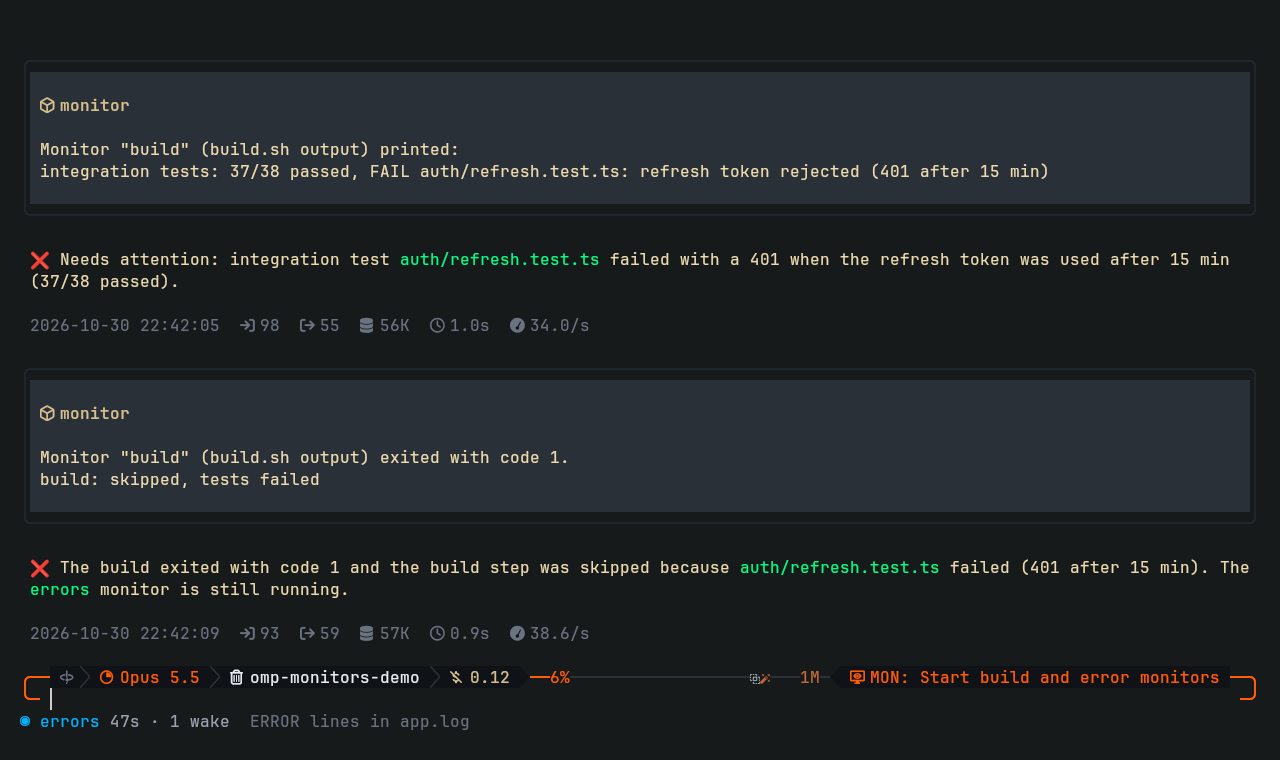
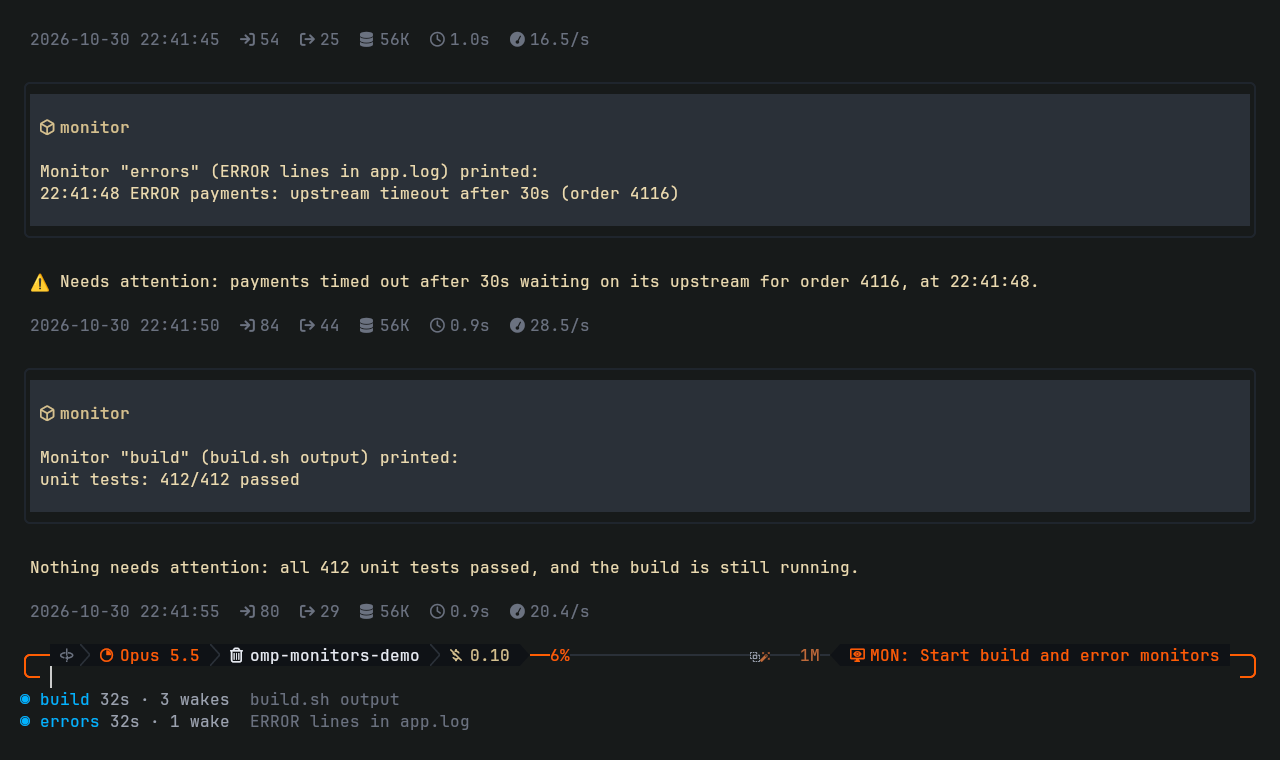
monitortool. Starts a bash command in the background and returns at once. Each batch of output lines arrives as a message: it starts a turn when the agent is idle and queues behind the current run when it is busy.- Exit is news too. When the command exits, the agent gets the exit code and the last lines, so a dead watcher is never silent.
- Footer. Running monitors are listed below the editor, one row each, with uptime and how many times they woke the agent.
monitor_stoptool and/monitorscommand. Stop one (kills its whole process group) and list all monitors of the session.
Install
omp install omp-monitors
Restart omp. Or from the omp-extensions marketplace:
omp plugin marketplace add Petyok/omp-extensions
omp install omp-monitors@omp-extensions
Use one of the two, not both. Requirements:
| omp | built and tested on 18.13.3 |
| Shell | bash on PATH (commands run as bash -c) |
| OS | Linux. macOS should work but is untested; Windows is not supported (process groups) |
Use
Ask for it in plain words ("watch the deploy and tell me when it is done or fails"), or name the tool. Its parameters:
| Parameter | Meaning |
|---|---|
name |
Unique short name, shown in the footer and in every message |
command |
bash command. Print one line per event and keep running |
description |
What it watches, shown in every message |
quietMs |
Deliver once the output has been quiet this long (default 2000) |
minIntervalMs |
At most one delivery per this interval (default 10000) |
A good watcher prints only what is news. Some shapes:
# a log: one line per error
tail -n0 -F app.log | grep --line-buffered ERROR

# Kubernetes: one line per pod phase change
kubectl get pods -w --no-headers

# anything that is polled: print only when the state changes, exit when done
prev=; while :; do s=$(gh run view 1234 --json status -q .status); [ "$s" != "$prev" ] && echo "$s" && prev=$s; [ "$s" = completed ] && exit; sleep 20; done
Output must reach the pipe line by line: use grep --line-buffered, python -u, or stdbuf -oL.
How it works
- The command runs as
bash -cin its own process group, with stdout and stderr read line by line. - Lines are batched: a delivery goes out once the output has been quiet for
quietMs, and at most once perminIntervalMs. One delivery carries at most 6000 characters; when a batch is longer, the newest output is kept and the message says how much was dropped. - Deliveries are custom messages sent as follow-ups with
triggerTurn: omp starts a turn when the session is idle and queues the message behind the current run when it is busy. monitor_stopkills the process group and drops output that was read but not delivered yet; nothing is delivered for a stopped monitor.- Every monitor a session started is killed when the session shuts down. Subagents get their own set.
Limits
- Monitors live in the omp process: they stop when omp exits and do not come back after a restart.
- Every delivery is a model turn and costs tokens. Watchers that print on every tick get expensive; print changes, not state.
- No stdin: commands that wait for input never get any.
Develop
git clone https://github.com/Petyok/omp-monitors
omp install ./omp-monitors   # links the checkout; edits apply on the next omp start
bun test
License
MIT.