oh-my-tutor0.1.0
A stateful tutor package for pi that adds hint-first, track-aware teaching workflows.
Untested on omp
This is a pi package. No one has reported whether it works on omp yet. If you try it, add your result below.
Reports 0
No reports yet.
Readme
oh-my-tutor
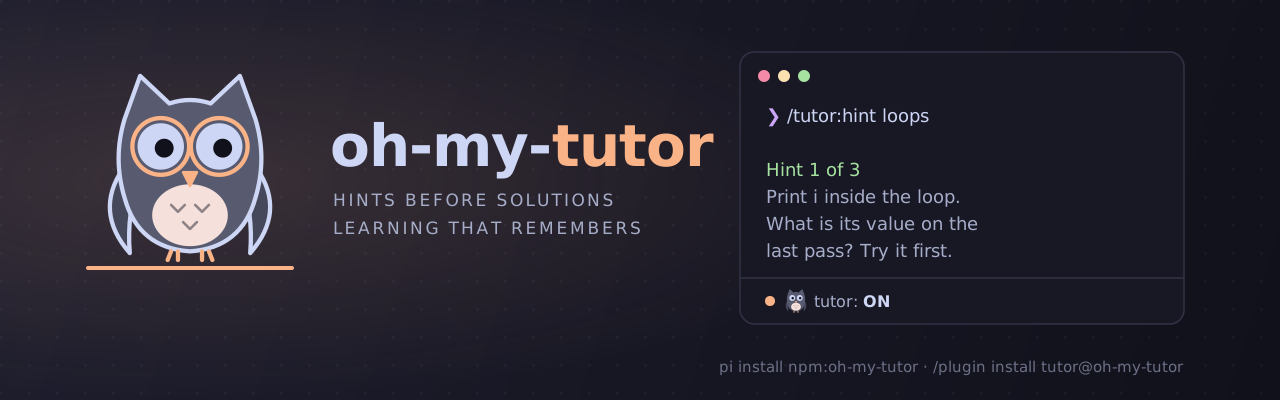
pi install npm:oh-my-tutor
Personal coding tutor for pi.
oh-my-tutor turns pi or Claude Code into a teaching-oriented coding assistant.
oh-my-tutor was called pi-tutor before. Its data folders keep the old name (.pi-tutor/, pi-tutor/learner-profile.md, PI_TUTOR_DIR), so existing profiles and tracks keep working.
It adapts to how you like to learn, remembers what you're learning, resumes topics over time, and guides you with hint-first help instead of jumping straight to solutions.
What this is
oh-my-tutor is a tutor package for pi and a plugin for Claude Code. It is meant for learning while coding — not just getting answers, but building understanding, practicing in small steps, and keeping momentum across sessions.
What it does
- adapts to your learning style and preferences
- remembers what you're learning and resumes it later
- keeps separate topic folders for different learning tracks
- prefers hints, questions, and next steps before full solutions
- helps you reflect on progress, blockers, and what to do next
- supports learning through small projects, exercises, and repeated practice
Install
From npm
pi install npm:oh-my-tutor
From GitHub
pi install https://github.com/denismrvoljak/oh-my-tutor
Local path install
Use this when developing on the package itself:
pi install /absolute/path/to/oh-my-tutor
pi list
Project-local install
Use this when you want a clean temporary environment or project-scoped setup:
pi install -l /absolute/path/to/oh-my-tutor
pi list --approve
Pi 1.x ignores project-local packages until you trust the project. --approve trusts it for one run.
One-off test
pi -e npm:oh-my-tutor
Then open pi and enable tutor mode:
/tutor on
Claude Code
This repository is also a Claude Code plugin and marketplace:
/plugin marketplace add denismrvoljak/oh-my-tutor
/plugin install tutor@oh-my-tutor
For local development, run claude --plugin-dir /absolute/path/to/oh-my-tutor.
In Claude Code, the commands carry the plugin prefix: /tutor:tutor on, /tutor:hint, /tutor:tutor-implementation, and so on. A UserPromptSubmit hook (claude/user-prompt-submit.mjs) replaces the Pi extension. Tutor mode applies per session. The plugin reads the same learner profile and .pi-tutor/tracks/ as Pi, so both harnesses share one learning state. The hook needs Node 22.18 or later.
While tutor mode is on, Pi shows ○ 🦉 tutor: ON in its footer. The dot lights up while the agent is working. Claude Code can show 🦉 tutor: ON in its status line, but a plugin cannot set the status line for you. To turn it on:
Run
/tutor:tutor ononce. This writes the launcher~/.claude/oh-my-tutor/statusline.mjs.Add this to
~/.claude/settings.json:"statusLine": { "type": "command", "command": "node ~/.claude/oh-my-tutor/statusline.mjs" }
The status line prints nothing while tutor mode is off. If you already have a status line, this setting replaces it. To keep yours, call the launcher from your own status line script and print both outputs.
What it includes
/tutor on/tutor off/tutor status- conversational onboarding that creates
learner-profile.md - topic tracks under
tracks/<topic-folder>/ - track-aware prompt templates:
/start_tutoring/hint/reflect/next_step
- track-aware skills for implementation mentoring and topic learning
- guards that require tutor mode to be on before tutor workflows run
State layout
Tutor data is split across two roots: one global (learner identity), one per-project (learning tracks).
Global learner state
learner-profile.md lives under the agent's global config dir, shared across every project:
${PI_CODING_AGENT_DIR:-~/.pi/agent}/pi-tutor/
└── learner-profile.md
learner-profile.md— durable learner preferences, goals, topics, and tutoring style
Per-project track state
Each learning stream gets its own directory under .pi-tutor/tracks/<topic-folder>/, inside the project repo the track is about — resolved as the nearest ancestor directory containing .git, falling back to the current working directory if none is found:
<project-root>/.pi-tutor/
└── tracks/
    └── <topic-folder>/
        ├── track.md
        ├── project.md
        ├── roadmap.md
        └── progress.md
The folder name is just a short filesystem-safe topic name.
File roles:
track.md— what the track is about, keywords, learner-specific notesproject.md— concrete project brief (goal, scope, acceptance criteria, constraints, deliverables)roadmap.md— milestones and checkbox todo tasks/exercises (- [ ]/- [x])progress.md— journey status (roadmap completion), current focus, completed work, reflections, blockers, next step
This package is intentionally markdown-first. There is no hidden active-track state to keep in sync.
Tracks live in-repo so they're git-diffable and travel with the project (clone, branch, PR review). If you'd rather not commit tutoring state, add .pi-tutor/ to the project's own .gitignore — oh-my-tutor does not do this for you.
Migrating tracks created before this layout
Older versions of pi-tutor stored tracks globally, under ${PI_CODING_AGENT_DIR:-~/.pi/agent}/pi-tutor/tracks/<topic-folder>/. That location still exists on disk if you had tracks from before, but oh-my-tutor no longer reads or writes it. To keep an existing track, copy its folder into the project it belongs to:
cp -r "${PI_CODING_AGENT_DIR:-~/.pi/agent}/pi-tutor/tracks/<topic-folder>" "/path/to/project/.pi-tutor/tracks/<topic-folder>"
learner-profile.md is unaffected — it stays in the same global location as before.
Local development install
Run pnpm install once in the package repo before installing it into pi.
cd /absolute/path/to/oh-my-tutor
pnpm install
For a clean project-local dev check:
cd /absolute/path/to/oh-my-tutor
pnpm install

export PI_CODING_AGENT_DIR="$(mktemp -d)"
tmp_proj="$(mktemp -d)"
cd "$tmp_proj"

pi install -l /absolute/path/to/oh-my-tutor
pi list
pi
Local development workflow with /reload
After the first local install, keep editing files in /absolute/path/to/oh-my-tutor and use /reload inside pi instead of reinstalling every time.
Typical loop:
cd /absolute/path/to/oh-my-tutor
pnpm test

export PI_CODING_AGENT_DIR="$(mktemp -d)"
tmp_proj="$(mktemp -d)"
cd "$tmp_proj"

pi install -l /absolute/path/to/oh-my-tutor
pi
Inside pi:
/tutor on
/reload
What /reload should pick up:
- extension changes
- prompt template changes
- skill changes
- README / packaging changes are still verified by tests and smoke checks outside pi
Everyday usage examples
All tutor workflows below assume tutor mode is on.
1. First-time onboarding
/tutor on
I want to learn SQL joins through small exercises. I'm intermediate and I prefer hints over full solutions.
Expected outcome:
- pi asks only for missing onboarding details if needed
learner-profile.mdis created- future tutoring turns use that profile
2. Create a new track
/tutor on
I want to keep learning Redis caching patterns
Expected outcome:
- if no matching track exists, pi creates
tracks/<topic-folder>/ - the new track gets
track.md,project.md,roadmap.md, andprogress.md - roadmap tasks are tracked as markdown checkboxes and mirrored into progress journey status
3. Resume an existing track
/tutor on
I want to keep learning SQL joins
Expected outcome:
- pi matches the saved track heuristically
- pi injects the matching
track.md,project.md,roadmap.md, andprogress.md - tutoring resumes from the current focus or next step
4. Ask for the next hint
/hint LEFT JOIN filtering
Expected outcome:
- pi gives the next hint level instead of jumping to the full solution
- if you report meaningful progress or a blocker,
progress.mdcan be updated
5. Reflect on what happened
/reflect I finished two exercises but still confuse WHERE vs ON
Expected outcome:
- pi records the reflection in
progress.md - blockers and completed items are adjusted if needed
Next stepis refreshed
6. Ask what to do next
/next_step SQL joins
Expected outcome:
- pi resumes the named track
- pi reads the latest roadmap + progress context
- pi refreshes
progress.mdif needed and returns one concrete next step
Development and verification commands
cd /absolute/path/to/oh-my-tutor
pnpm test
pnpm check
pnpm pack:smoke
pnpm banner   # rebuild assets/banner-*.svg from the Catppuccin tokens
Useful extra loop when you only want to test the extension file directly:
pi --no-session -e /absolute/path/to/oh-my-tutor/extensions/oh-my-tutor/index.ts
Known limitations
- Heuristic track matching. Track selection is string-matching based, so overlapping topic names can still confuse it.
- Name the topic clearly. Because state is markdown-first and there is no hidden active-track state, resume works best when the learner names the topic clearly.
- No active-track file. The package does not keep hidden current-track state.
- Single-agent package. No subagents are required or bundled.
Smoke-check expectations
For a clean-environment verification run, check that:
pi listshows the installed package source containingoh-my-tutor- the package works with a fresh
PI_CODING_AGENT_DIR - no existing learner/profile state is required
/start_tutoring,/hint,/reflect, and/next_stepare available after install- those tutor workflow commands refuse to run until
/tutor onis enabled
License
MIT