gentle-shell-classic0.4.1
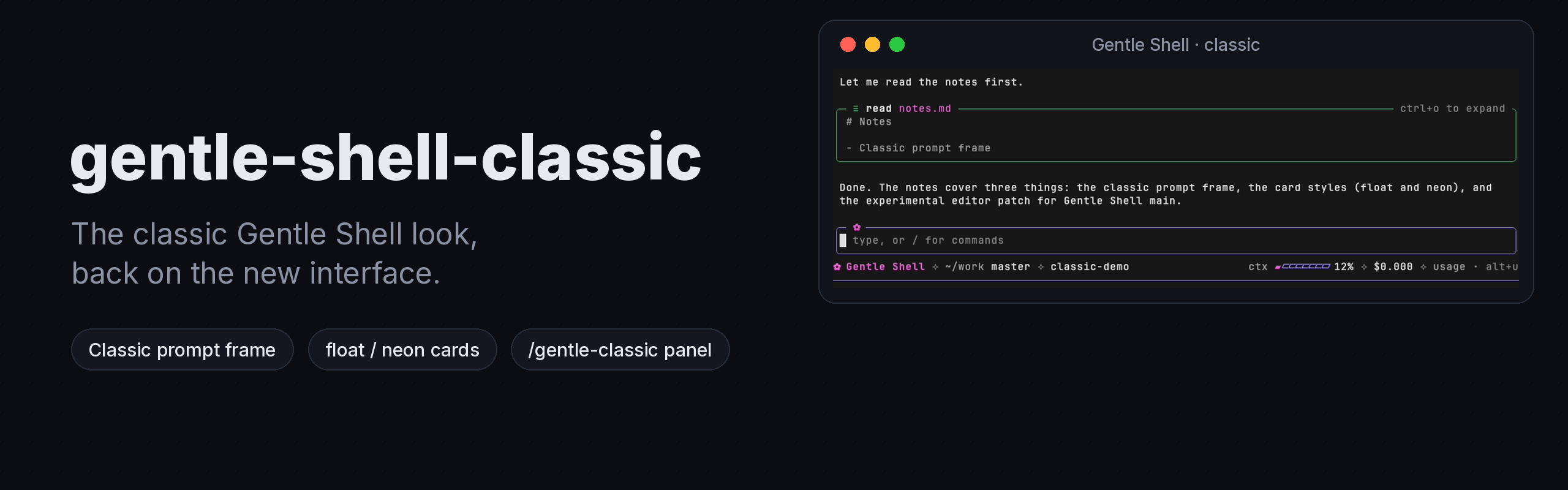
Community Pi package that brings back the pre-4.6 Gentle Shell look (classic prompt frame and cards) without changing how the shell works.
Untested on omp
This is a pi package. No one has reported whether it works on omp yet. If you try it, add your result below.
Reports 0
No reports yet.
Readme
gentle-shell-classic
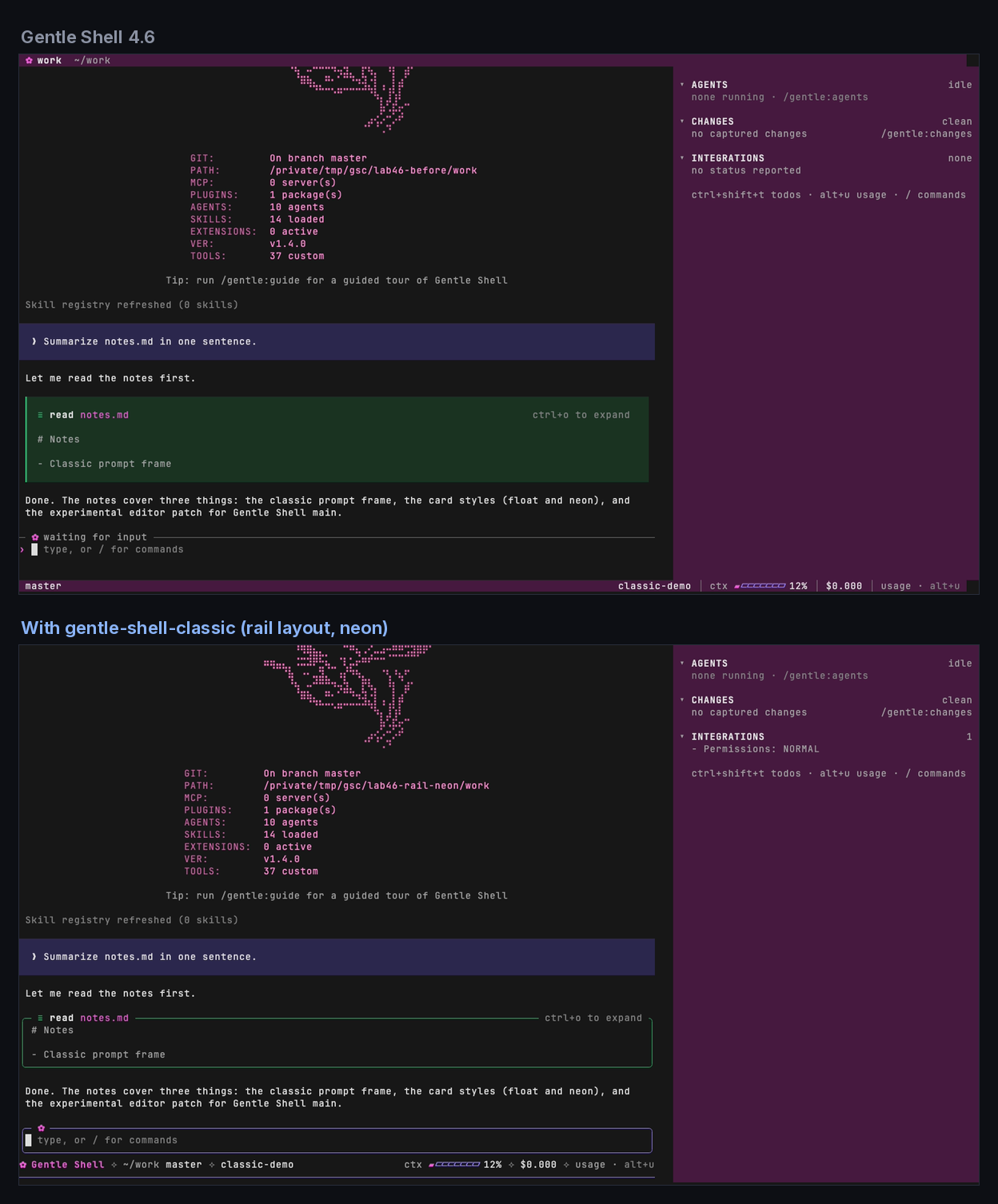
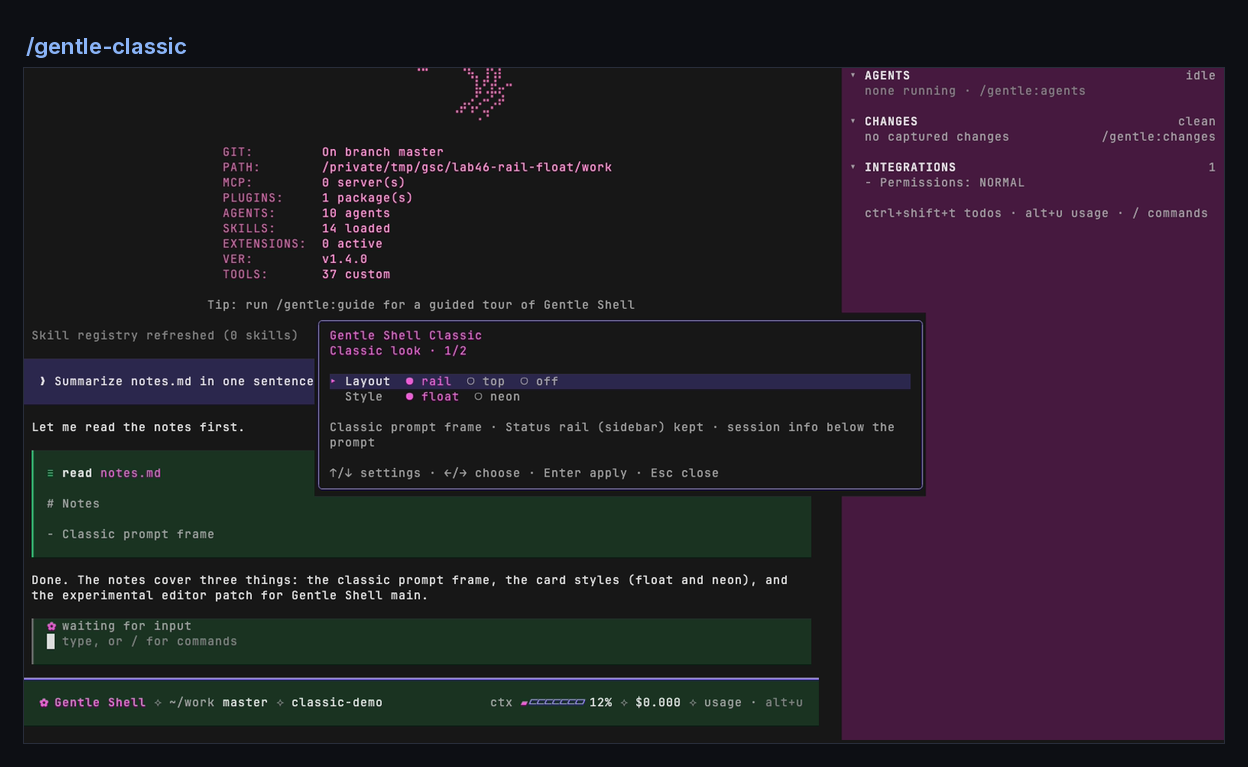
A community Pi package that brings back the pre-4.6 Gentle Shell look on Gentle Shell 4.6.x. By default it only flips switches Gentle Shell already ships. An optional experimental editor patch for newer versions is described below.
Compatibility
The classic look is verified only on Gentle Shell 4.6.x. Newer versions use a
unified editor that keeps the new chrome even with the classic settings. The
main channel may still report version 4.6.0: when its editor source contains
chromeBarsShown, it is classified as unified and treated as unsupported.
If the source is unreadable, compatibility falls back to the package version. By
default the experimental patch is off on unified-editor and newer installs;
unknown versions remain unsupported.
⚠ Experimental editor patch
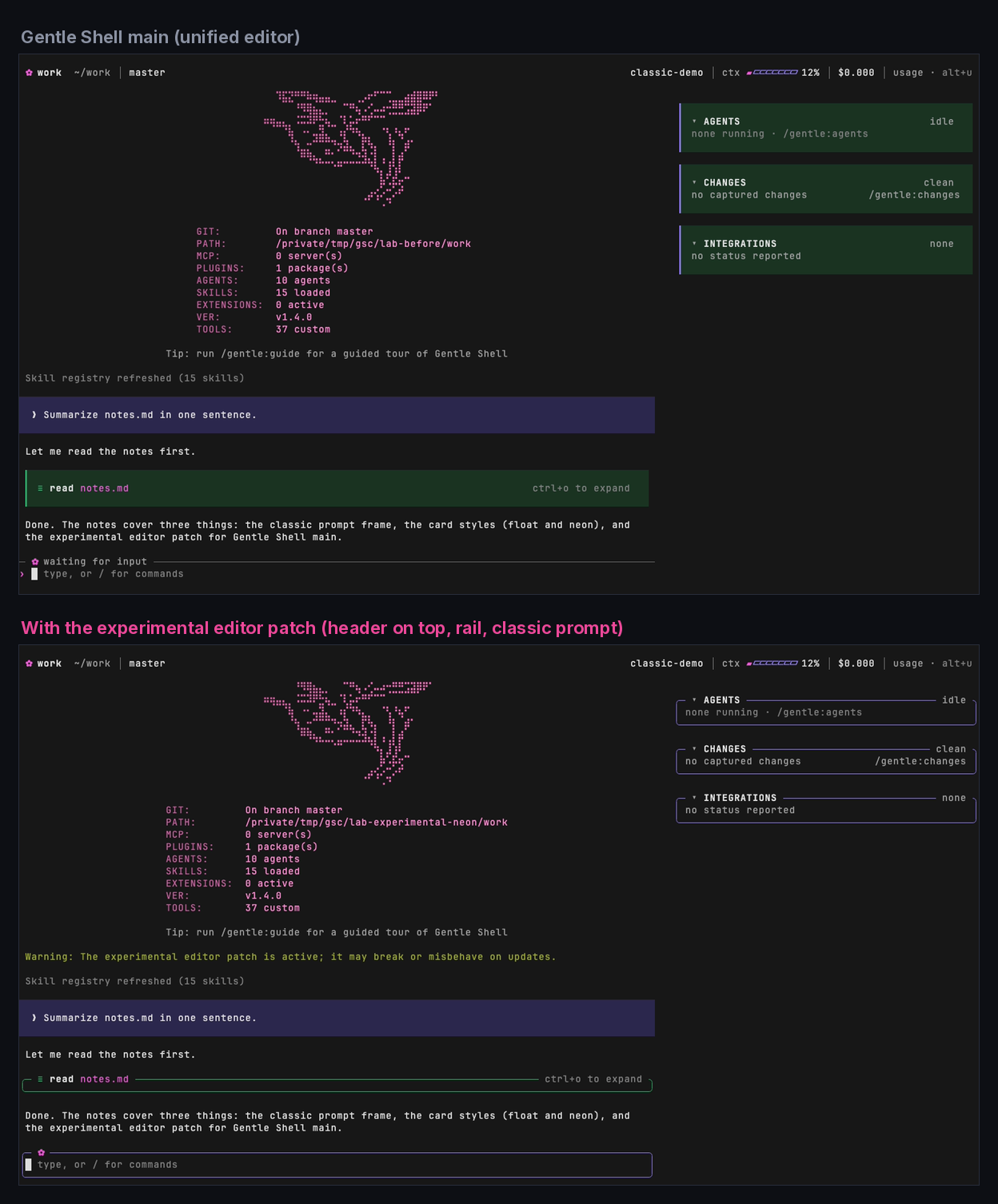
On newer versions and the unified-editor main channel, you can opt in to an experimental patch. It patches
Gentle Shell's private editor internals, is unsupported by Gentle Shell,
and may break or misbehave on any update. Activation requires explicit
confirmation. Undo it with /gentle-classic experimental off or
/gentle-classic off. It is disabled by default and can change editor behavior;
use it at your own risk. The classic prompt works with any header or Status
placement while the patch is active. Set those positions in /gentle:customize;
this package does not change them on these installs, except to restore settings
from an older classic layout backup.
What comes back
| Element | 4.6 look | Classic look |
|---|---|---|
| Prompt frame | ─ ✿ state ─ rule and a › prefix |
╭─ ✿ … ╮ rounded frame (neon) or a painted panel with a ▎ accent (float) |
| Conversation cards | your current style | float (the old default) or neon |
| Session info (branch, model, effort, context, cost, usage) | bottom status bar | your choice of layout, below |
Layouts (Gentle Shell 4.6.x)
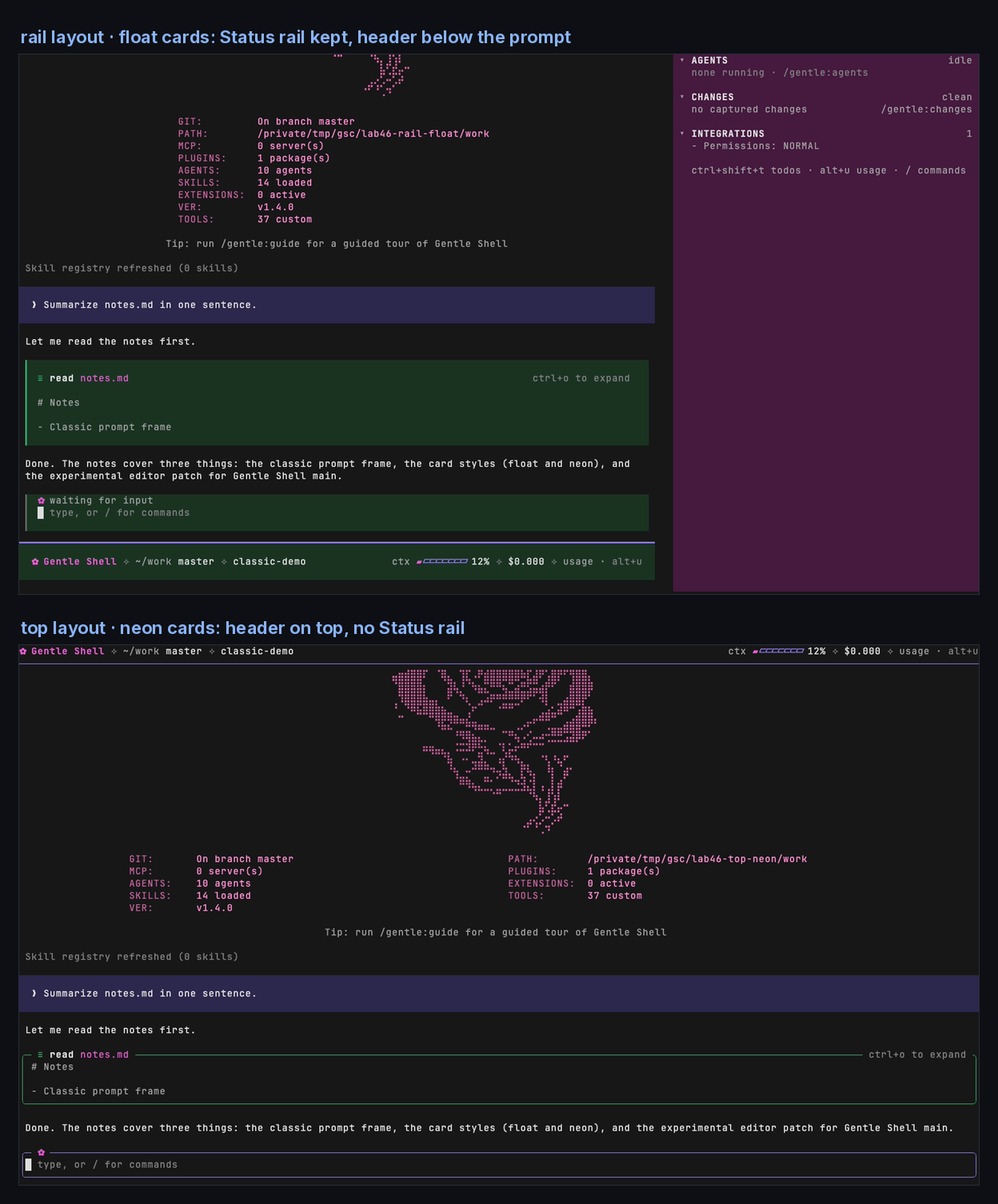
Gentle Shell 4.6 draws its new IDE chrome whenever the header is on top and the Status is visible. The classic prompt therefore needs one of two layouts:
| Layout | Status rail | Session info |
|---|---|---|
rail (default) |
kept | in the header, below the prompt |
top |
hidden | in the classic header, above the conversation |
top is the closest match to the 4.5 header on top. Like the 4.5 header, it
does not show the permission mode (for example SUPER-YOLO).
What does not come back
Pi exposes no supported hook for the following, and replacing them would mean taking over Gentle Shell's own components:
- Both at once on 4.6.x. No Gentle Shell setting gives the classic prompt, session info on top, and the Status rail together without the experimental patch.
- A classic entry in
/gentle:customize. Gentle Shell builds that panel internally, so this package ships its own picker instead. - The old Status card in the rail. The rail keeps its 4.6 panel with
collapsible
▾/▸sections. - The full-page paper background of light themes. In fullscreen mode, light themes still paint the page.
On supported 4.6.x installs, if you move the header or the Status in /gentle:customize in a way that
turns the classic prompt off, the package warns you once and tells you how to
pick a classic layout again.
Install
Pi:
pi install npm:gentle-shell-classic
Gentle Shell with its isolated home (~/.gentle-shell/agent) passes package
commands through to Pi, so install it from the launcher so that it lands in the
home you actually use:
gentle-shell install npm:gentle-shell-classic
Use
| Command | Effect |
|---|---|
/gentle-classic |
Opens the picker |
/gentle-classic rail [float|neon] |
Classic prompt, Status rail kept, info below the prompt |
/gentle-classic top [float|neon] |
Classic prompt, info on top, no Status rail |
/gentle-classic on |
Same as rail on 4.6.x; placement guidance on unified/newer installs |
/gentle-classic neon / /gentle-classic float |
Select card style; on 4.6.x also selects rail |
/gentle-classic off |
Restores your previous header placement, Status placement, and card style |
/gentle-classic status |
Shows the active layout on 4.6.x; on unified/newer installs shows experimental state, style, read-only placements and version |
/gentle-classic experimental on / off |
Enable with confirmation or disable the experimental private editor patch |
The style defaults to float. On unified/newer installs rail and top only
show placement guidance; choose positions in /gentle:customize. The panel's
Experimental setting requires explicit confirmation. Pi reloads when settings
need to be picked up.
How it works
The command edits files in Gentle Shell's config folder:
visual-customization.json:railsetsheaderPlacementtobelow-input;topsetsheaderPlacementtotopandstatusPlacementtohiddenon supported 4.6.x. Unified/newer installs leave placements to/gentle:customize, except when restoring an earlier classic layout backup. Every other choice you made (density, visibility) stays.card-style.json: setsstyletofloatorneon.
The config folder follows Gentle Shell's own rule: a bundled install's
<prefix>/config/gentle-ai, then GENTLE_PI_CONFIG_HOME, then the launcher's
GENTLE_SHELL_CONFIG_HOME (for example ~/.gentle-shell/gentle-ai), then
~/.pi/gentle-ai.
Before the first change, the command saves your previous values in
gentle-shell-classic.json in the same folder. off undoes only what classic
set. Anything you changed in /gentle:customize while classic was on stays as
you left it. If either file is malformed, the command refuses to touch
anything, matching Gentle Shell's own writers.
Development
npm test
python3 scripts/docs-images.py <shots-dir>  # regenerate docs/ from captures (Pillow, Inter, JetBrains Mono)
The screenshots in docs/ are real captures of Gentle Shell 4.6.0 and Gentle
Shell main (db5d6b9) on Pi 1.4, recorded headless with VHS in an isolated
home against a local mock model.
License
MIT