@fitchmultz/pi-ask-question0.6.8
Pi extension that adds an interactive ask_question tool and /grill-me pressure-test mode
Untested on omp
This is a pi package. No one has reported whether it works on omp yet. If you try it, add your result below.
Reports 0
No reports yet.
Readme
pi-ask-question
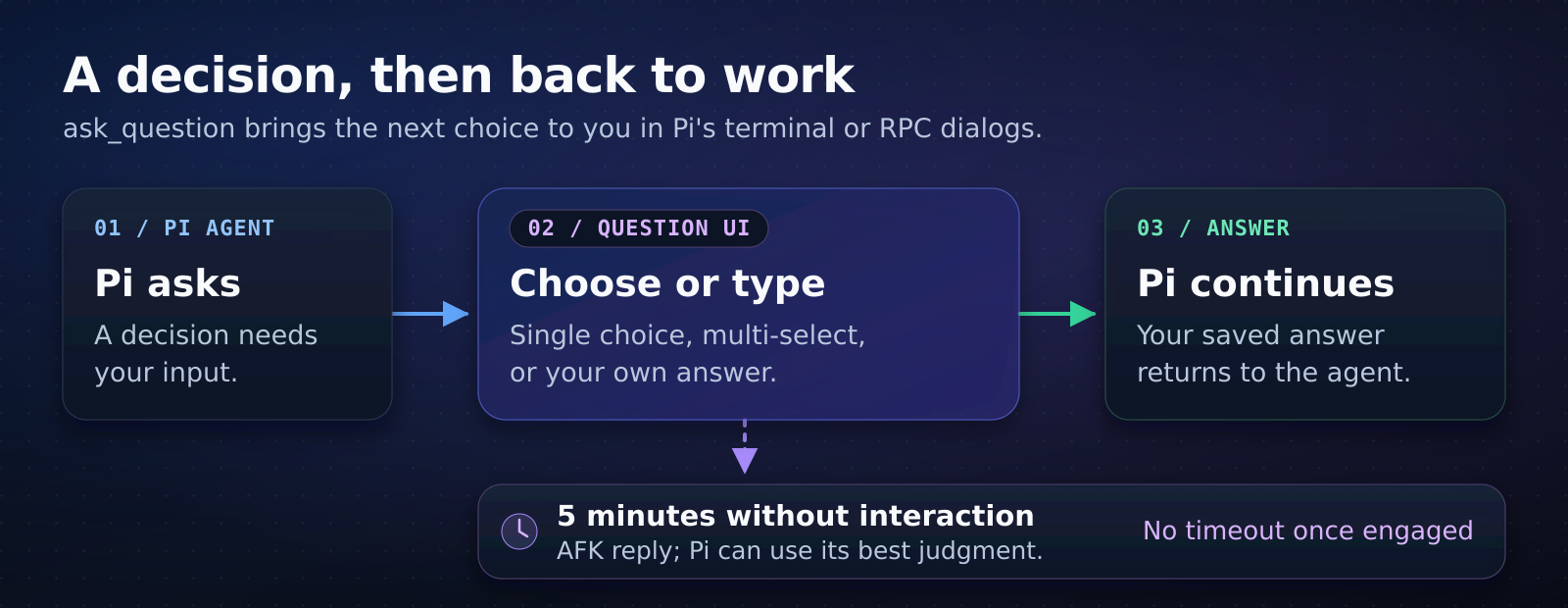
This Pi extension asks for your decisions before the agent continues a task. Use /grill-me to guide the agent through unclear requirements.
Install
Requires Node.js and a supported Pi release. See the compatibility requirements. Official Pi releases and Mitch's Pi fork are supported.
Run these commands:
pi install npm:@fitchmultz/pi-ask-question
pi
Use /reload if Pi is already open. See Git installation for the alternative source.
Try it
Send this request to Pi:
Plan a settings page. Use ask_question to ask which settings to include first.
Select a choice or select Type a custom answer. Multi-select questions let you select more than one choice.
Use Up/Down to move between choices. Press Enter to answer. For multi-select questions, press Space to change selected choices. Submit question sets and multi-select answers from the final review.
Press Ctrl+O to read the conversation, then press it again to return to the question. Your current answer stays in place.
Escape leaves the custom answer editor; otherwise, it cancels the question. Your editor draft stays unchanged. See terminal controls for question navigation, long text, and custom bindings.
Limits
An untouched question times out after five minutes, and the agent receives an AFK reply. Once you interact, there is no time limit for that question or question set. Each new call starts its own timer.
In RPC mode, Pi learns about interaction when the client submits a dialog choice; navigating an unsubmitted dialog is not visible to Pi.
The tool keeps saved answers. It does not submit unsaved custom answer text or select an answer for you.
Question dialogs require the terminal UI or an RPC client that supports Pi dialogs. Print and JSON modes return a tool error.
Check requirements with /grill-me
Enable the mode before your request:
/grill-me on
The mode guides the agent to check available evidence and ask one blocking question at a time. The agent puts its suggested answer first. The agent can continue with obvious, low-risk steps.
Use /grill-me to toggle the mode. Use /grill-me off to disable the mode. Use /grill-me status to check the mode.
The terminal footer shows grill-mode when enabled. Pi saves the setting in your current session branch. The setting survives /reload.
In print and JSON modes, the agent asks questions in normal text.
Reference
Tool reference covers input examples, result fields, and UI details. Cooperative TUI answers documents the event protocol for trusted extensions.
Development covers local tests, host compatibility, and publication. See the changelog for changes. Report an issue if the extension fails.
License
MIT, Mitch Fultz.