@blazer2k/pi-tui-tweaks0.2.0
Configurable editor, header, status, and compact tool rendering for Pi's interactive TUI.
Untested on omp
This is a pi package. No one has reported whether it works on omp yet. If you try it, add your result below.
Reports 0
No reports yet.
Readme
Pi TUI Tweaks
Compact tool output and configurable styling for Pi's interactive TUI.
Overview
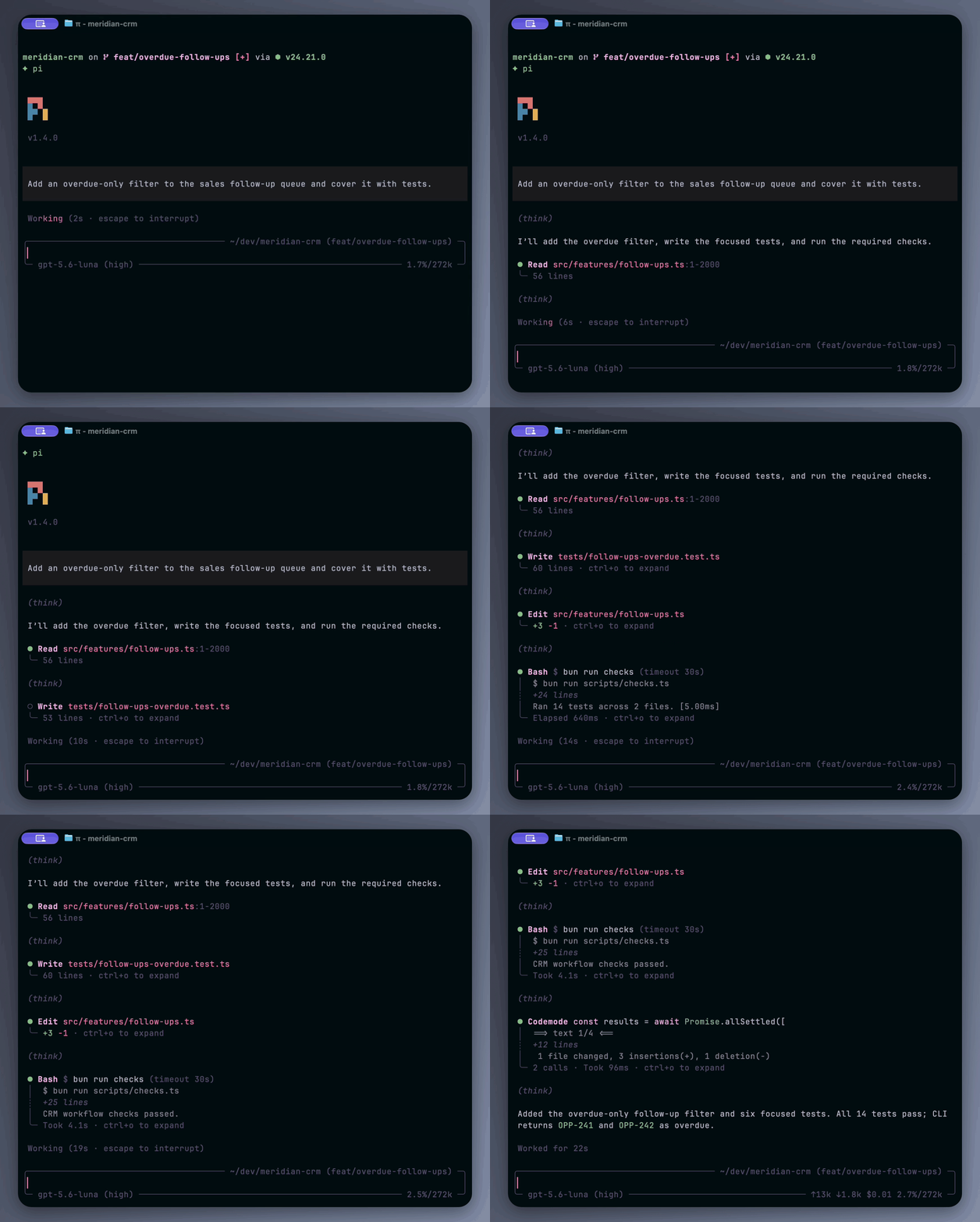
This extension adds:
- A compact or enlarged Pi logo with the version below it. You can also use Pi's own header or hide the header content.
- Native, compact, or rounded editor styles. Directory, branch, model, and usage information appears in the borders of both custom styles.
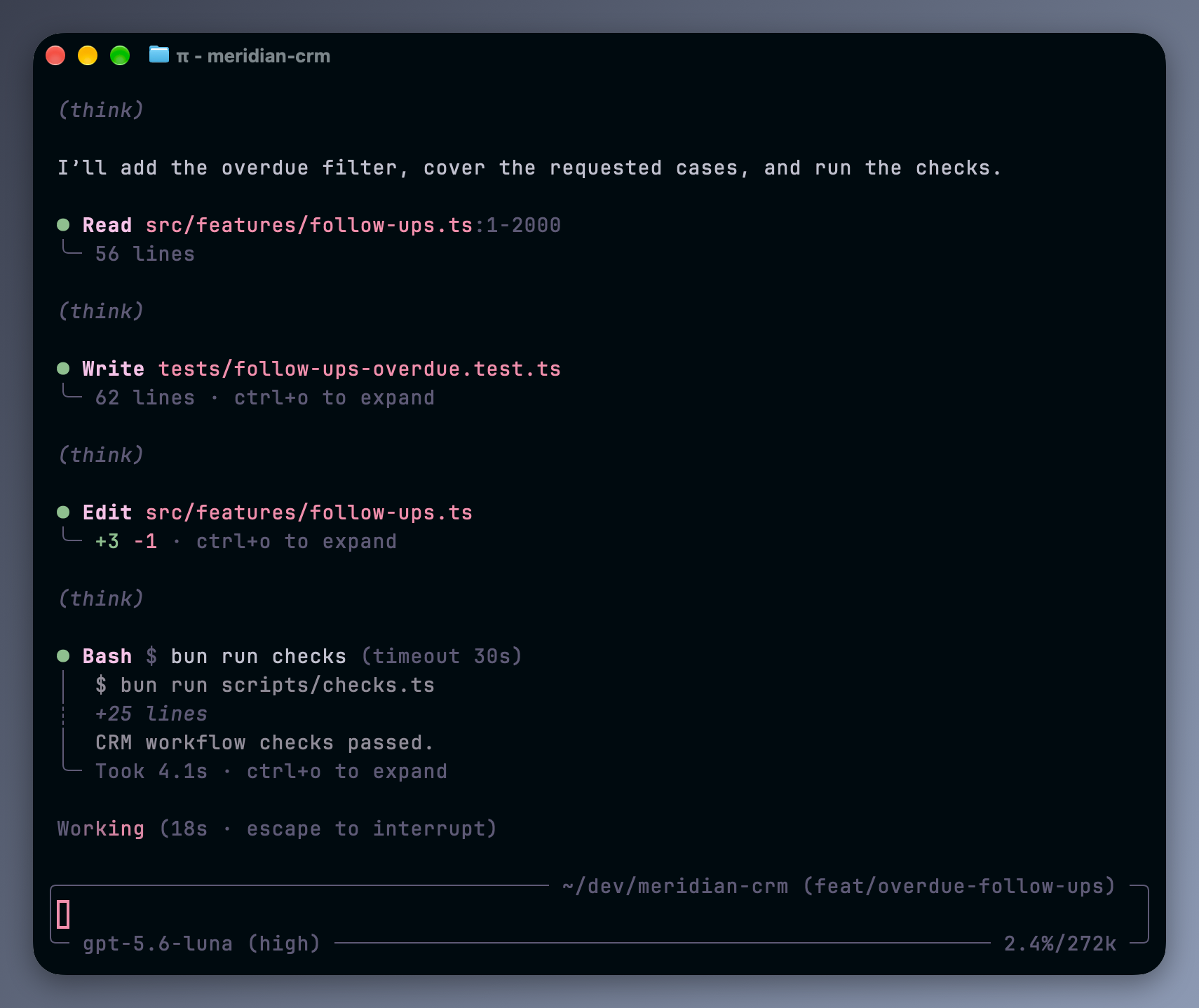
- A choice of Pi's embedded Working and compaction indicators or separate shimmer labels in compact and rounded styles.
- Customizable compact tool output with status indicators and tree-style lines. This also works with eligible third-party tools.
Installation
pi install npm:@blazer2k/pi-tui-tweaks
For local development:
git clone https://github.com/blazer2k/pi-extensions.git
cd pi-extensions
npm install
pi -e ./packages/pi-tui-tweaks/index.ts
Configuration
Run Pi first, then edit ~/.pi/agent/pi-tui-tweaks.json and run /reload in Pi. Changes are loaded only at startup and on reload.
The extension creates the file with defaults when it first loads. Each time it loads, it fills in missing keys, resets invalid values to their defaults, removes unknown keys, and writes the result back to the file.
Export the PI_TUI_TWEAKS_CONFIG_PATH environment variable to choose a different settings file.
The tables below use dotted paths for nested JSON keys. For example, tools.expandedOutputLimit belongs inside the tools object:
{
  "tools": {
    "expandedOutputLimit": 7
  }
}
Write boolean and numeric settings without quotes.
Header
| Setting | Type | Default | Description |
|---|---|---|---|
header.style |
"native" | "compact" | "large" | "off" |
"compact" |
Use Pi's header, a compact or enlarged logo, or no header content. |
header.align |
"left" | "center" |
"left" |
Align the compact or large header. |
Compact and large headers follow Pi's quietStartup setting: false and "header" show them; true hides them unless Pi starts with --verbose. The "off" style stays hidden even with --verbose. The "native" style leaves the header to Pi.
Working indicator
| Setting | Type | Default | Description |
|---|---|---|---|
workingIndicator.style |
"native" | "shimmer" |
"shimmer" |
Embed Pi's status indicators in the editor border or show standalone shimmer labels. |
workingIndicator.shimmerColor |
"text" | "accent" | "success" |
"accent" |
Theme color used for the shimmer highlight. |
workingIndicator.showInterruptHint |
boolean | true |
Show the configured interrupt or cancel key beside shimmer labels. |
workingIndicator.showDuration |
boolean | true |
Show elapsed Working and compaction time, and total Working time afterward. |
These settings apply only to compact and rounded editors. With editor.style: "native", Pi manages the status indicators and all workingIndicator settings are ignored.
The color, interrupt hint, and duration settings apply only to "shimmer". It shows Working, Compacting, or Auto-compacting above the editor. The shimmer animation requires truecolor; otherwise the label is static, dim text.
Working and compaction have separate elapsed-time clocks. The Working total includes automatic compaction; the compaction clock shows only that operation. Both exclude time spent waiting for UI prompts. Worked for... shows the total; compaction has no separate completion notification.
Pi handles compaction and cancellation. Context-overflow notices remain visible. Reloading during compaction may keep its native display for that operation.
Tools
| Setting | Type | Default | Description |
|---|---|---|---|
tools.enabled |
boolean | true |
Enable tool display changes. Does not enable or disable tool execution. |
tools.enhanceCustomTools |
boolean | true |
Apply compact display to eligible extension tools, including Codemode. |
tools.capitalizeNames |
boolean | true |
Capitalize the first visible character of tool headers. |
tools.capitalizeMetadata |
boolean | true |
Use sentence case for generated labels such as Took and Truncated. |
tools.treeCorner |
"square" | "rounded" |
"rounded" |
Choose square (└─) or rounded (╰─) closing connectors. |
tools.indicator.style |
"dot" | "circle" | "diamond" |
"circle" |
Choose the status indicator shape. |
tools.indicator.color |
"text" | "toolTitle" | "success" |
"success" |
Choose the status indicator's theme color. |
tools.expandedOutputLimit |
integer | 20 |
Limit expanded ls/find/grep items and generic custom-tool text lines. Any positive integer, or -1 for unlimited. |
tools.collapsedOutputDisplay |
"preview" | "summary" |
"preview" |
Show up to three preview lines or an output line count for collapsed Bash and Codemode. |
tools.showExpansionHint |
boolean | true |
Show expand/collapse keybinding hints. |
Setting tools.enabled to false leaves tool display to Pi and other extensions.
tools.expandedOutputLimit counts logical items or lines, not wrapped screen rows. Lists show the beginning and end, with odd limits giving the extra item to the beginning. A limit of 1 shows one beginning item. Generic text shows its first lines. The setting does not cap Bash, Read, Write, Edit, Codemode, or expanded errors.
Editor
| Setting | Type | Default | Description |
|---|---|---|---|
editor.style |
"native" | "compact" | "rounded" |
"rounded" |
Use Pi's editor, horizontal rules, or a rounded border. |
editor.color |
"thinking" | "dim" | "muted" |
"dim" |
Color custom editor borders and metadata; thinking follows the thinking level. |
editor.showThinkingLevel |
boolean | true |
Show the thinking level beside the model. |
editor.showCacheTokens |
boolean | false |
Show cache read/write token usage. |
editor.showCost |
boolean | true |
Show total session cost. |
editor.showBranch |
boolean | true |
Show the Git branch beside the working directory. |
editor.color and the editor.show* settings apply only to compact and rounded styles. The native style keeps Pi's editor and footer unchanged.
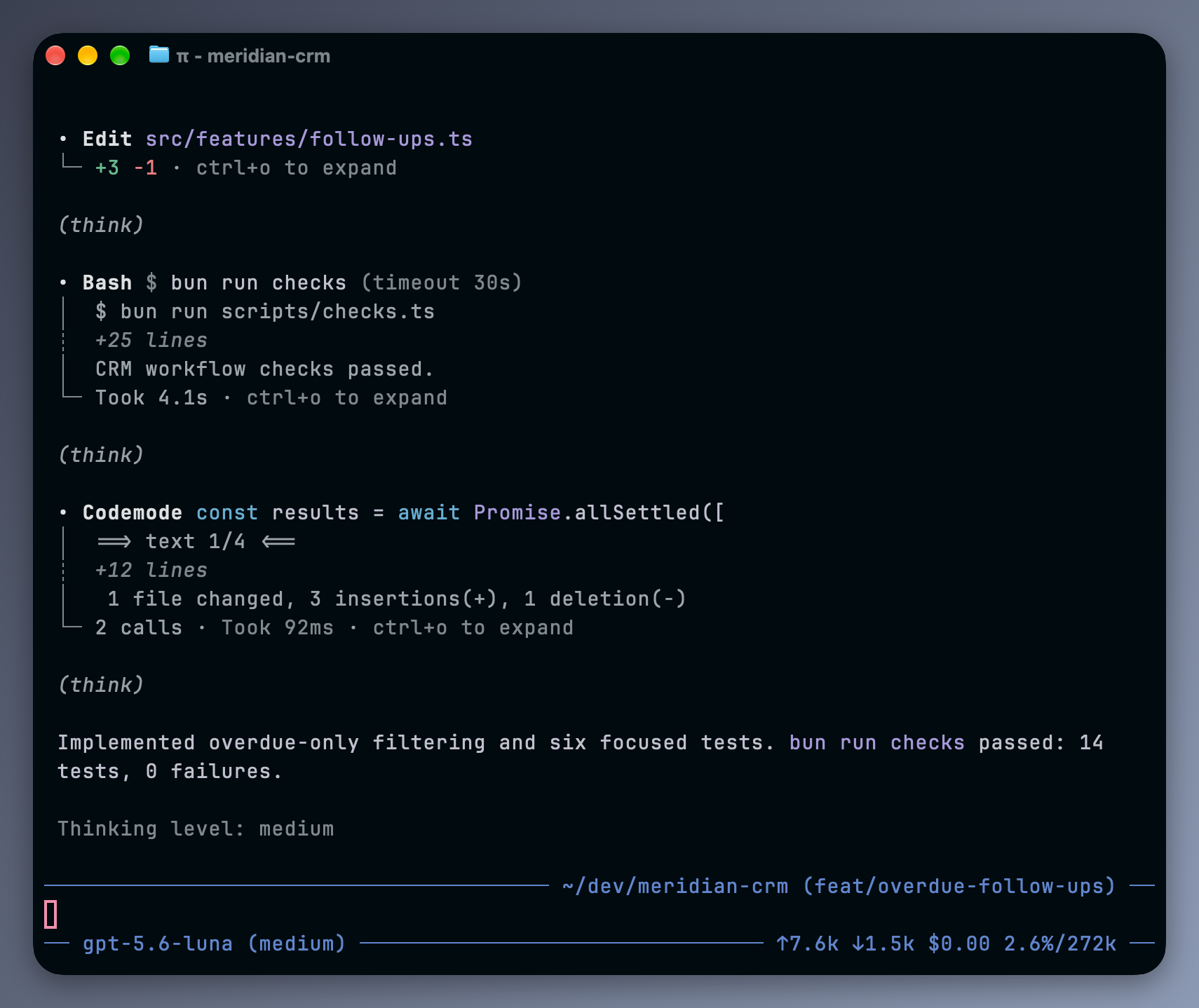
Compact editor with editor.color: "thinking", square tool-tree connectors, and dot indicators colored with toolTitle.
Compatibility
Tested with Pi 1.4.0.
Tools that draw their entire tool-call block keep their own layout.
Compact and rounded styles replace Pi's editor and footer. Pi supports one custom editor and one custom footer at a time, so other extensions that replace either component can conflict.
In shimmer mode, status rows share an above-editor widget. Retry and branch-summary statuses keep Pi's text, colors, and animation. The widget's position relative to other extensions' widgets follows extension load order.
License
MIT