the-forbidden-one-pi-theme0.1.0
The Forbidden One Dark, Blue, Purple, and Teal themes with a matching Pi logo and footer
Untested on omp
This is a pi package. No one has reported whether it works on omp yet. If you try it, add your result below.
Reports 0
No reports yet.
Readme
The Forbidden One — Pi themes
Four dark themes for Pi, ported from The Forbidden One for Zed by Kyoka-Suigetsu. Includes a matching static Pi logo and two-row footer that follow the active theme.
Version 0.1.0.
| Theme | Optional terminal background |
|---|---|
| The Forbidden One Dark | #101212 |
| The Forbidden One Blue | #080C18 |
| The Forbidden One Purple | #110818 |
| The Forbidden One Teal | #081518 |
The package includes an executable header/footer extension
that runs with Pi's permissions. It adds no tools, providers or agent behavior and
requires no build step or runtime dependencies beyond Pi's supplied SDK packages.
For colors without the companion, disable its extension through pi config;
see header/footer controls.
Install
Install the complete package:
pi install npm:the-forbidden-one-pi-theme
Restart Pi, then choose a theme through /settings → Theme, or launch with:
pi --use-theme "The Forbidden One Dark"
Installing the package makes all four themes available and loads the shared logo/header/footer automatically. No separate extension installation is needed. Replace Dark with Blue, Purple or Teal as desired.
Select and manage
/settings→ Theme saves your choice;--use-themeselects it for one invocation./reloadrefreshes added or changed package/project themes. Active user theme files whose filenames match their names also hot-reload./forbidden-layout offrestores Pi's native header/footer for this invocation;/forbidden-layout onenables the companion again. For persistent opt-out and ownership details, see header/footer controls.- To uninstall the published package, select a built-in theme such as
system, runpi remove npm:the-forbidden-one-pi-themeand restart.
Compatibility and limitations
Pi colors its text and panels, not the host terminal's whole background or ANSI palette. Optionally set your terminal background to the matching RGB above. Exact RGB requires truecolor; 256-color terminals approximate colors. The package does not change display mode, startup verbosity or subagent layout.
Pair with Zed
If you use Zed, pair this package with The Forbidden One for Zed for a matching editor and integrated terminal. Choose the same Dark, Blue, Purple or Teal variant in both applications. Selections are independent, not automatically synchronized; Pi still does not change your native terminal's background.
Previews
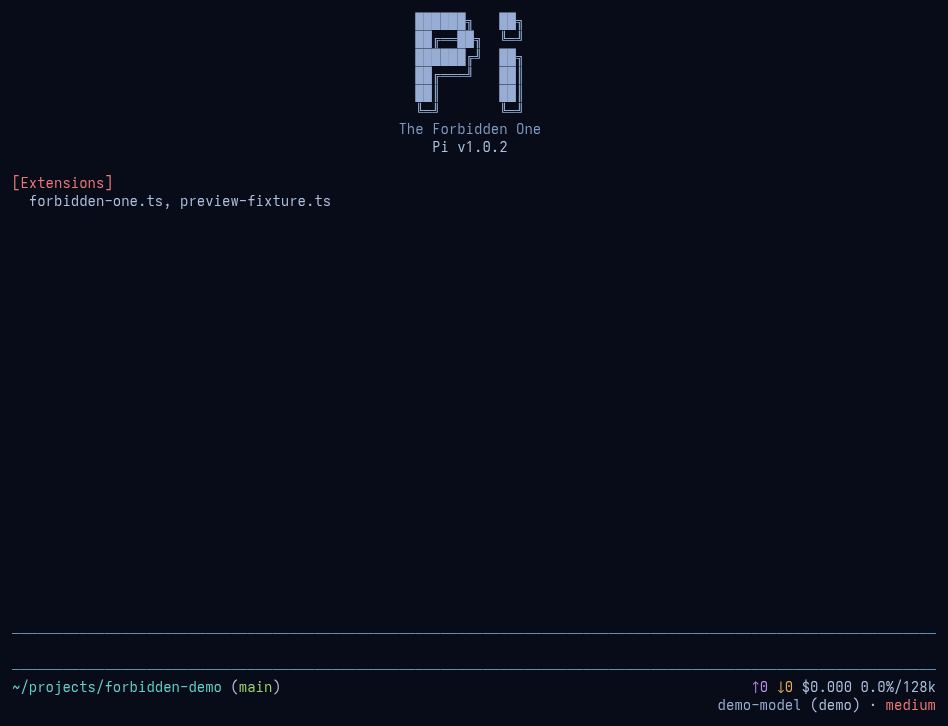
Startup — Blue
The bundled static logo/header and two-row footer in an isolated Pi 1.0.2 session.
Parallel agents — simulated
An illustrative parallel-agent layout using pi-subagents 0.75.0, installed separately. Agent statuses are simulated; no agents or model requests were run. Above-editor placement is a demo configuration, not a setting applied by this theme.
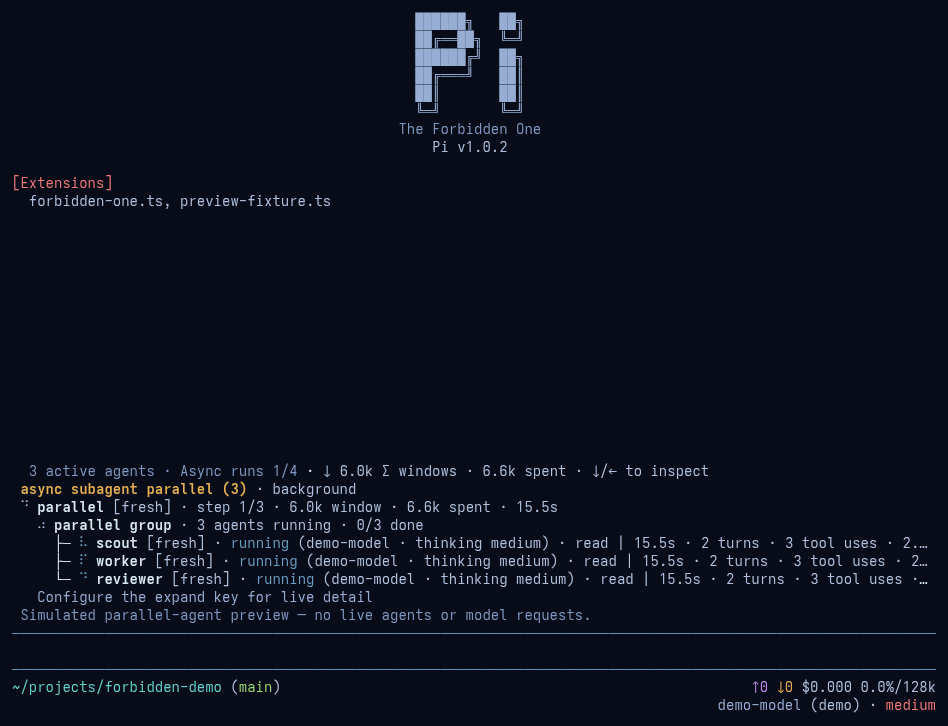
Both UI images are PNG reconstructions of captured native ANSI frames, not physical-terminal screenshots. Fonts and terminal capabilities can differ. See preview provenance.
Palettes
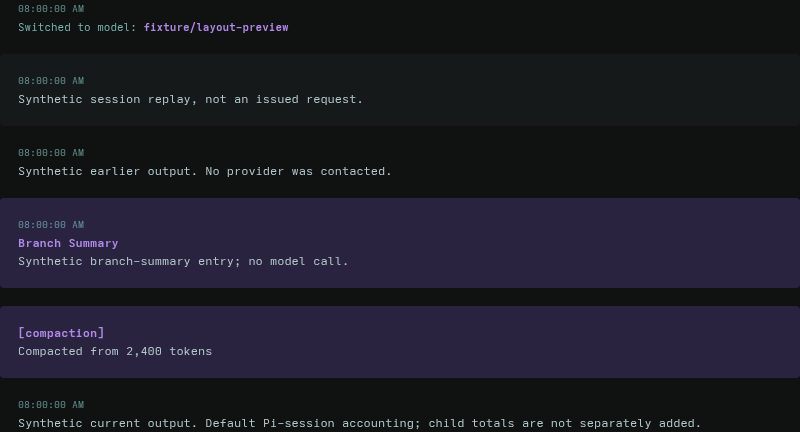
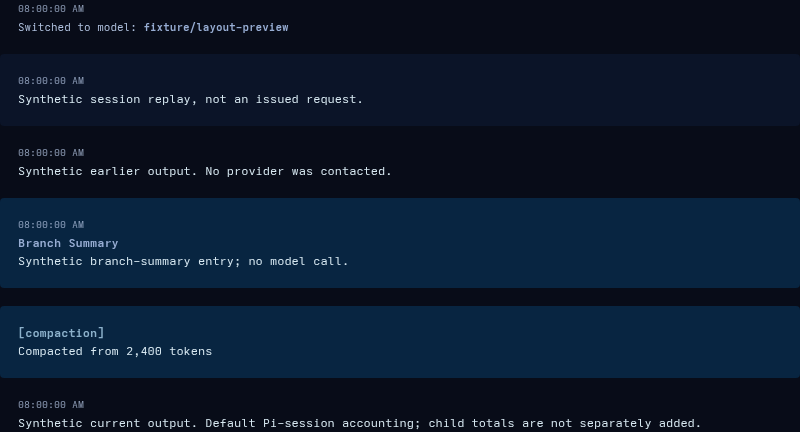
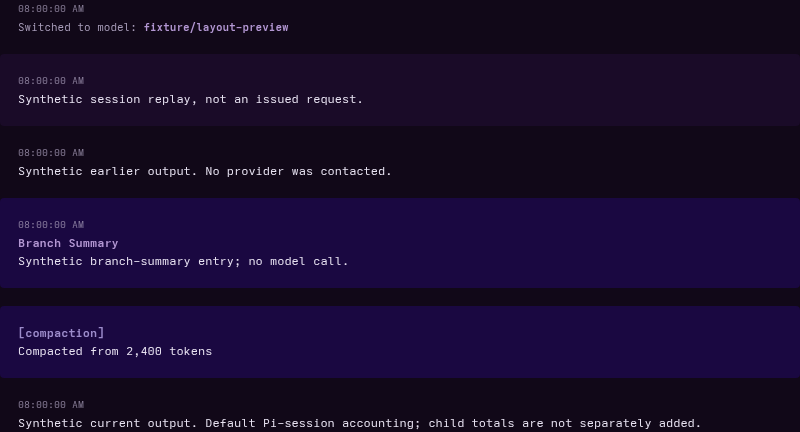
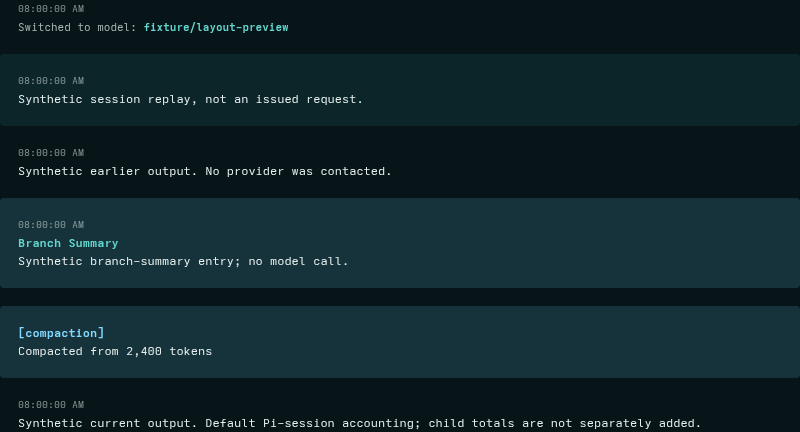
The four images below are synthetic Pi 1.0.0 HTML-export crops, showing text and panel colors rather than terminal chrome. These earlier images are unchanged.
Dark
Blue
Purple
Teal
Source and license
Palette source: Zed revision
6c34e23c90f59fccc2ac6fc3746b5a139ee97dd2.
All colors come from the corresponding source palettes, with readability-oriented
role mappings.
MIT, retaining the original Kyoka-Suigetsu copyright notice.