pi-you-should-know0.2.1
An on-demand private session briefing and follow-up chat for Pi
Untested on omp
This is a pi package. No one has reported whether it works on omp yet. If you try it, add your result below.
Reports 0
No reports yet.
Readme
You should know

Get a briefing of important session output and ask follow-up questions with /ysk.
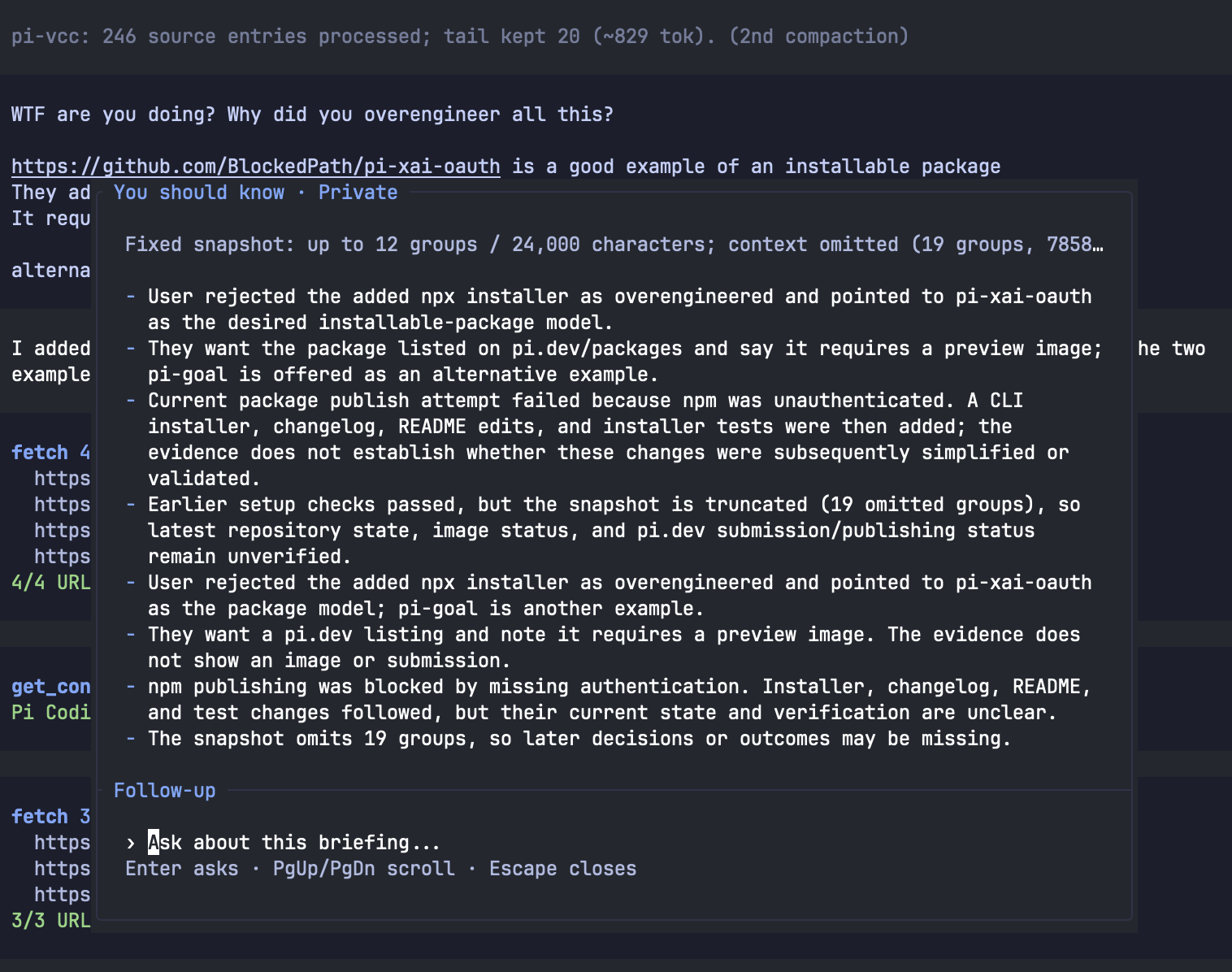
Install
Requires Pi and Node.js 22.19 or later.
pi install npm:pi-you-should-know
Or install from GitHub (requires Git):
pi install git:github.com/dpaluy/pi-you-should-know
Choose one source. Restart Pi or run /reload after installation.
Set up
You do not need to create you-should-know.json manually. First-run setup creates it automatically when you confirm your model choices.
- Run
/yskin Pi. - Select a ranking model, such as
typesafe/jev-latest. - Select a model for briefings and follow-up answers.
- Select Save and generate briefing.
Type to filter models. Use the arrow keys to select and Enter to confirm.
If credentials are missing, use the /login command shown in the modal. For example:
/login typesafe
/login openai-codex
The file is saved at ~/.pi/agent/you-should-know.json. For example, selecting Jev and Codex Luna creates:
{
  "rankModel": "typesafe/jev-latest",
  "chatModel": "openai-codex/gpt-6-luna"
}
rankModel selects the ranking model. chatModel selects the model for briefings and follow-up answers. Provider credentials are configured through /login, not this file.
Existing settings are kept. To change models later, edit the model IDs in the saved file. If you set PI_CODING_AGENT_DIR, the file is saved in that directory instead.
Use
- Run
/yskin a conversation to get a briefing. - Enter a follow-up question and press Enter.
- Use Page Up, Page Down, or the mouse wheel to scroll.
- Press Escape to close.
To use an earlier conversation, resume it with pi --continue or pi --resume, then run /ysk.
Check for updates
Check the published npm version:
npm view pi-you-should-know version
Update your installed extensions, then run /reload in Pi:
pi update --extensions
See CHANGELOG.md for changes.
Privacy
Briefings and follow-up answers are not added to the main session transcript. Recent session text is sent to your selected model providers and can contain secrets. Provider charges or subscription limits can apply.
License
Supported by Majestic Labs.