pi-wr-comfy-image0.3.3
Generate images in pi with your ComfyUI App Mode workflows: two plain tools, comfy_workflow_inputs and comfy_generate
Untested on omp
This is a pi package. No one has reported whether it works on omp yet. If you try it, add your result below.
Reports 0
No reports yet.
Readme
pi-wr-comfy-image






Generate images in pi with your own ComfyUI workflows. Every App Mode workflow you save in ComfyUI that produces images can be run by the agent with one plain tool call — prompt, input images and any input App Mode exposes, no annotations needed. Simple enough for small models.
- Works with any workflow: the plugin converts ComfyUI's UI format itself (subgraphs, Set/Get nodes, reroutes, bypassed and muted nodes), checked node by node against ComfyUI's own frontend.
- Inputs come from App Mode: what you exposed in the UI is what the agent can set, named after your node titles.
- Images are saved into the current project under
.pi/images/; the agent gets their paths (no image tokens) and reads a file only when it needs to look.
Quick start
Requirements: pi ≥ 1.0.1, Node 24, a running ComfyUI (≥ 0.38).
pi install npm:pi-wr-comfy-image
The latest release is installed; pi update npm:pi-wr-comfy-image brings it up to date. To pin a release, add its
version: npm:pi-wr-comfy-image@<version>.
Run /comfy-install-workflows in pi to get the ready-made workflows, or save your own: in
ComfyUI, open a workflow, switch to App Mode, pick the inputs to expose and save it. Then ask the agent, e.g.
"generate a lighthouse at sunset with comfyui qwen21_t2i, 16:9". It uses two tools:
| Tool | What it does |
|---|---|
comfy_workflow_inputs |
lists the workflows and their params, one short line each |
comfy_generate |
runs a workflow: workflow, prompt, images (file paths), params |
{
  "workflow": "pi-wr-comfy-image/qwen21_t2i",
  "prompt": "a lighthouse on a cliff at sunset, oil painting",
  "params": {
    "aspect_ratio": "16:9",
    "seed": 42
  }
}
Param names come from your node titles — see Parameters.
Ready-made workflows
No App Mode workflows yet? Run /comfy-install-workflows in pi: it copies four minimal workflows (core nodes only)
into ComfyUI's workflows/pi-wr-comfy-image/ and never overwrites a file that is already there.
| Workflow | What it does |
|---|---|
pi-wr-comfy-image/flux2_klein_t2i |
FLUX.2 klein 4B, text to image |
pi-wr-comfy-image/flux2_klein_edit |
FLUX.2 klein 4B, edit an image |
pi-wr-comfy-image/qwen21_t2i |
Qwen-Image 2.1, text to image |
pi-wr-comfy-image/qwen21_edit |
Qwen-Image 2.1, edit an image |
The command lists the model files ComfyUI does not have yet, with download links — see Workflows.
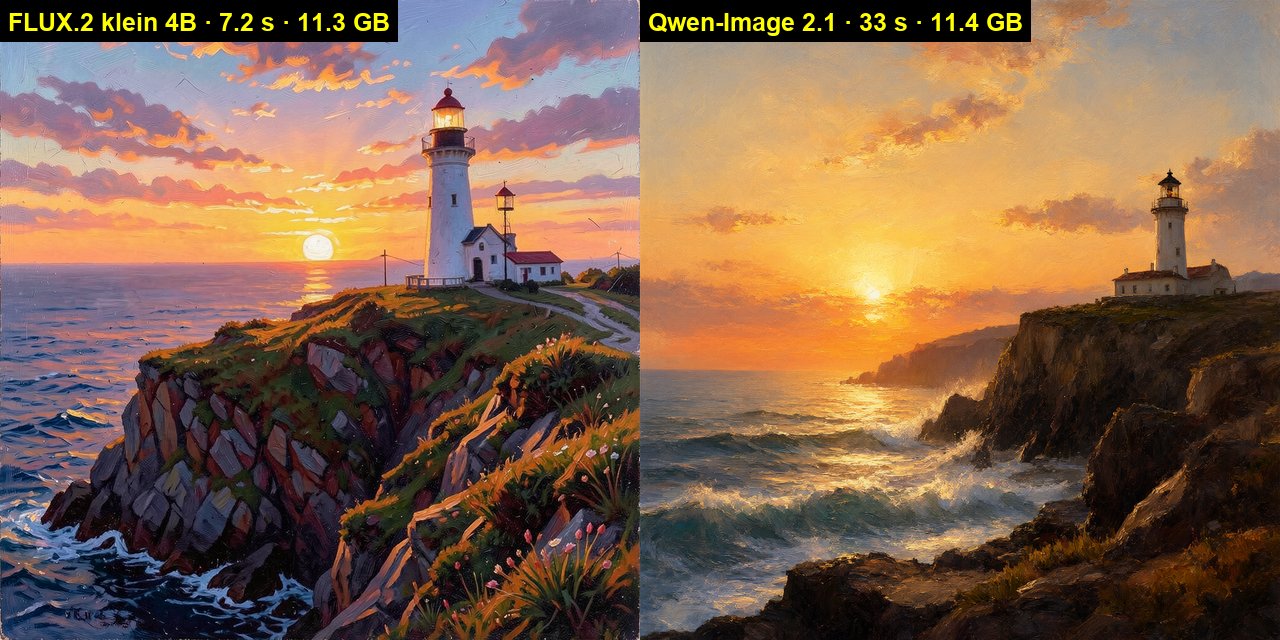
"a lighthouse on a cliff at sunset, oil painting":
"make it a snowy winter night":
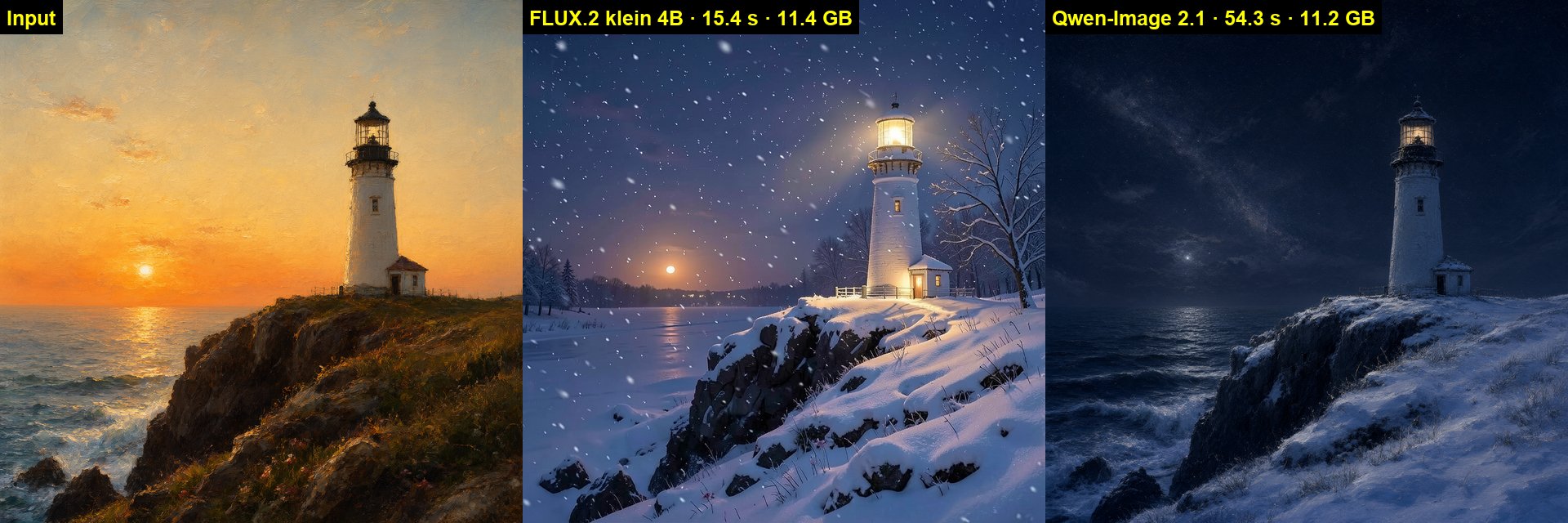
RTX 3060 12 GB, 1024×1024, default steps (FLUX.2 klein 4, Qwen-Image 25), time of a run with the models already loaded,
peak memory of the whole card. Qwen-Image ran with the qwen3vl_8b_w4a8 text encoder.
Documentation
| Document | Contents |
|---|---|
| Configuration | server URL, excluded workflows, timeout, prompt input |
| Parameters | the tool's arguments, param names, values, seeds |
| Workflows | the bundled workflows, their params and model files |
| Troubleshooting | common errors |
License
Apache License 2.0; keep the NOTICE file when redistributing. The package bundles zod (MIT). ComfyUI, pi, FLUX.2 and Qwen-Image are separate projects of their respective owners; the models have their own licenses — Qwen-Image 2.1 is for non-commercial use only (see Model licenses).