pi-umbra-ask0.1.2
A tool the model can call to ask you a question mid-turn. Answers are stripped of control and bidi characters before any renderer sees them.
Untested on omp
This is a pi package. No one has reported whether it works on omp yet. If you try it, add your result below.
Reports 0
No reports yet.
Readme
pi-umbra-ask
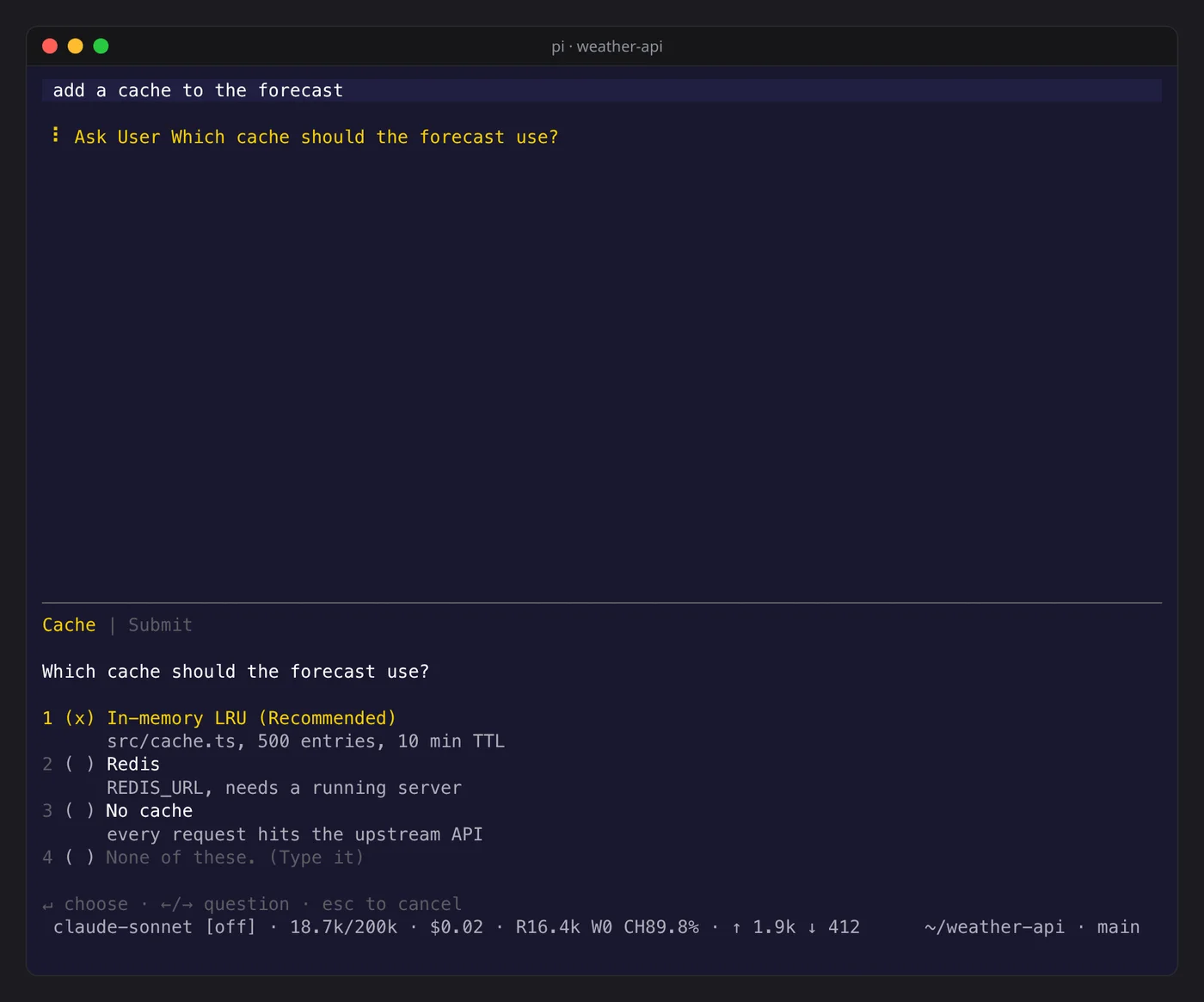
Gives the model ask_user_question, a tool that puts a multiple-choice question on screen and
waits for your answer. Without it, a model at a fork either picks for you or ends the turn to
ask.
pi install npm:pi-umbra-ask
Answering
Each question is a tab, and the last tab is Submit. Every question ends with a
None of these row: type anywhere and your text goes into it.
| Key | Effect |
|---|---|
↑ ↓ |
move between options |
1 to 9 |
pick that option |
Enter |
pick the option; a single-choice question then moves to the next tab |
← → Tab |
switch question |
| any text | write your own answer in the None of these row |
Backspace |
delete from your own answer |
Esc |
clear your own answer, or close without answering |
On the Submit tab, Send returns the answers and Cancel returns nothing. The model gets
one line per question, header: answer, or The user cancelled without answering.
What the model sends
| Field | Meaning |
|---|---|
questions |
1 to 4 questions |
question |
the full question |
header |
the tab label |
options |
2 to 8 choices, each with a label and, optionally, a consequence line and a preview block shown beside the list |
multiSelect |
allow several answers |
recommended |
index of the option the model leans to; it is ticked in advance |
recommendedWord |
the word "Recommended" in the answer language |
Everything the model sends and everything you type is stripped of control and bidi characters before it is drawn, so no text can rewrite the screen around it.
When pi runs without a terminal UI, as with pi -p, the tool is left out of the model's
tool list.
MIT.