pi-startup-header0.3.1
Theme-aware gradient ASCII startup header for the Pi coding agent.
Untested on omp
This is a pi package. No one has reported whether it works on omp yet. If you try it, add your result below.
Reports 0
No reports yet.
Readme
Pi Startup Header
English | 简体中文
每次打开 Pi TUI,迎接你的总是那段平平无奇的浅色文本:
pi v0.xx.x
escape interrupt · ctrl+c/ctrl+d clear/exit · / commands · ! bash · ctrl+o more
Press ctrl+o to show full startup help and loaded resources.

Pi can explain its own features and look up its docs. Ask it how to use or extend Pi.
它契合 Pi 在设计上独有的克制,却让人略感无聊。终于有一天,你彻底厌倦了。
概要
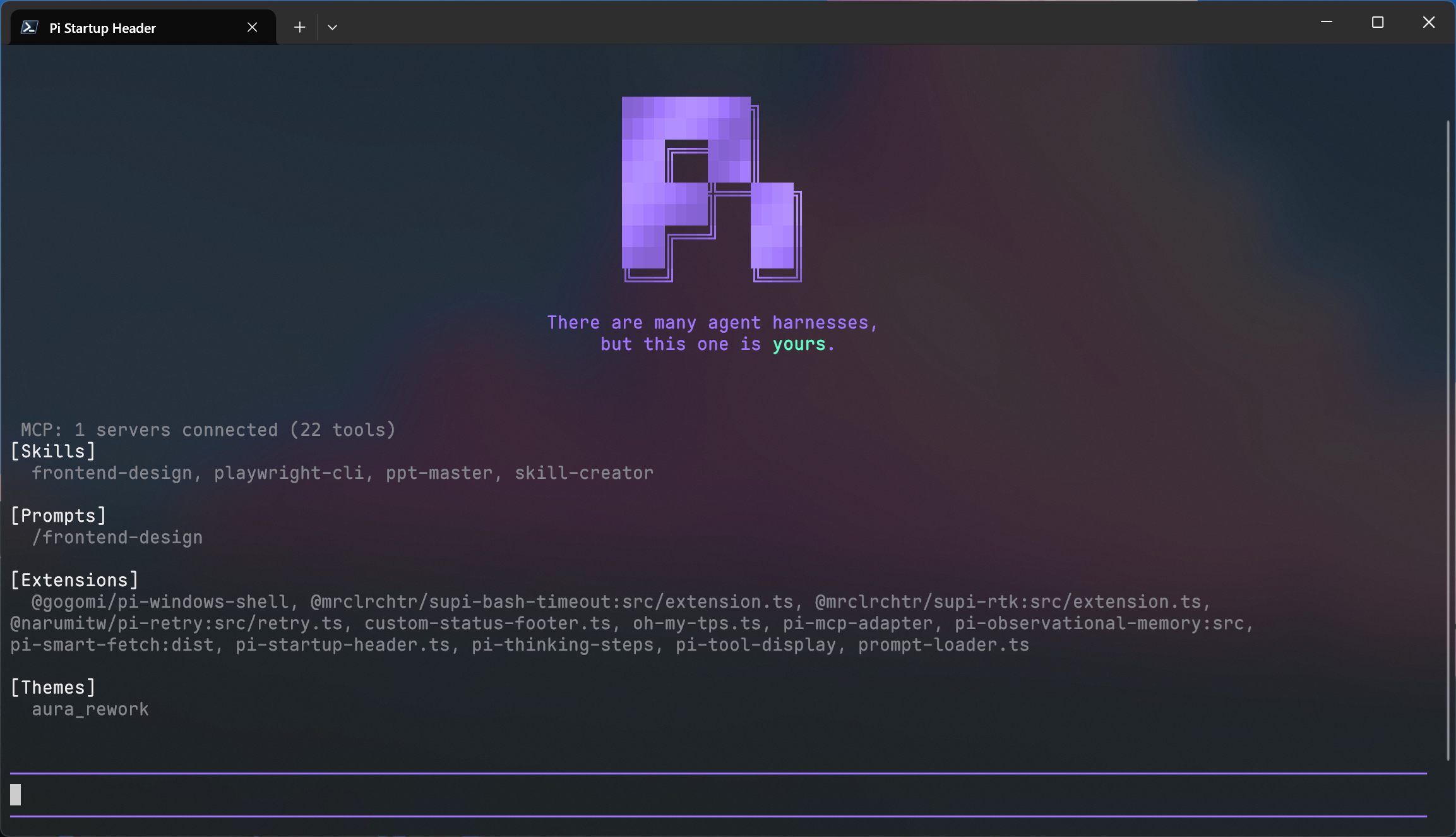
pi-startup-header 用一个跟随主题的渐变 ASCII Header 替换 Pi 默认启动头部。
安装
npm package
pi install npm:pi-startup-header
Git repository
pi install git:github.com/EnderLiquid/pi-startup-header
功能
优秀的 AI 编码终端,理应搭配优雅的启动页头部——pi-startup-header 正是为此而生。
既然 Pi 的官网主页 设计让人印象深刻,我们为什么不把它搬进终端呢?
pi-startup-header 只做一件事:把会话开始时默认的顶部 header 替换成 Pi 风格的渐变 ASCII Logo 和官网标语。
默认情况下,Logo 和标语的取色完全基于当前主题,无需额外配置,就能得到协调的视觉效果。
从启动 Pi 的那一刻起,界面就会有一点不一样。
配置
如需全局覆盖 header 默认取色,请创建:
~/.pi/agent/pi-startup-header.json
使用自定义 Pi agent 目录时,配置文件位于对应目录。
配置文件格式:
{
  "general": {
    "logoGradientBase": "accent",
    "textBase": "accent",
    "textHighlight": "mdLink"
  },
  "themeOverrides": [
    {
      "theme": "my-dark-theme",
      "logoGradientBase": "#7aa2f7",
      "textHighlight": "success"
    }
  ]
}
每个颜色可填写以下三类值之一:
- Pi 的前景
ThemeColor,例如"accent"、"mdLink"、"success"; - 6 位 RGB Hex 值,例如
"#7aa2f7"; 0至255的 xterm 256 色调色板索引,例如117。
每个颜色字段独立按优先级解析:
themeOverrides中theme与当前主题名完全匹配(区分大小写)的覆盖项优先于general,主题覆盖中省略的字段继承general;- 无命中的覆盖项时使用
general配置,general中省略的字段继承内置默认值。 - 内置默认值中,Logo 渐变和普通标语文字使用
accent,高亮文字使用mdLink。
编辑配置文件后执行 /reload 即可生效。JSON 或配置值无效时,插件会在启动时显示警告,并回退到默认配置。颜色名是向当前运行的 Pi 版本校验的,因此新版 Pi 新增的颜色无需升级插件即可使用;若颜色名无法识别,警告中会指出具体字段。
预览
一张图胜过千言万语:
许可证
MIT License