pi-splash0.3.0
A custom startup splash screen for Pi with a rotating π or Pi logo
Untested on omp
This is a pi package. No one has reported whether it works on omp yet. If you try it, add your result below.
Reports 0
No reports yet.
Readme
🌈 pi-splash
A Pi extension that greets you with a custom splash screen on startup: a slowly turning 3D Pi logo in its original colors, centered in your terminal. Prefer the mathematical π? You can choose that too.
Mathematical π · ocean |
Pi logo · original colors (default) |
|---|---|
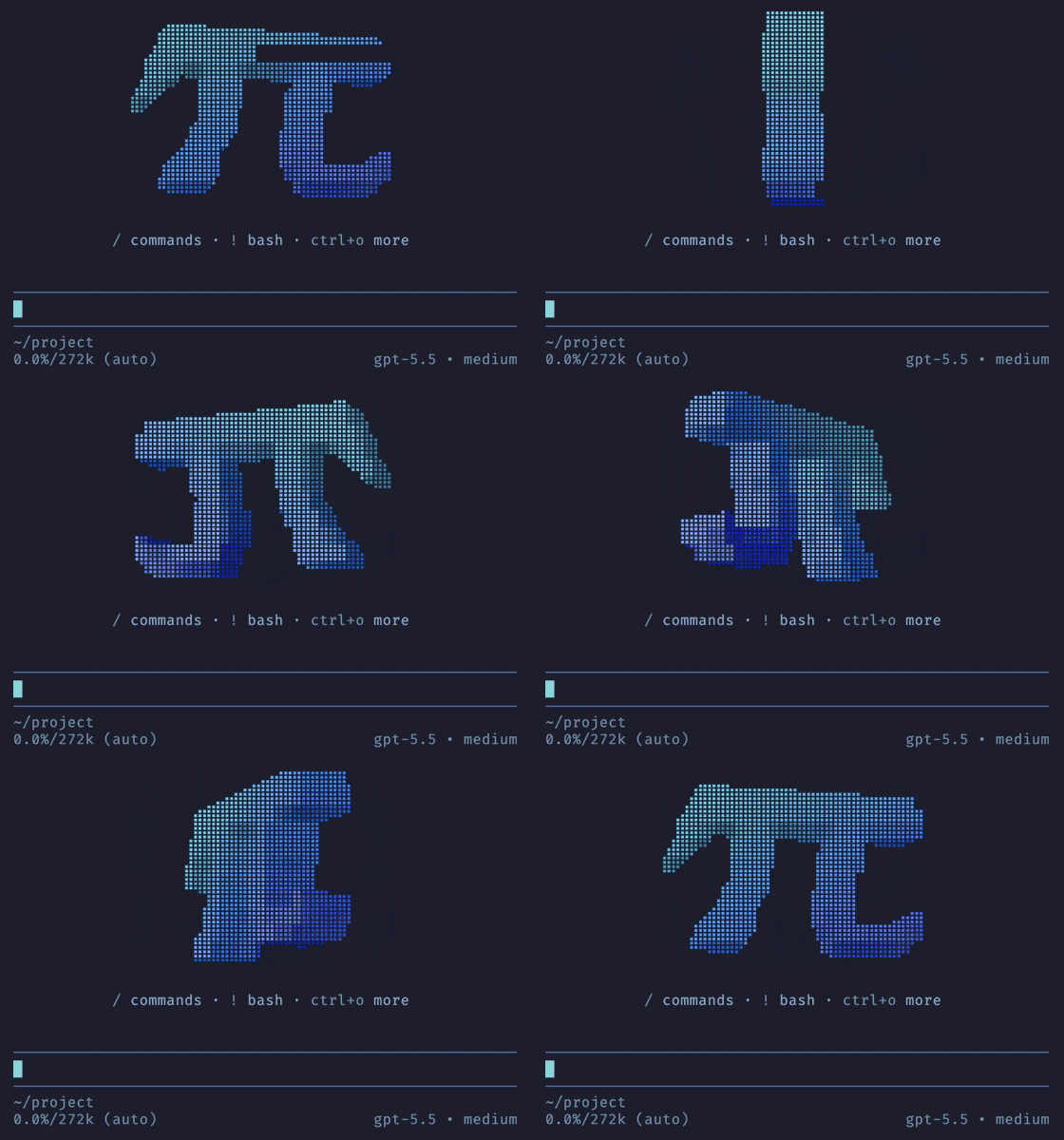 |
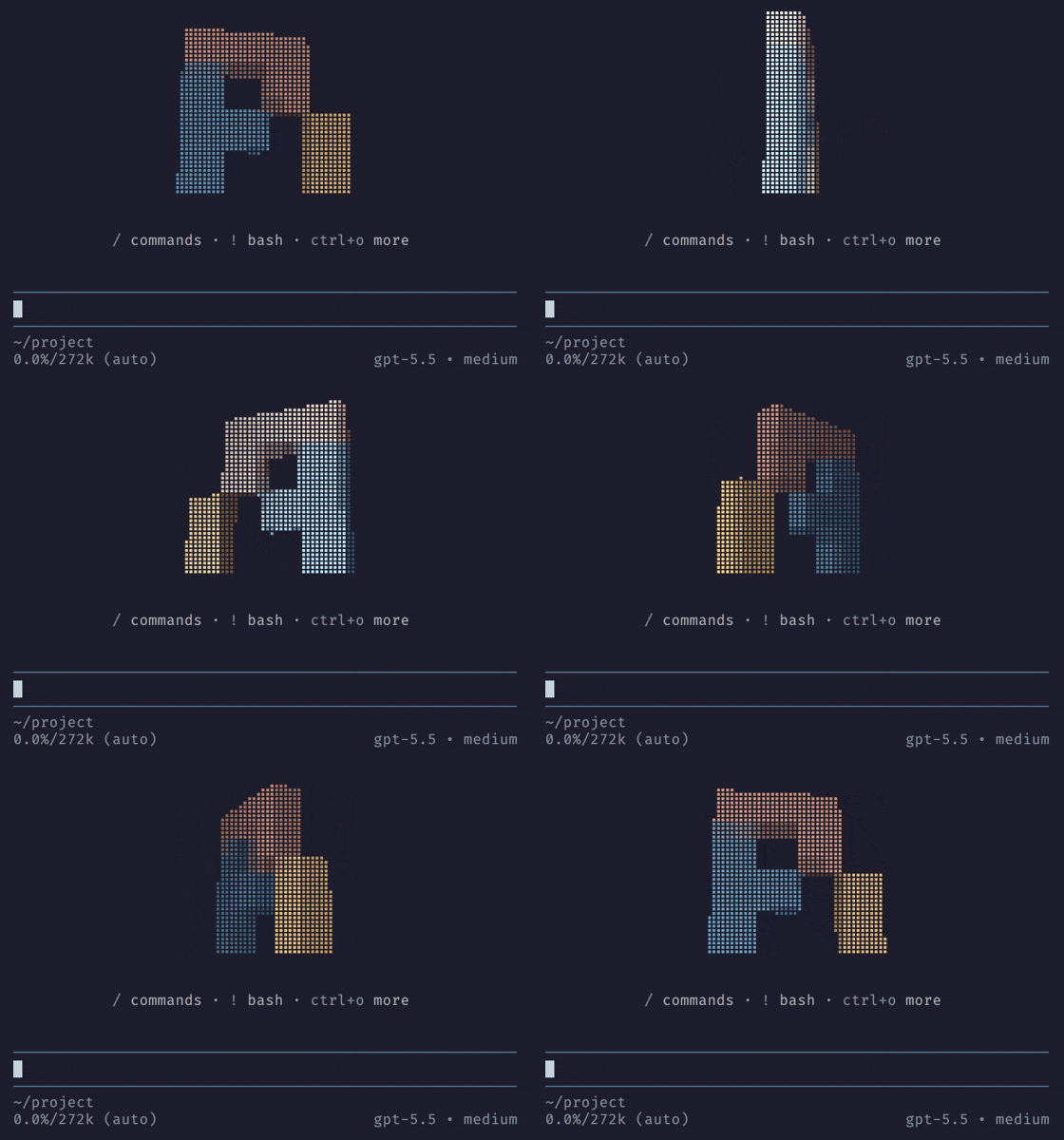 |
🚀 Installation
pi install npm:pi-splash
✨ Usage
- Greets you with the 3D Pi logo every time pi starts, a small but non-negotiable improvement to your day: a lit slab drawn in braille dots that slowly turns around
- Centers the splash screen in the terminal in fullscreen mode
- Keeps a usage overview under it: the key hints from pi's own header that are specific to pi, in your theme's colors and with your keybindings
- Can start every session in a different color scheme, if you turn on
randomand like a little surprise with your coffee - Uses the pixel Pi logo from its 1.0 Easter egg by default, with the mathematical π available as an alternative
- Switches to the
plainmode for flat art: the digits of π, laid out as the π, or the Pi logo drawn in blocks - Restores pi's usual startup screen when you remove or disable the extension, no hard feelings
🎛️ Tuning
Change the splash screen at any time with /splash. Changes apply immediately and are
saved for the next session.
| Command | Effect |
|---|---|
/splash |
Show the current settings |
/splash 3d / plain |
Switch between 3D (default) and flat art |
/splash symbol pi / logo |
Choose the mathematical π or the Pi pixel logo (default) |
/splash color <value> |
Paint the symbol: pi (default), rainbow, sunset, ocean, fire, mono, or hex colors |
/splash random on / off |
Start every session with a random color scheme instead of your color (default off) |
/splash size <n> |
Size of the 3D symbol, from 0.5 to 2 times the default (default 1); it shrinks to fit a small terminal |
/splash thickness <n> |
Depth of the 3D symbol, from 0.5 to 20 (default 8) |
/splash speed <n> |
Turns per minute, from 0 to 60; 0 keeps the symbol still (default 10) |
/splash reset |
Restore the defaults |
Choose the mathematical π without changing your mode, colors, or rotation settings:
/splash symbol pi
The 3D logo uses the pixel blocks and lighting from Pi's 1.0 Easter egg.
It rotates in place; the fullscreen dissolve, sliding puzzle, and starfield stay
in the Easter egg. Switch back to the logo with /splash symbol logo.
Colors can be a preset or hex colors. One hex color paints the whole symbol, and several blend along its diagonal:
/splash color #ff8800
/splash color #ff0000,#00ffff
The pi preset uses the colors of the Pi logo: with symbol logo, each pixel
keeps its original coral, blue, or yellow. Size, thickness, and speed only affect
the 3D mode; symbol and color apply to both modes. For the mathematical π,
thickness is measured in block widths. For the logo, 8 keeps the original
Easter egg's proportions, and other values scale its depth proportionally.
With /splash random on, every session starts with a preset picked at random
(pi, rainbow, sunset, ocean, fire, or mono), and turning it on picks
one right away. The pick only lasts for the session: your saved color stays as
it is and comes back when you turn random off. Choosing a color with
/splash color ends the pick for the current session, and /splash random on
shuffles again.
To get the original rainbow digits:
/splash symbol pi
/splash plain
/splash color rainbow
🧭 Key hints
Under the symbol, the splash screen shows the key hints from pi's own startup header
that are specific to pi, such as / for commands and ! for bash. They use
your keybindings and your theme's colors, and they skip the keys that every
terminal user knows, such as esc to interrupt or ctrl+c to exit.
Press ctrl+o, or whatever you bound to expanding tool output, to expand them
into a longer list, just like in pi's header. Like that header, they follow pi's
quietStartup setting: set it to true to hide them.
⚙️ Configuration
The settings live in ~/.pi/agent/splash.json, which /splash writes for you.
You can also edit it by hand, and pi picks it up on the next session start:
{
  "mode": "plain",
  "symbol": "pi",
  "color": "rainbow"
}
Set "symbol": "logo" to show the Pi logo, or "symbol": "pi" for the
mathematical π. Settings without symbol, including existing files, use the
Pi logo. An explicitly saved symbol stays selected.
Set "random": true to start every session with a random color scheme; color
then only applies when you turn random off.
Only settings that differ from the defaults are saved. The file is validated strictly: an unknown key or invalid value falls back to the defaults and shows a warning.
👀 Preview
The mathematical π in plain mode: ascii art that makes neofetch users wish
they'd thought of it first:
       3.141592653589793238462643383279
      5028841971693993751058209749445923
     07816406286208998628034825342117067
     9821    48086         5132
    823      06647        09384
   46        09550        58223
             1725         3594
            08128        48111
           74502         84102
          70193          85211        05
        5596446           22948954930381
       9644288             10975665933
🙏 Credits
The 3D logo renderer is adapted from Pi's 1.0 logo Easter egg, implemented by Armin Ronacher (@mitsuhiko). Pi itself was created by Mario Zechner (@badlogic).