pi-prompt-meter0.3.0
A tiny Pi extension that shows how much time and model usage each prompt consumes.
Untested on omp
This is a pi package. No one has reported whether it works on omp yet. If you try it, add your result below.
Reports 0
No reports yet.
Readme
pi-prompt-meter
A tiny Pi extension that shows how much time and model usage each prompt consumes.
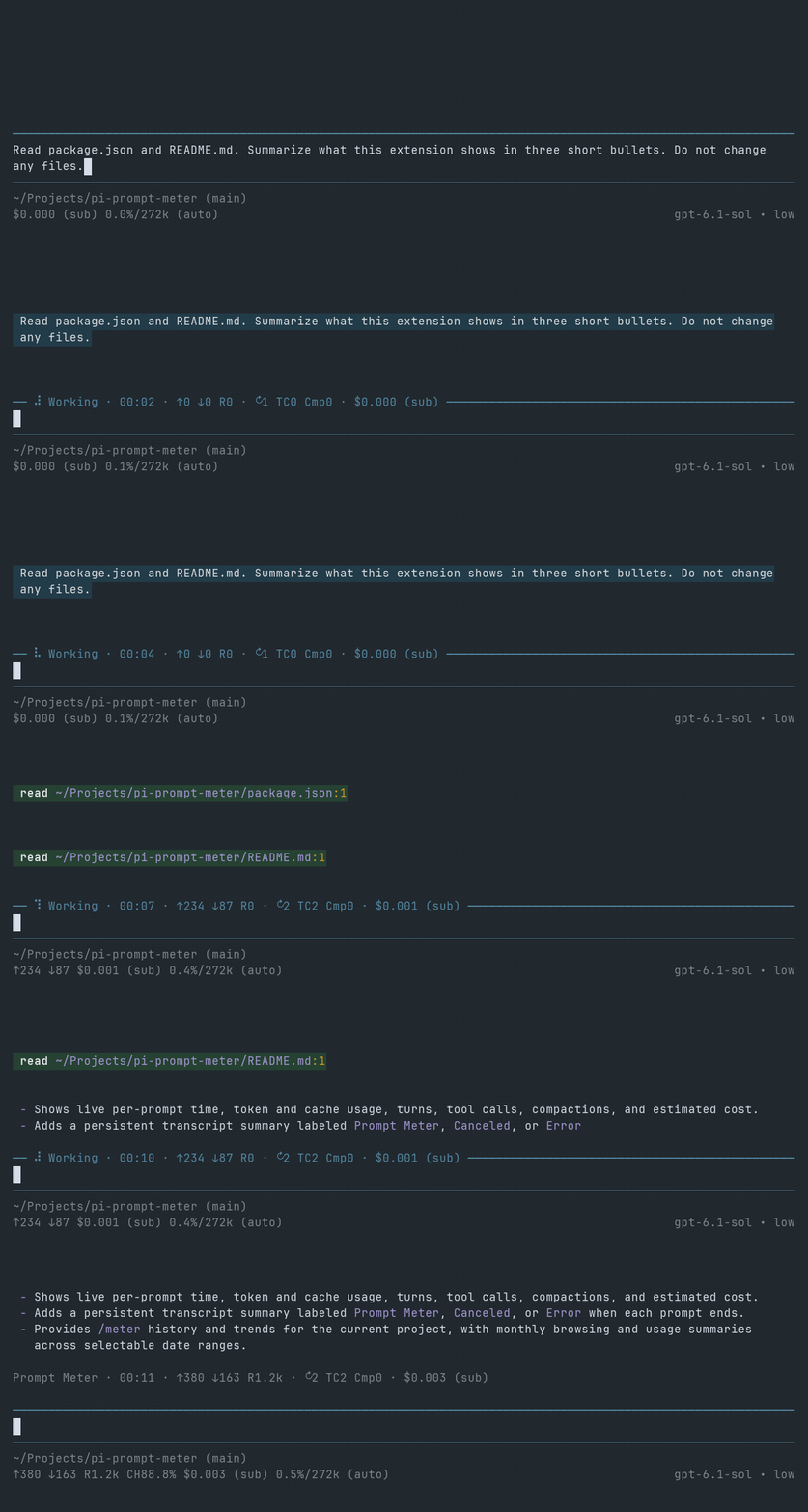
Working · 00:22 · ↑12k ↓640 R210k · ↻3 TC7 Cmp1 · $0.004 (sub)
When the prompt ends, its settled meter is labeled Prompt Meter, Canceled, or Error:
Prompt Meter · 4:29–4:51 PM · 22:14 · ↑12k ↓640 R210k · ↻3 TC7 Cmp1 · $0.004 (sub)
Clock ranges use local time and include UI input waits. Active elapsed time excludes those waits.
Install
pi install npm:pi-prompt-meter
If Pi is already running:
/reload
Metrics
00:22 |
Time spent on the prompt |
↑ |
Input tokens |
↓ |
Output tokens |
R |
Cache-read tokens |
W |
Cache-write tokens, when present |
↻ |
Pi turns (one LLM turn plus its tool executions) |
TC |
Tool executions, including nested tool calls |
Cmp |
Compactions during the prompt |
$ |
Estimated cost |
Each prompt starts a live meter. Its final row stays in the transcript after another prompt or /reload, without adding to LLM context. Older records appear only in /meter.
History
Run /meter in interactive Pi to browse usage for the current project:
History   Trends
‹ September 2026 ›
History shows the same prompt metrics as the transcript, grouped by session. Left/right changes the month, up/down selects a prompt, and Enter jumps to its session-tree location. Older sessions show ≈ for approximate durations and — for missing counts.
Trends totals time, tokens, cache reads, counters, and cost by date, with activity bars based on elapsed time. A counter total shows — if any prompt lacks that count. Left/right changes the range: 7d/30d for days, 3mo/6mo for weeks, and 1y/All for months. Tab switches views, and Esc closes /meter.
Requirements
- Pi
>= 1.0.0 - Node.js
>= 22.19.0
License
MIT