pi-preflight0.1.1
Pi extension: interview the user until the agent is confident, then plan, review/edit, and execute with a live checklist.
Untested on omp
This is a pi package. No one has reported whether it works on omp yet. If you try it, add your result below.
Reports 0
No reports yet.
Readme
✈ pi-preflight
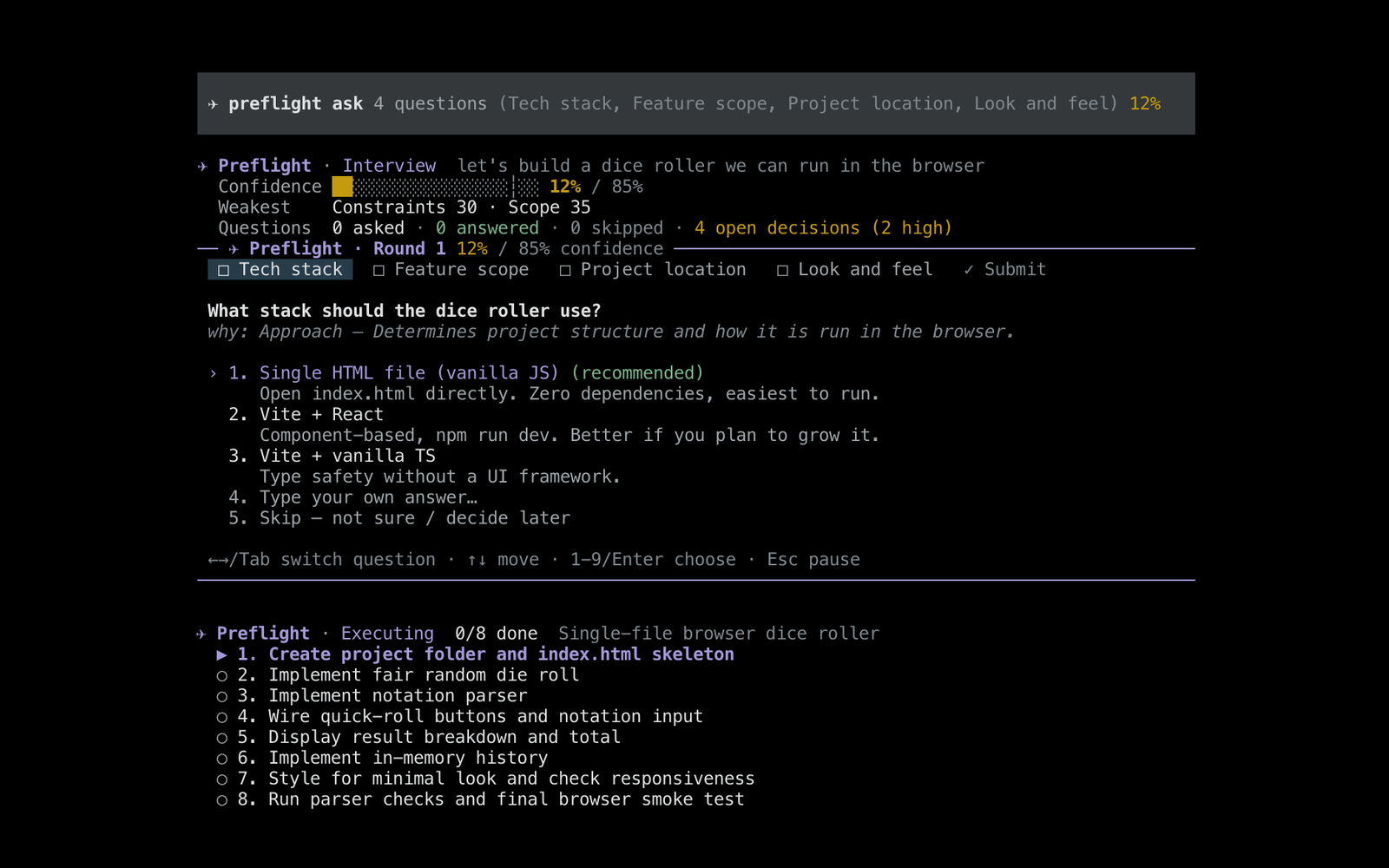
A pi extension that runs a preflight check before the agent starts work. It works in three steps:
- Interview. The agent explores your project read-only, then asks you questions in rounds of 1–4. It keeps going until it's confident it understands what you want.
- Plan. It proposes a plan. You can approve it, edit it as Markdown, ask for changes, or go back to more questions.
- Execute. Once you approve, the agent does the work while a live checklist tracks each step.
Install
pi install npm:pi-preflight
Or try it for one session: pi -e npm:pi-preflight
Usage
/preflight add rate limiting to the public API
| Command | What it does |
|---|---|
/preflight <objective> |
Start a preflight. Run with no argument to type a longer objective in the editor |
/preflight status |
Show the confidence breakdown, all questions and answers, and the plan |
/preflight plan |
Skip ahead: the agent drafts the plan now, even below the threshold |
/preflight review |
Reopen a plan review you paused |
/preflight edit |
Edit the plan as Markdown. Also works during execution, and the agent is told about the change |
/preflight export [path] |
Save the plan and interview record to a Markdown file |
/preflight continue |
Nudge the agent to pick the current phase back up |
/preflight cancel |
Stop and restore your normal tools |
Flag: --preflight-threshold <n> sets the confidence needed before planning (default 85).
How it works
1. Interview (read-only)
The agent first looks around your project so it doesn't ask things it could find out itself. Then it asks rounds of 1–4 questions, aimed at whatever it's least sure about. Most questions have concrete options and a recommended default. You can always type your own answer or skip.
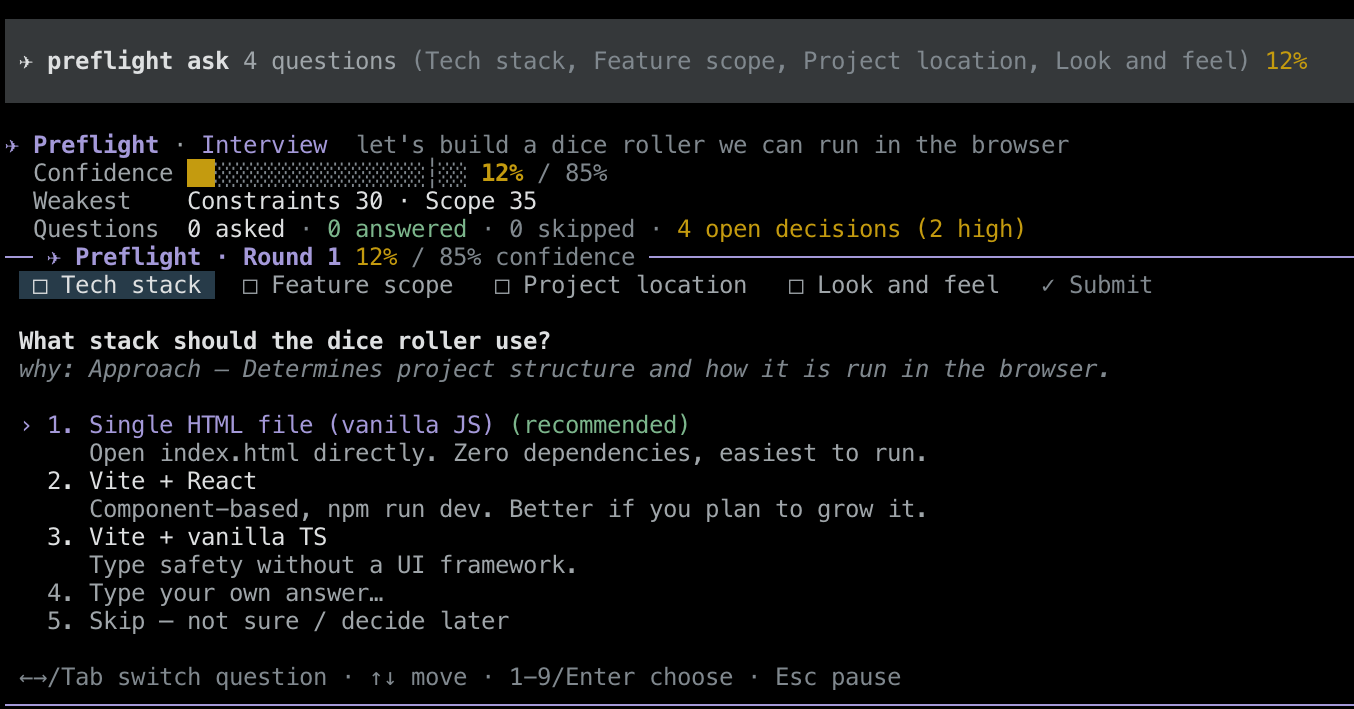
Keys: ←→/Tab switch question, 1-9/Enter choose, Esc pause. When you pause, you can go back, skip ahead to the plan, pause and reply in chat, or cancel.
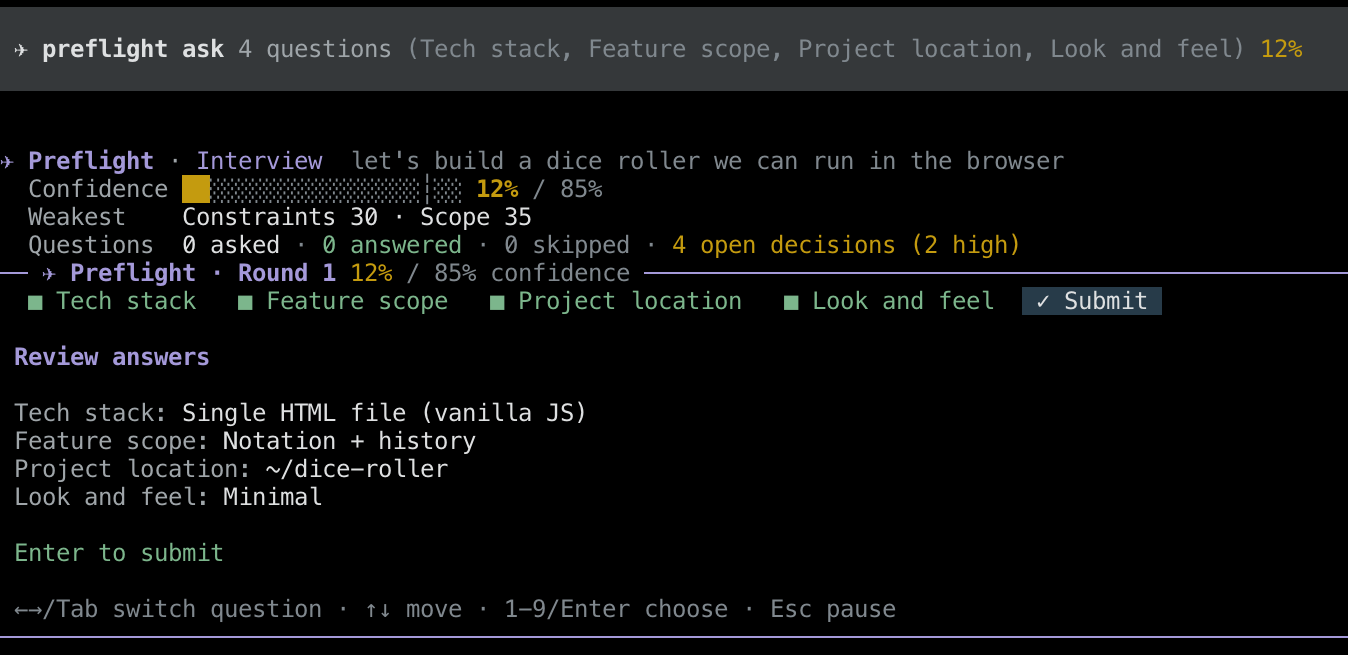
While the interview runs, the agent can't change anything. edit and write are turned off. bash only runs commands on a read-only allowlist (ls, cat, rg, git log/diff/status, npm ls, …). Any write, redirect, install or git change is blocked. Other tools stay available only if they declare readOnlyHint.
Confidence scoring
With every round, the agent rates its understanding from 0 to 100 on five dimensions:
| Dimension | Weight | Question it answers |
|---|---|---|
| Goal | 25% | What do you want, and why? |
| Scope | 20% | What's in and what's out? |
| Success criteria | 20% | What does "done and correct" look like? |
| Approach | 20% | How should it be done in this codebase? |
| Constraints | 15% | What technical, compatibility or style limits apply? |
The extension then turns these into one confidence number, so the agent can't simply report a high score. It also subtracts points for ambiguity:
- each open decision: −10 if high impact, −5 if medium, −2 if low
- each assumption (a judgment call the agent would make for you): −2
- the total penalty is capped at 50
- overall confidence can never be more than 25 points above the weakest dimension
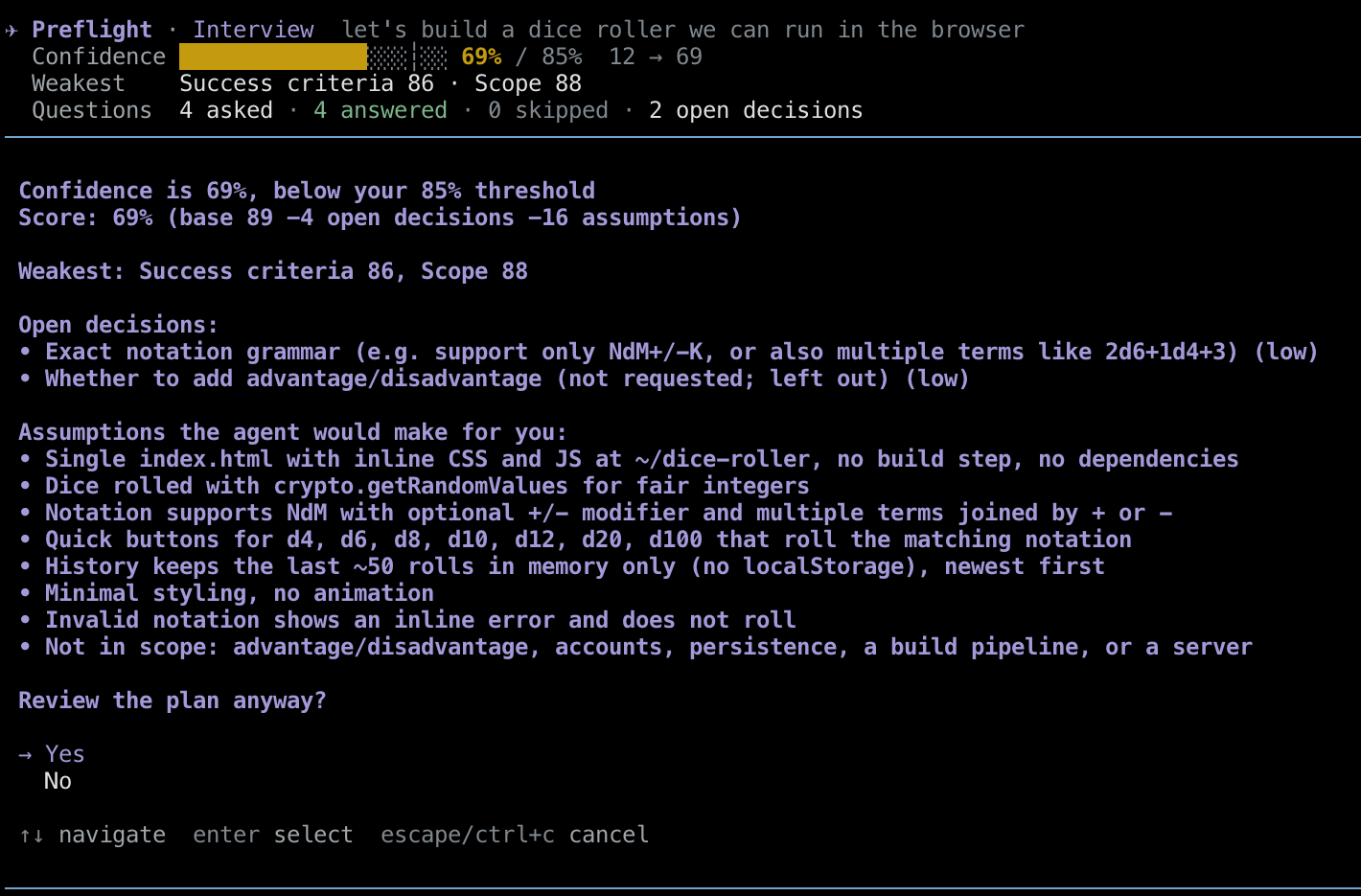
If the agent tries to plan below the threshold, or without asking you anything, you'll be asked whether to go ahead. The dialog explains what's holding the score down.
2. Plan review
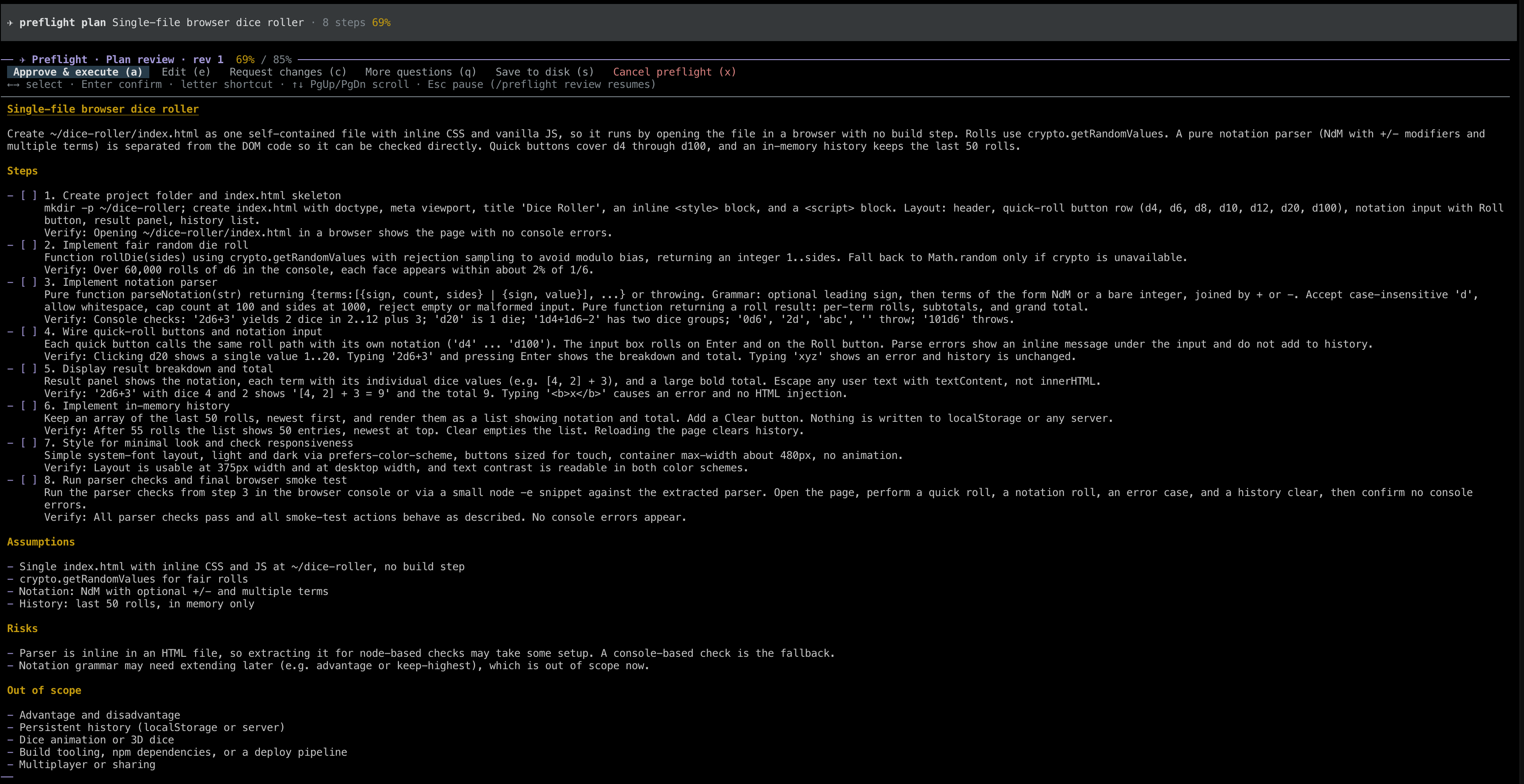
The plan appears in a scrollable view with these actions:
- Approve & execute (
a) - Edit (
e): opens the plan as a Markdown checklist in pi's editor.ctrl+gopens it in your$EDITORinstead - Request changes (
c) - More questions (
q) - Save to disk (
s) - Cancel (
x) Escpauses the review
When you approve, you're offered a chance to save the plan to disk (default .pi/preflight/<date>-<slug>.md). Plans are kept in the session only unless you save them. Once saved, the file is updated as the plan changes and steps are checked off.
The Markdown format is forgiving:
# Title

Summary…

## Steps

- [ ] 1. Do the first thing
  Details on indented lines
  Verify: how to check it
- [x] 2. Already done
- [~] 3. In progress
- [!] 4. Blocked
  Note: why
- [-] 5. Skipped

## Assumptions
- …
## Risks
- …
## Out of scope
- …
Plain numbered lists work too. A - [ ] item counts as a step wherever you type it.
3. Execute
Your normal tools come back. The agent marks each step as in_progress, then done, blocked or skipped. If it finds extra work along the way, it adds a new step instead of quietly doing more. A checklist above the editor and a counter in the footer (✈ 3/7) show progress.
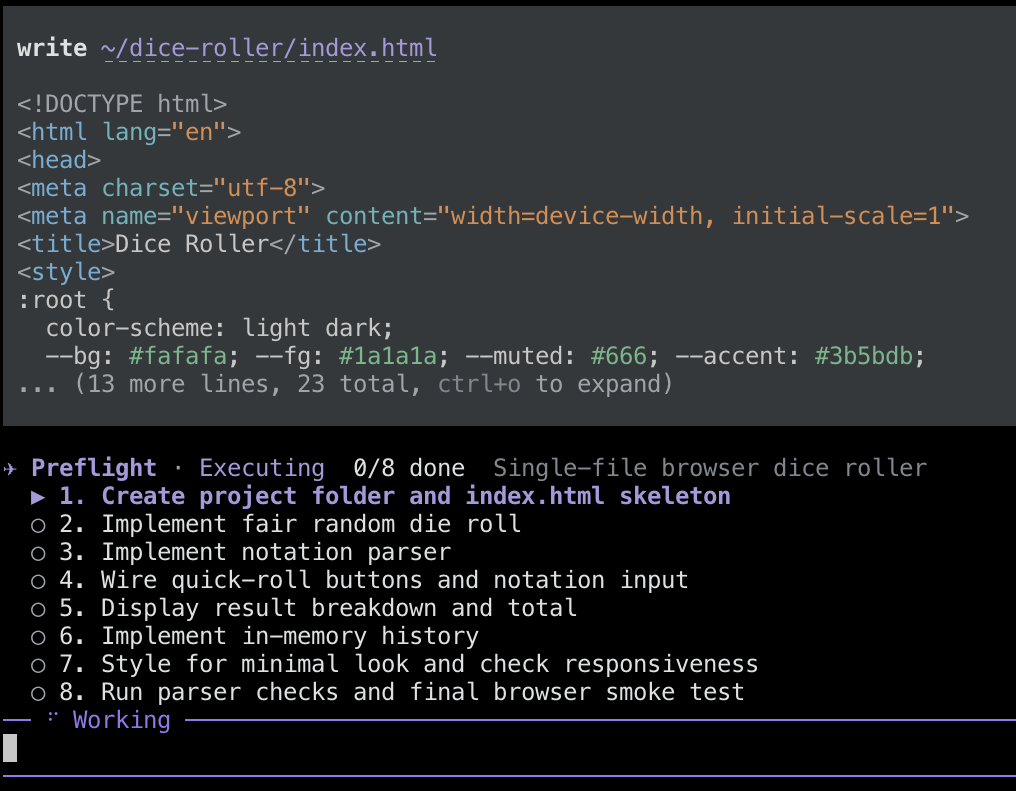 When every step is finished, the preflight ends and the agent summarizes what it did.
State
All state is saved in the session and follows the branch you're on. It survives /resume, /tree navigation, forks and compaction.
Development
cd pi-preflight
npm install
npm run check                 # typecheck + unit tests
pi -e ./                      # load the local copy into pi
License
MIT