pi-lua0.2.0
Write pi extensions in Lua: one tiny TypeScript adapter, everything else is Lua plugins
Untested on omp
This is a pi package. No one has reported whether it works on omp yet. If you try it, add your result below.
Reports 0
No reports yet.
Readme
pi-lua
Write pi extensions in Lua. One small TypeScript adapter bridges pi to a Lua runtime; every feature is a plain Lua plugin — no TypeScript, no build step.
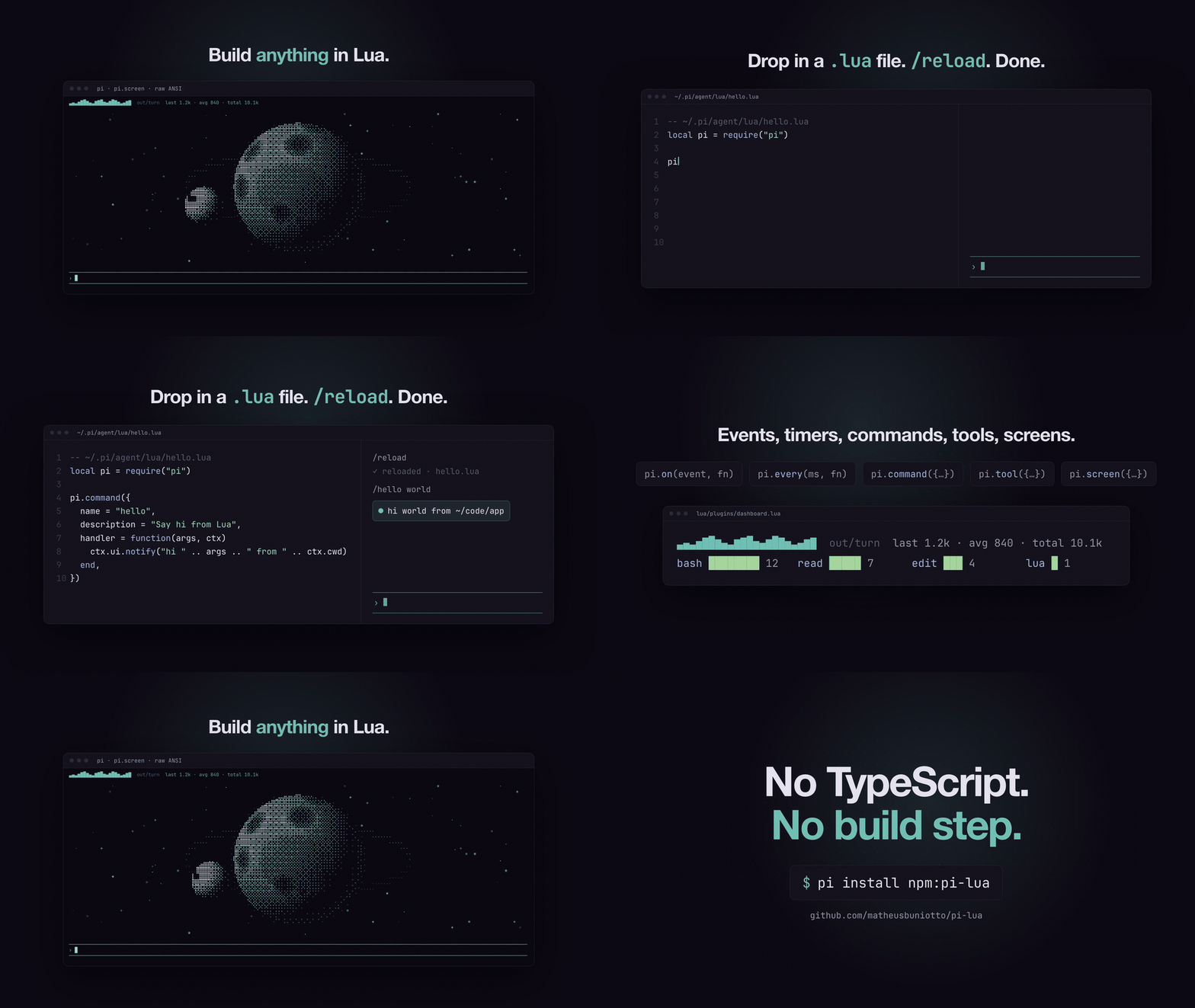
Two example plugins ship in lua/plugins/, one per style of plugin:
| Plugin | Shows how to | What it does |
|---|---|---|
lua-tool.lua |
give the model a tool (pi.tool) |
lua tool: the model runs Lua snippets directly (sandboxed, 10s CPU limit) |
dashboard.lua |
react to events, draw UI, add a command (pi.on, set_widget, pi.command) |
widget with a tokens-per-turn sparkline and tool-usage bars, restored from the session file on reload; /dashboard shows/hides it |
Install
Requires macOS or Linux and Lua 5.1+ or LuaJIT on PATH (brew install lua, apt install lua5.4). Set LUA_BIN=luajit to pick another interpreter.
pi install npm:pi-lua
Manage plugins
Run /pi-lua to open a menu of every Lua plugin, with the commands and tools each one adds listed underneath:
  dashboard       on
    /dashboard    off
  lua-tool        on
    lua (tool)    on
Enter toggles; Esc closes and, if anything changed, reloads pi to apply it. Turning off a command or tool keeps the rest of its plugin running (e.g. the dashboard widget without /dashboard). The choices are stored in ~/.pi/agent/lua-pi.json:
{
  "disabled": ["some-plugin"],
  "disabledCommands": ["dashboard"],
  "disabledTools": ["lua"]
}
Turning a plugin off turns its commands and tools off with it; turning it back on restores them as you had them. A disabled plugin isn't loaded, so after the reload its commands and tools only show up in the menu once it's enabled again.
Write your own plugin
New to this? Follow the step-by-step guide: Building pi-lua plugins, which builds a focus timer covering commands, the footer, events, a tool and a full-screen view.
Drop a .lua file in ~/.pi/agent/lua/ and run /reload. No TypeScript, no build step. A file with the same name as a bundled plugin (e.g. dashboard.lua) replaces it, so copying one out of lua/plugins/ is an easy way to start customizing.
-- ~/.pi/agent/lua/hello.lua
local pi = require("pi")

pi.command({
	name = "hello",
	description = "Say hi from Lua",
	handler = function(args, ctx)
		ctx.ui.notify("hi " .. args .. " from " .. ctx.cwd)
	end,
})
API
local pi = require("pi")

pi.on(event, function(event, ctx) end)       -- any pi event: session_start, turn_end, message_end, tool_execution_start, ...
pi.every(ms, function(ctx) end)              -- timer, runs while a session is open
pi.command({ name, description, handler = function(args, ctx) end })
pi.tool({
	name, description, label?, snippet?, guidelines?,
	parameters = { code = { type = "string", description = "...", optional = false } },
	execute = function(params, ctx) return "text for the model" end,   -- error(...) to fail the call
})

pi.screen({                                  -- full-screen surface (raw ANSI allowed)
	key = "moon",
	on_resize = function(w, h, ctx) end,     -- real terminal size
	on_key = function(key, ctx) end,         -- every key except escape/q, which close it
	on_close = function(ctx) end,            -- fired when it closes
})
ctx in every callback:
| Field | |
|---|---|
ctx.cwd, ctx.model, ctx.has_ui |
session info |
ctx.session_file |
the session .jsonl (one JSON entry per line), or nil until pi first saves it |
ctx.context |
{ tokens, window, percent }, or nil before the first turn |
ctx.send(text) |
send a user message to the agent; queued as a follow-up if it's busy |
ctx.ui.notify(message, level?) |
"info" (default), "warning", "error" |
ctx.ui.set_status(key, line) |
a footer line; nil clears it |
ctx.ui.set_widget(key, lines) |
lines above the editor; nil clears them |
ctx.ui.set_screen(key, lines) |
push a full-screen frame; lines are strings (raw ANSI is fine) |
ctx.ui.close_screen(key) |
close a pi.screen surface |
A line is a string or a list of { color, text } spans, where color is a pi theme color (accent, muted, dim, text, success, warning, error, toolTitle, ...):
ctx.ui.set_status("clock", { { "accent", "●" }, { "dim", " " .. os.date("%H:%M") } })
For a full-screen scene, pi.screen{...} opens a component that replaces the editor. The adapter reports the real terminal size through on_resize, and the plugin pushes frames with ctx.ui.set_screen(key, lines). Those lines are plain strings, so they may embed raw ANSI colour. Keep the frame rate modest (e.g. pi.every(70, ...)); an unpainted frame simply keeps the previous one.
Event payloads are pi's own event objects decoded from JSON (e.g. event.message.usage.output, event.toolName). A bundled json module is available via require("json").
Notes
- All plugins share one Lua process and run one callback at a time, so a slow callback delays the others. Keep timers cheap.
- A plugin error is shown once as a notification and doesn't affect other plugins.
- stdout is discarded; use
ctx.ui.notifyto show things.
How it works
src/adapter.ts     the only TypeScript: starts lua/pi.lua, forwards events/tools/commands, paints the UI
lua/pi.lua         the runtime + the `pi` API plugins require
lua/json.lua       rxi/json.lua (MIT)
lua/plugins/*.lua  bundled plugins; ~/.pi/agent/lua/*.lua are loaded too
The adapter and the runtime talk JSON lines: pi → Lua on stdin, Lua → pi on fd 3. The runtime reports what the plugins registered, the adapter registers the matching tools, commands and event hooks with pi, and forwards each call back to Lua.
Contributing
The bundled plugins are deliberately just two examples. Contributions to the runtime, the API, and the examples are welcome; for new plugins, share them as your own .lua files.
git clone https://github.com/matheusbuniotto/pi-lua ~/.pi/agent/extensions/pi-lua
- Edit
lua/pi.lua,src/adapter.ts, or the examples inlua/plugins/. npm run checksyntax-checks every Lua file./reloadin pi and try it.
Changing src/adapter.ts should only be needed to expose a new pi capability to the Lua API. Document it in the API section above in the same change.