pi-hush0.3.0
Hide Pi's tool chatter behind a compact activity animation.
Untested on omp
This is a pi package. No one has reported whether it works on omp yet. If you try it, add your result below.
Reports 0
No reports yet.
Readme

Keep the conversation. Quiet the tool chatter.
Hush gives Pi a calmer terminal view: your prompts and the assistant's replies stay visible, while tool calls, tool results, and thinking blocks stay out of the way. A small, theme-aware animation and live activity label let you see that work is still happening.
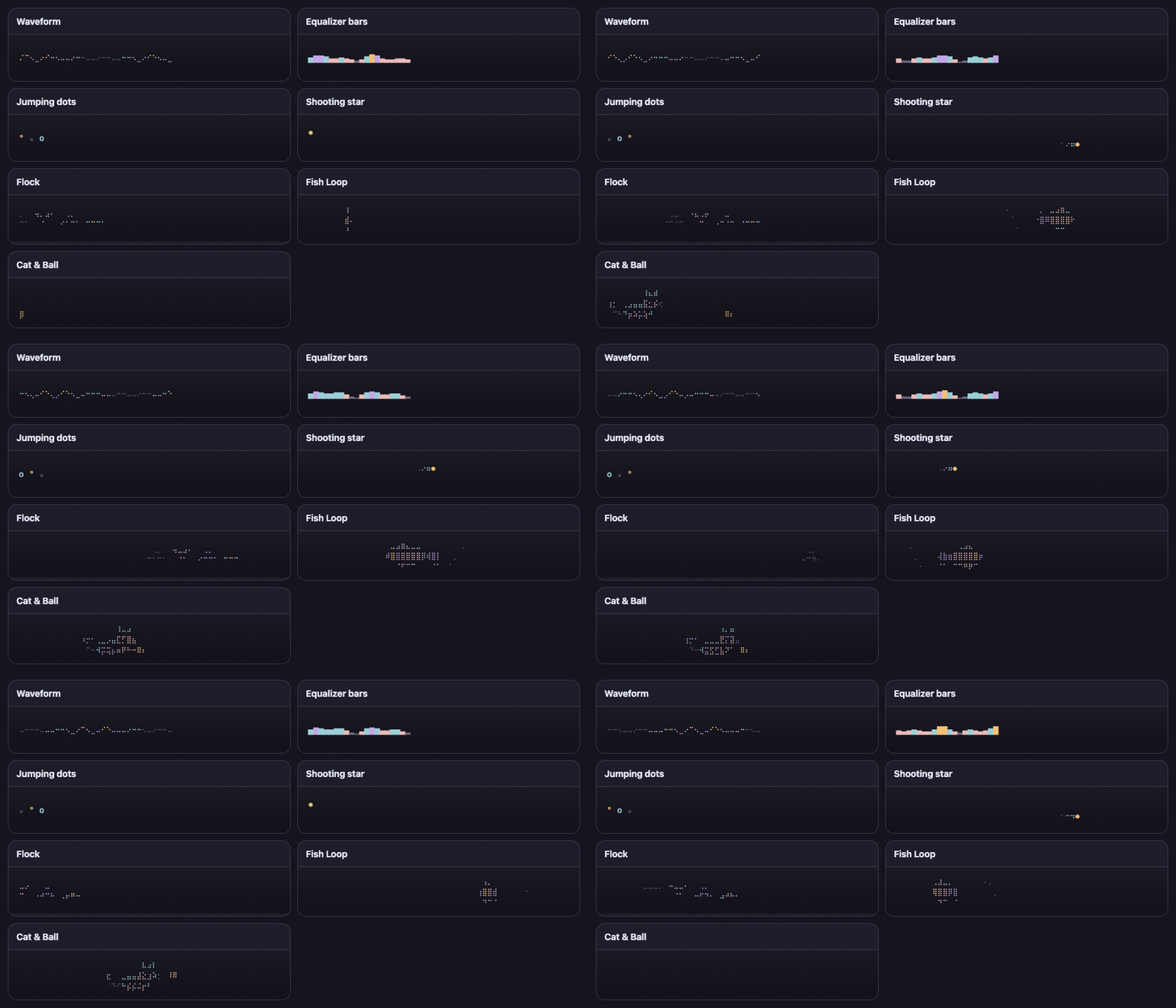
- Quiet, not disconnected. See when Pi is working, thinking, responding, or running tools—without a screenful of tool output.
- Made for the terminal. Seven text-only animations use your Pi theme, adapt to narrow panes, and take at most three rows. No image protocols or background processes.
- Firstmate compatibility. Opt in with message-prefix rules to hide its operational user rows.
- Presentation only. Tools still run, the model still receives their results, and session history stays complete.
/hush offrestores the ordinary transcript; exports and shares retain the hidden content.
Make it yours
Hush starts with flock, with activity text shown in Pi's native working-status divider. Choose an animation with /hush animation, or select one directly—for example, /hush animation cat-ball.
Built-ins: flock · wave · bars · jumping-dots · shooting-star · fish-loop · cat-ball.
Activity in the status or widget
/hush activity                 # toggle Hush's activity label
/hush activity status          # use Pi's working-status divider (default)
/hush activity widget-left     # put text left of the animation
/hush activity widget-right    # put text right of the animation
Labels follow what Pi reports: Working, Thinking, Responding, or Running read. Parallel tools get a compact summary such as Running read +2. Thinking is shown only when the provider reports a thinking block; otherwise Hush says Working.
status uses Pi's native working-status divider while the widget remains animation-only. Widget placements hide Pi's working row and put sanitized, ellipsized text beside the animation in a stable responsive column, hiding the label when the terminal is too narrow, so activity changes do not move the editor or animation. When activity text is off, Pi's status row is hidden while Hush's animation runs.
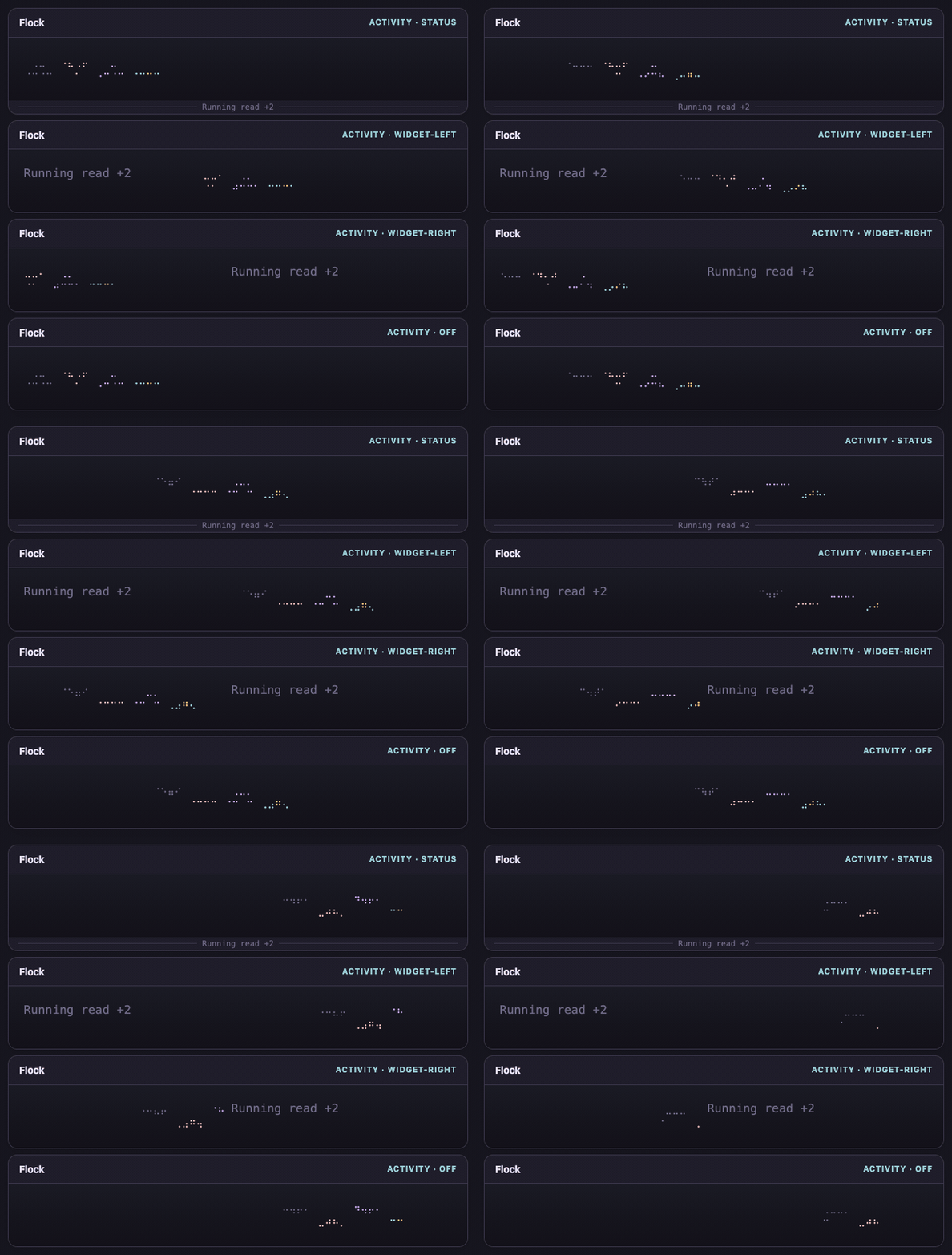
Want to try different widths and colours? Open docs/preview.html from the installed package, or save the gallery HTML and open it in your browser. It runs offline using Hush's actual renderers. Terminal fonts and your Pi theme may look a little different from the previews.
Install
pi install npm:pi-hush
Restart Pi or run /reload. Hush is on immediately—no configuration file required.
Everyday controls
| Command | What it does |
|---|---|
/hush on · /hush off |
Use Hush or restore Pi's ordinary transcript |
/hush thinking |
Toggle visible thinking while keeping tool chatter hidden |
/hush activity |
Toggle live activity text |
/hush activity status · widget-left · widget-right |
Choose the activity surface |
/hush animation |
Choose an animation |
/hush width 28 · /hush width 60% |
Set the selected animation's drawing width |
/hush width auto |
Return that animation to its natural sizing |
Pi offers argument completion after /hush . Animation and thinking commands turn Hush on; /hush activity also turns Hush on when toggling text. Width and activity-placement commands leave the on/off state alone.
Widths are drawing space, not zoom. A percentage uses the animation widget's available width. Width preferences are saved per animation; the activity enabled setting applies to all of them.
Configuration
Use the commands above, or edit ~/.pi/agent/hush/config.toml:
animation = "flock"

[activity]
enabled = true
placement = "status"
Those are the defaults. The file and every field are optional, including version; you don't need to add it. Hush is on and thinking is hidden unless you choose otherwise.
Commands save changes to the same file while preserving comments and unrelated settings. Your preferences live outside the installed plugin, so updates leave them alone. After editing the file manually, run /reload.
See the configuration reference for all settings, width limits, and custom file locations.
Good to know
Hush quiets conversation tool rows, not every possible Pi surface. User-bash output, summaries, system notices, and third-party custom messages can remain visible. Extensions that replace the same working indicator may conflict.
Hush changes display—not execution, model context, or stored messages. It is not a redaction or privacy filter.
Go further
- Create your own animation—frames, procedural renderers, and animation packages.
- Hide operational message prefixes—custom headers, the Hush marker, and Firstmate configuration.
- Development guide—source layout, local testing, and preview generation.
Inspiration
Inspired by pi-calm, another way to make Pi's presentation quieter.