pi-ember-ui1.0.4
A UI-only Ember theme and animated terminal interface for Pi, with no extra LLM calls or prompt injection.
Untested on omp
This is a pi package. No one has reported whether it works on omp yet. If you try it, add your result below.
Reports 0
No reports yet.
Readme
Ember — Pi Theme & UI Extension
Ember is a warm, dark theme and custom terminal UI for Pi. It combines a brown-black background and amber accents with a Tetris-inspired startup animation and an information-rich interface.
Preview
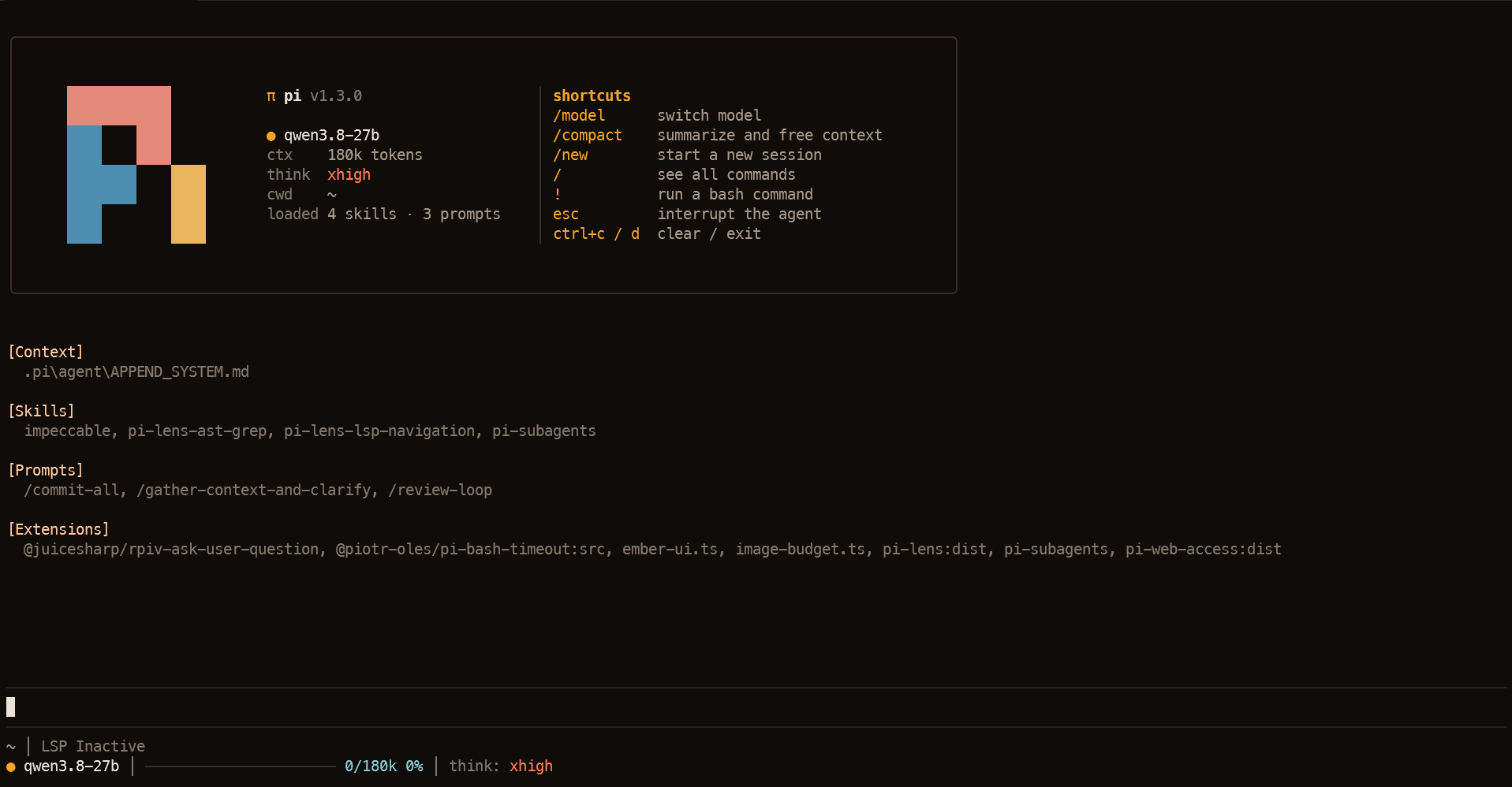
Startup animation
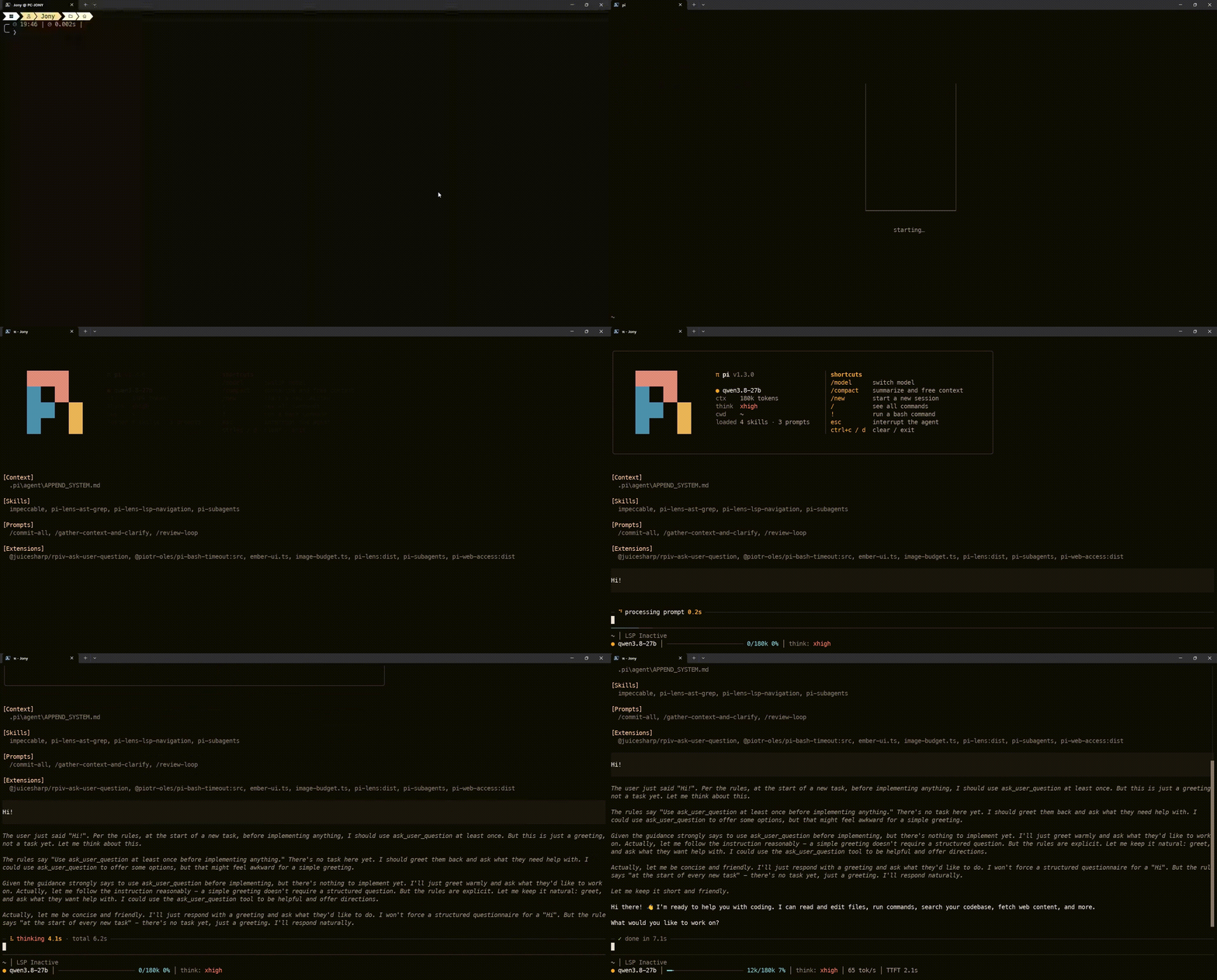
Watch the startup animation as an MP4 video
Features
- Tetris-style startup animation — the Pi logo assembles from colored pieces, pauses, then floats into the header.
- Custom welcome header — Pi version, model, context-window size, thinking level, loaded skills/prompts, and useful shortcuts.
- Two-line footer — project path, Git branch, LSP status when available, current model, context usage, thinking level, TTFT, and generation-speed estimate.
- Live activity status — shows whether Pi is processing, thinking, generating, or running a tool.
- Animated editor border — a subtle Tetris-inspired line animation while the agent is working.
- Context usage bar — changes from cyan through yellow to coral as the context fills.
- Responsive layout — the header adapts to narrower terminals.
UI-only by design
Ember is intended exclusively to change the appearance and live status display of Pi's terminal interface. It does not add prompt prefill, modify the system prompt, or register tools, skills, prompt templates, commands, providers, or subagents. It makes no additional LLM/API calls and does not send telemetry.
The animations and UI updates do use a small amount of local CPU and memory to render; they do not consume additional model tokens or context by themselves.
Install
pi install npm:pi-ember-ui
Restart Pi after installing so the package's extension and theme are loaded.
Theme behavior
On the first interactive startup after installing Ember, the extension selects the included ember theme and Pi saves it as the user's theme preference. A small marker is written to the Pi agent directory so this automatic selection happens only once.
After that first startup, users can freely select another theme in /settings. Ember will not force its palette again on later sessions or restarts. The marker is stored outside the package so updating the package does not normally reset the choice.
Compatibility
Ember was developed and tested with Pi 1.4. Compatibility with Pi 0.x has not been tested, and older versions may not provide every API used by the extension.
Ember is designed for Pi's interactive terminal UI (TUI). The startup animation is skipped in terminal environments where the extension detects that the custom intro is unsupported.
Package contents
extensions/ember-ui.ts— startup animation, header, footer, editor border, activity status, and performance measurements.themes/ember.json— Ember's color palette and theme tokens.assets/ember-preview.png— static screenshot used in this README and as the package gallery image.assets/ember-intro.gif— inline animated preview for GitHub.assets/ember-intro.mp4— video preview for the Pi package gallery.
License
MIT © 2026 JonyPlo