pi-delay-prompt0.2.0
Delay the next Pi prompt with a visible countdown (useful for rate limits).
Untested on omp
This is a pi package. No one has reported whether it works on omp yet. If you try it, add your result below.
Reports 0
No reports yet.
Readme
pi-delay-prompt
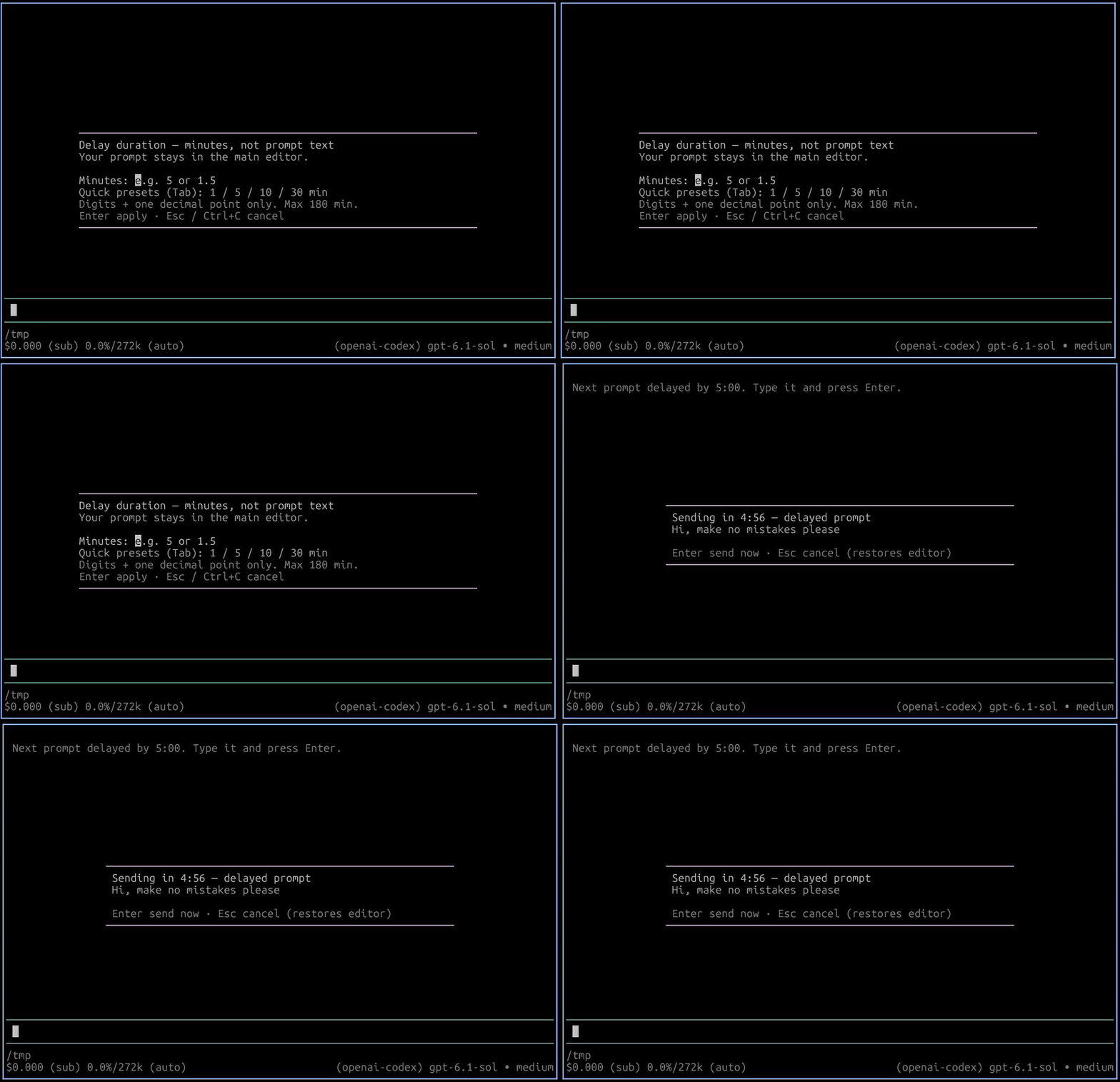
Delay the next Pi prompt with a visible countdown. Useful for rate limits: arm a delay, type the prompt, and it sends after the timer (or send immediately / cancel and restore the editor).
Install
From npm:
pi install npm:pi-delay-prompt
From GitHub:
pi install git:github.com/dirop1/pi-delay-prompt
From a local checkout:
pi install /path/to/pi-delay-prompt
Requires Node.js 22+ and Pi interactive terminal mode. Package metadata includes pi-package for discovery in the Pi package gallery.
Usage
/delay-prompt 5        Delay the next prompt by 5 minutes
/delay-prompt 1.5      Fractional minutes work
/delay-prompt 90s      Explicit seconds or minutes (s/sec/secs/second/seconds, m/min/mins/minute/minutes)
/delay-prompt cancel   Disarm (also: off, clear)
/delay-prompt          Prompt for minutes interactively
Plain numbers are minutes. Range is 1 second to 180 minutes. Slash commands are never delayed. Only one countdown runs at a time; overlapping prompts are sent normally instead of stacking.
With no argument, /delay-prompt opens a numeric-only duration picker, also used by Ctrl+Alt+D. Enter minutes (5, 1.5, or 1,5), or press Tab to cycle quick presets (1 / 5 / 10 / 30 minutes), then Enter to apply. Letters and multiline pastes are rejected; invalid durations show an inline error without closing the picker. Esc or Ctrl+C cancels. Your prompt belongs in the main editor, not the duration field.
Keyboard shortcut Ctrl+Alt+D delays the prompt currently in the editor (or arms the next one when the editor is empty).
During the countdown, Enter sends immediately and Esc cancels and restores the editor text.
Example: give CI time to finish
If a CI pipeline usually takes a few minutes, arm a timed follow-up:
/delay-prompt 5
Then write and submit your prompt:
Check the latest CI pipeline for this branch. If it failed, inspect the failed jobs and summarize what needs fixing.
Pi holds the prompt for five minutes before sending it. This is a fixed delay, not CI polling: the pipeline may still be running when the prompt sends. The assistant needs the appropriate CLI or tools and authentication to inspect your CI provider. Press Enter during the countdown to send early, or Esc to cancel and restore the prompt.
Alternatively, write the prompt first, press Ctrl+Alt+D, and choose the delay.
Development
npm test
npm run check
npm pack --dry-run --ignore-scripts
Core parsing/formatting helpers are dependency-free so tests run without Pi installed. Pi loads the TypeScript entrypoint directly; no build step is needed.
License
MIT. See LICENSE.