pi-compact-tools0.16.6
Tool rows for Pi in three styles: Claude, Codex, and Compact. Switch with /compact-tools; includes silent mode and a GitHub Dark theme.
Untested on omp
This is a pi package. No one has reported whether it works on omp yet. If you try it, add your result below.
Reports 0
No reports yet.
Readme
pi-compact-tools
Three tool-row styles for Pi: Claude, Codex, and Compact. Switch styles live, hide tool noise with silent mode, and see what codemode scripts actually called.
UI only: no changes to tool execution, model input, or session records. Includes custom-tool rendering and a GitHub Dark theme.
Install
pi install npm:pi-compact-tools
Run /reload or restart Pi, then /compact-tools to choose a style. Try without installing: pi -e npm:pi-compact-tools.
Requires Node.js 22.19+ and Pi 0.85.1+. Pi 1.0.2+ recommended for native renderer integration and styled HTML exports.
Styles
| Style | What you see | Command |
|---|---|---|
| Claude | Grouped reads/searches, ⎿ results, edit previews |
/compact-tools claude |
| Codex | • Explored groups, • Ran output, highlighted diffs |
/compact-tools codex |
| Compact (default) | One row per call: status, duration, line count, and diff | /compact-tools compact |
| Off / Pi native | Pi's original rows, thinking display, and working indicator | /compact-tools off |
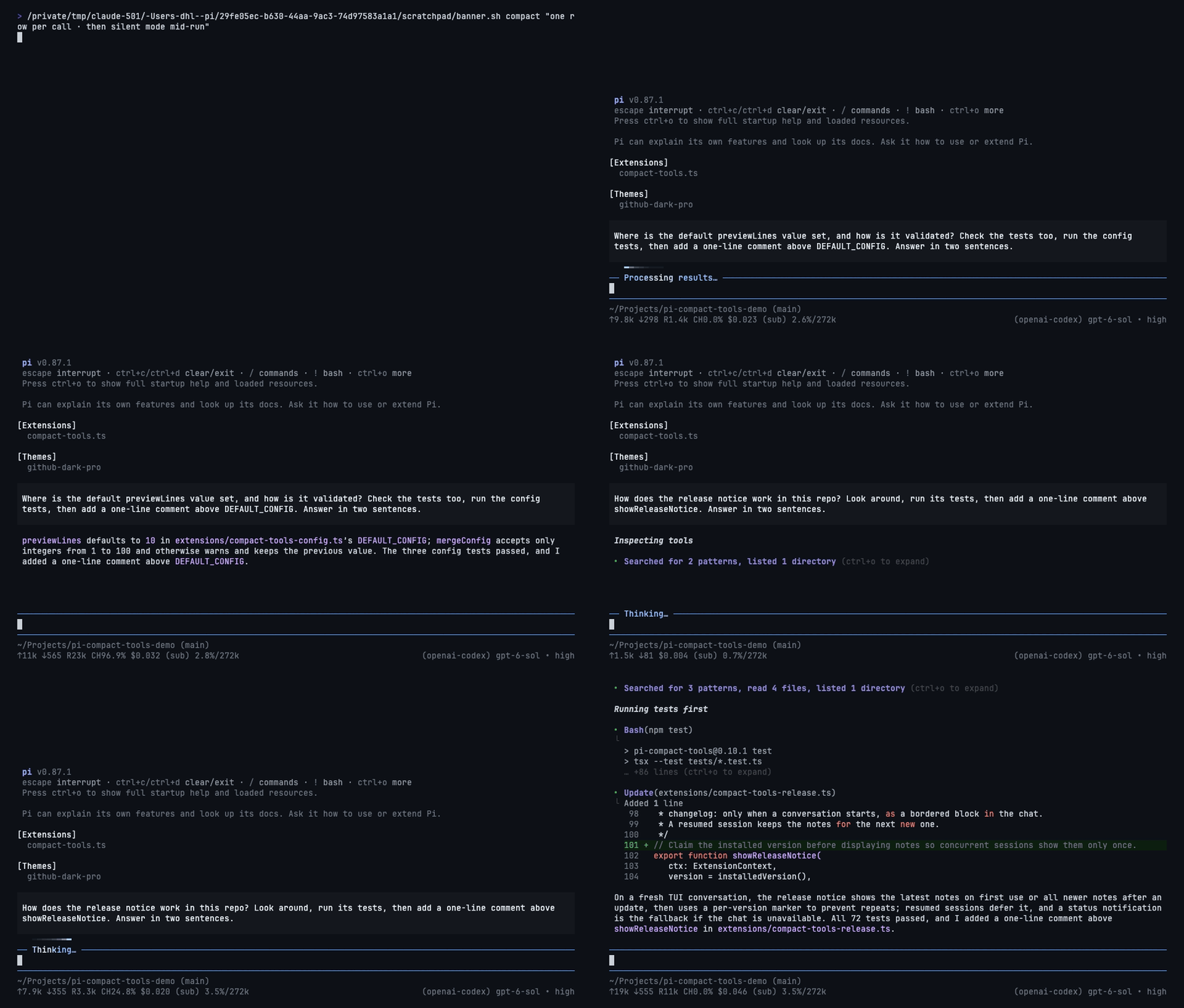
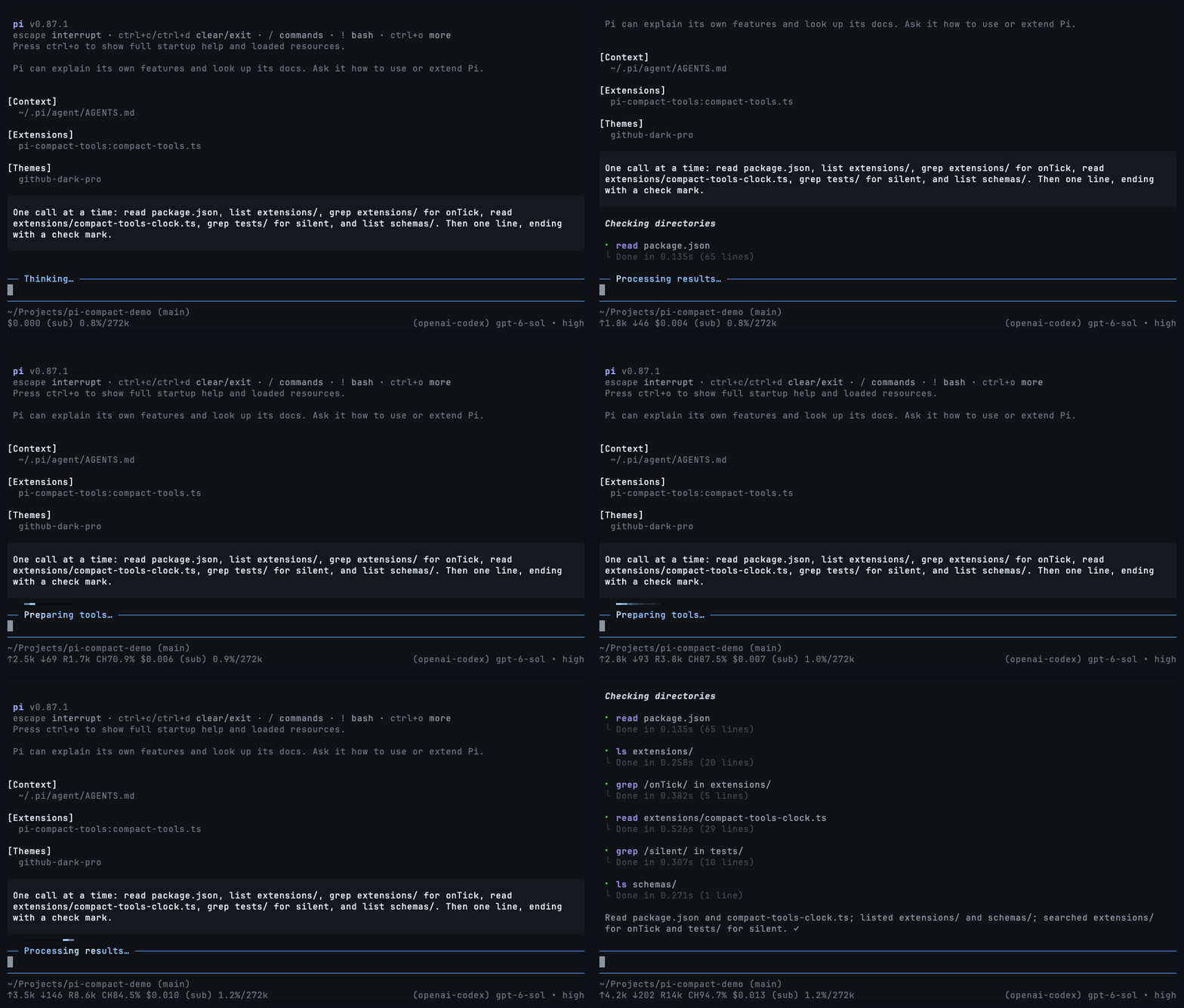
Every style, including off, redraws existing rows immediately, even while tools run. No reload or interruption is needed. Only read-only exploration is grouped; commands that write or execute work keep separate rows.
Claude
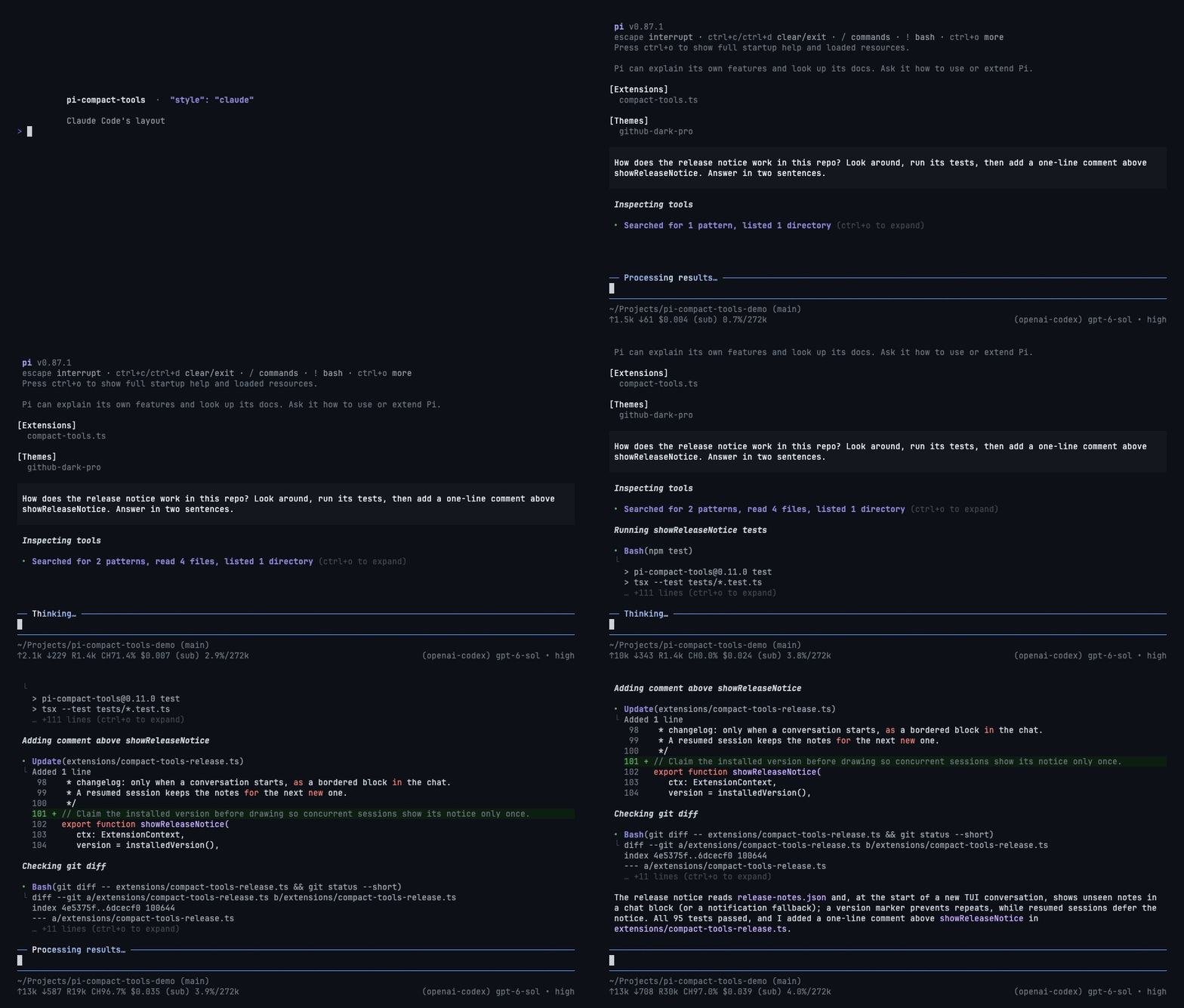
Codex
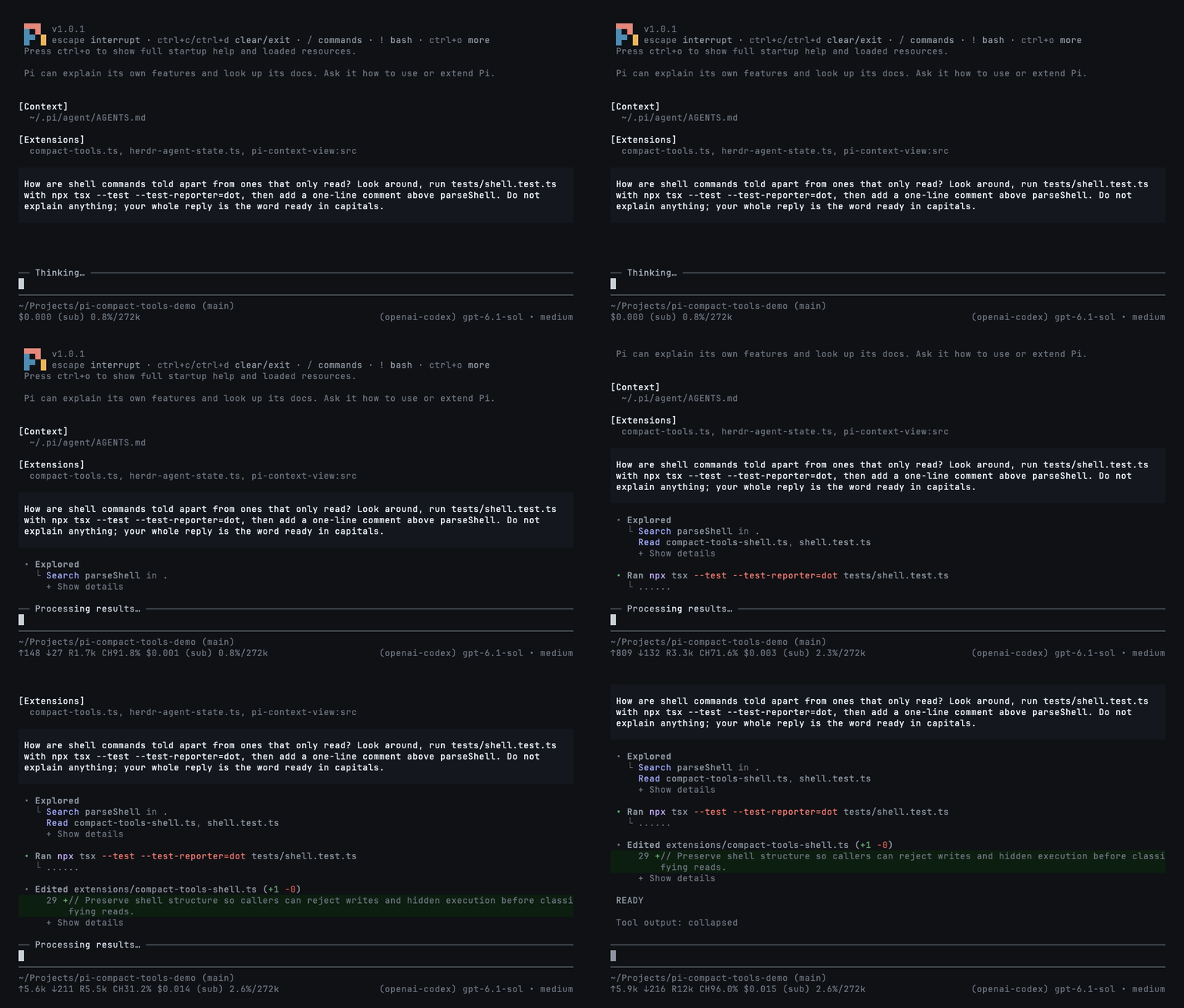
Compact
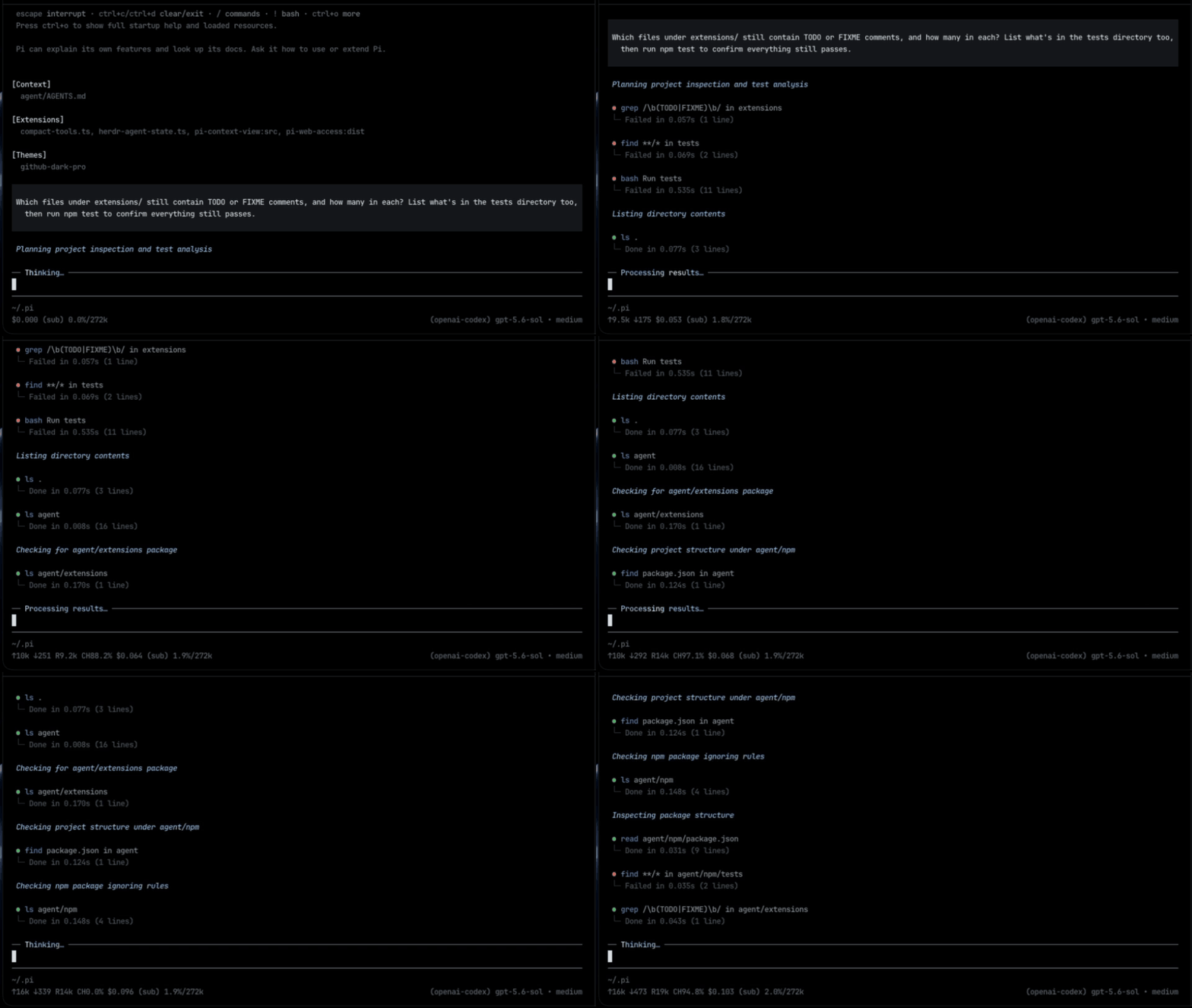
Silent mode
Toggle with Ctrl+' or /silent; use /silent on and /silent off explicitly. Works with any style. It also hides thinking, intermediate assistant turns, and error/status notices; turn it off to inspect them.
During work: hide tool rows while the activity light keeps moving and the answer still arrives. Turn it off to restore every row.
In a resumed session: hide pages of completed tool calls to see the conversation at a glance.
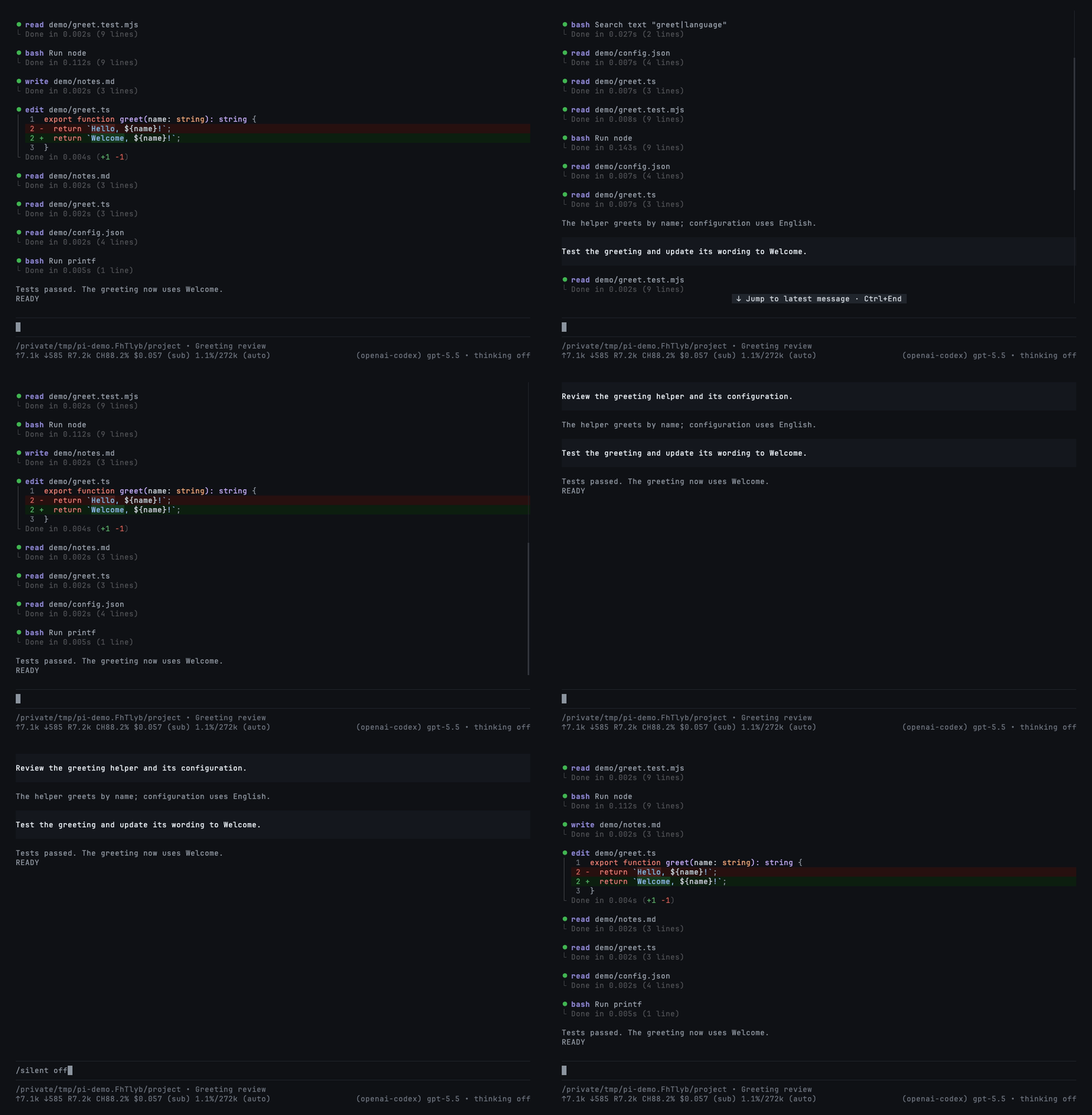
This changes the display only—not the saved history or the model's context. Set "mode": "silent" to start sessions with it on.
Codemode summaries
Codemode is Pi's tool for scripts that call other tools. Enable it for a session with pi --tools +codemode; use Pi 1.2+ for the native summaries shown here. This extension only renders it.
Completed scripts show outcomes in all three styles: read 3 · bash 1 · edit 3 2. Counts use your theme's success, error, and warning colors—green, red, and yellow in the included theme. Each tool appears once; edits come last.
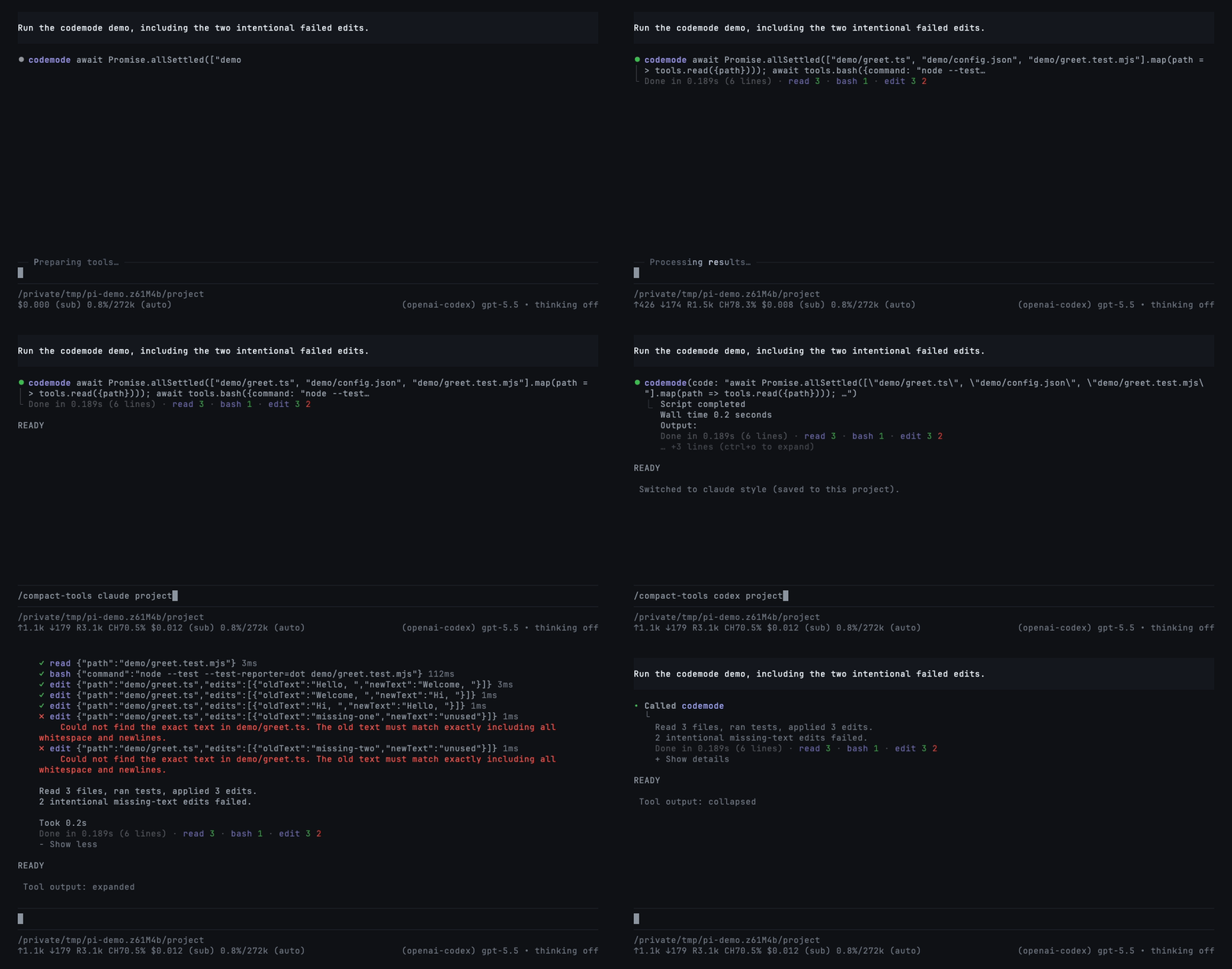
The two failed edits are intentional. Reload/resume preserves summaries from nested-call records; older hosts without those records keep normal previews. See compatibility details.
Commands and controls
/compact-tools                 # choose style and save scope
/compact-tools claude project  # save for this trusted project
/compact-tools codex global    # save globally
/compact-tools status          # effective settings and paths
/compact-tools off             # restore Pi's native UI live, even while streaming
Without a scope, changes are saved where the style is configured: project or global. A trusted project's own style overrides a global save. /compact-tools off immediately restores native tool rows, unmodified thinking, Pi's working indicator and keyboard behavior, with no grouping or silent hiding—even while a response or tool is running. No reload, abort, or restart occurs. Your selected theme, tool execution, and session history are not changed. Use /compact-tools compact, claude, or codex to enable it again, also live. Your silent-mode choice is retained for when you re-enable a style; /silent while off only updates that saved choice, without hiding native UI.
- Click a row/group or press
Ctrl+Oto expand/collapse. Ctrl+Tchanges the thinking display, not the model's reasoning effort.- Choose
github-dark-proin Pi's/settingsfor the included theme.
Configuration
Optional: ~/.pi/agent/compact-tools.json or <project>/.pi/compact-tools.json. Trusted project settings override global settings field by field.
{
  "$schema": "https://raw.githubusercontent.com/nedleeds/pi-compact-tools/main/schemas/compact-tools.schema.json",
  "style": "compact",
  "mode": "normal",
  "previewLines": 10,
  "auto_compact": { "read": true, "write": true, "edit": false, "bash": true },
  "custom_tools": { "enabled": true, "auto_compact": true, "exclude": [] }
}
auto_compact entries set to true start Compact rows collapsed. Add tool names to custom_tools.exclude to keep their own rendering. All options are described in the linked schema.
Development
See development, compatibility, and demo recording. Run npm ci and npm run check before contributing.
License
MIT