omp-codex-theme1.0.0
Codex CLI-inspired theme for oh-my-pi (omp) and the pi coding agent
Built for omp
The author tagged this package oh-my-pi.
Reports 0
No reports yet.
Readme
omp-codex-theme
A Codex CLI-inspired theme for oh-my-pi (omp).
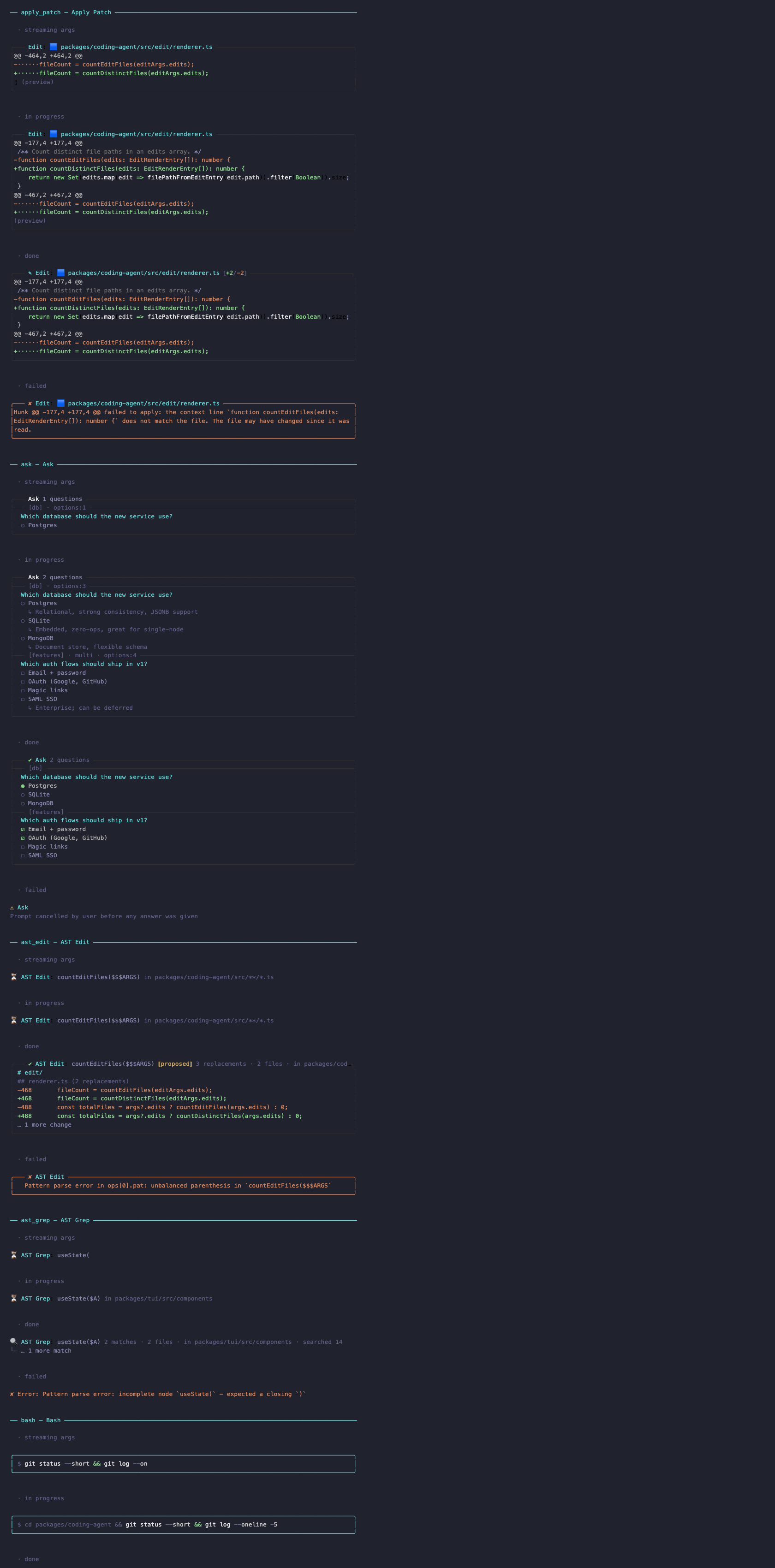
Slate-blue background, warm off-white text, teal accents, green keywords — tuned color-by-color against the actual Codex CLI interface.

More screenshots
Install
Option A — npm (recommended):
omp install npm:omp-codex-theme
Option B — single file:
mkdir -p ~/.omp/agent/themes
curl -fsSL "https://raw.githubusercontent.com/Sean529/omp-codex-theme/main/themes/codex.json" \
  -o ~/.omp/agent/themes/codex.json
Then either pick codex in the omp Settings UI (/settings → Appearance → Dark Theme), or set it in ~/.omp/agent/config.yml:
theme:
  dark: codex
  light: codex
Restart omp and you're done.
pi.dev (base pi) compatibility
The theme format is shared with base pi. Point the same file at pi's theme dir:
mkdir -p ~/.pi/agent/themes
curl -fsSL "https://raw.githubusercontent.com/Sean529/omp-codex-theme/main/themes/codex.json" \
  -o ~/.pi/agent/themes/codex.json
Match the full look
A theme can't set your terminal's background color. For the complete Codex look, set your terminal profile background to #20222e. A truecolor-capable terminal is recommended so the hex values render exactly.
Palette
| Role | Hex |
|---|---|
| Background | #20222e |
| Panel / status line | #262938 |
| Message bubble | #2a2d3e |
| Border | #34374a |
| Text | #c9ccd6 |
| Bright text / headings | #e9ebf0 |
| Accent (links, inline code) | #5bc8d8 |
| Keyword / success | #7ec97e |
| Error | #e07a72 |
| Warning / dirty git | #d9b26a |
| Strings | #8fb8e8 |
| Numbers | #82a8e0 |
| Muted | #8a8fa3 |