@reblink17/pi-wt0.2.0
Claude-Code-style git worktrees for pi: the agent enters a worktree when it starts work, exits when done, and you choose keep/remove on quit.
Untested on omp
This is a pi package. No one has reported whether it works on omp yet. If you try it, add your result below.
Reports 0
No reports yet.
Readme
pi-wt




Claude-Code-style git worktrees for pi.
- The agent decides. When it starts a task that changes code, it calls
enter_worktree. When the task is done, it callsexit_worktree. - No session switching. While a worktree is active, every built-in tool runs inside it:
read,write,edit,grep,find,ls,bash, and your own!commands. Absolute paths that point at the original checkout are redirected into the worktree too. - Asks on quit. If a worktree this session created is still active when you quit, pi asks "Remove this worktree?" with a ↑/↓ No/Yes picker (default No). It warns you about uncommitted changes and unmerged commits.
- Survives resume. The active worktree is stored in the session, so
pi -cand/resumepick it up again.
Install
pi install npm:@reblink17/pi-wt
Or straight from GitHub: pi install https://github.com/RebliNk17/pi-wt
Usage
Ask for a change as usual. The agent creates <repo>/.worktrees/<name> on a new branch <name>. That folder is added to .git/info/exclude automatically. The agent works there and exits when it is done. The status bar shows 🌿 <name> while a worktree is active.
| What | How |
|---|---|
| Start pi in a fresh worktree | pi --wt or pi --worktree my-feature |
| Pick a worktree to switch to, or create one | /worktree (or /worktree enter) |
| Enter or create by name | /worktree enter <name> [base] |
| Leave | /worktree exit keep|remove |
| Status, while in a worktree | /worktree |
| Browse, filter and remove worktrees | /worktree list [filter] |
| Remove finished worktrees (merged / PR closed / remote branch deleted) | /worktree clean |
Tools:
enter_worktree({ name?, base? })creates a worktree fromHEAD(or frombase). If a worktree with that name or branch already exists, it is reused.exit_worktree({ action: "keep" | "remove", discard_changes? })leaves the worktree.removedeletes the worktree and the branch this session created.- It refuses to remove dirty or unmerged work unless
discard_changesis set. - It never removes a worktree that this session did not create.
Managing worktrees
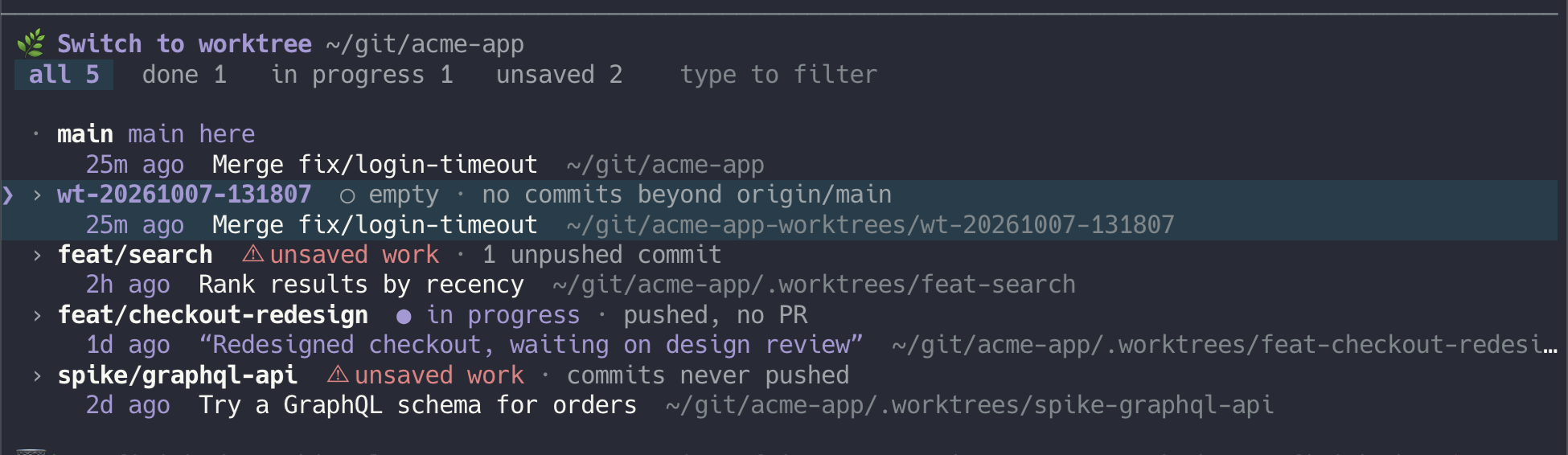
/worktree list shows every worktree of the repo, with one verdict per worktree that answers "can I delete this?":
| Verdict | Meaning |
|---|---|
| 🗑 done | Merged into the default branch, PR merged or closed, or the remote branch was deleted. There are no local changes, so removing it loses nothing. |
| ○ empty | No commits of its own yet. |
| ● in progress | Pushed but not finished (open or draft PR, or no PR yet). |
| ⚠ unsaved work | Has work that exists only on this disk: uncommitted changes, unpushed commits, or a branch that was never pushed. |
Each row also shows why it got that verdict, when the last commit was made, the PR title or branch description (git branch --edit-description), and the path.
In the terminal
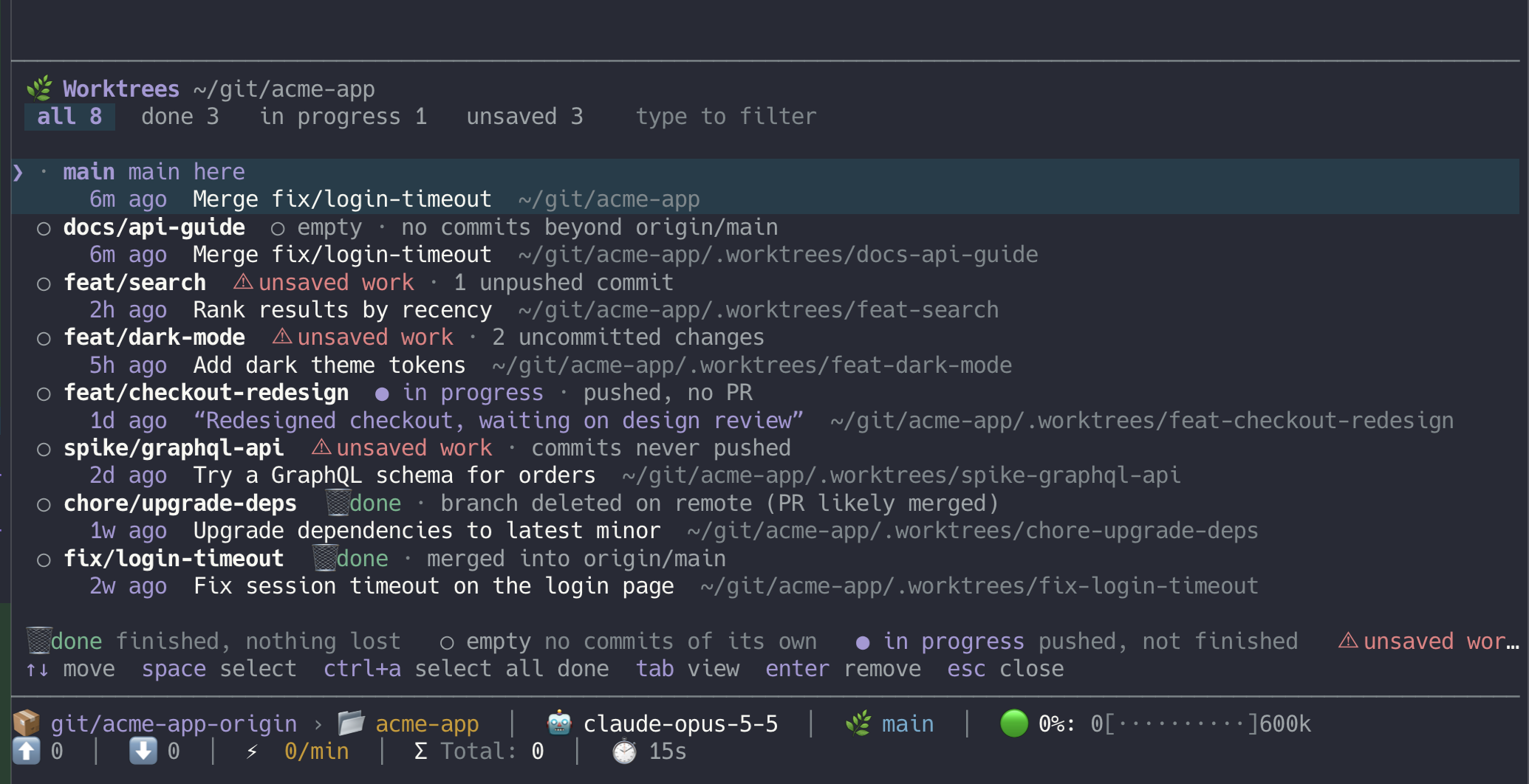
- type to filter by branch, path, commit message, PR title or number
tabswitches between all, done, in progress and unsavedspaceselects a worktree,ctrl+aselects all done onesenterremoves the selection, with or without its branches
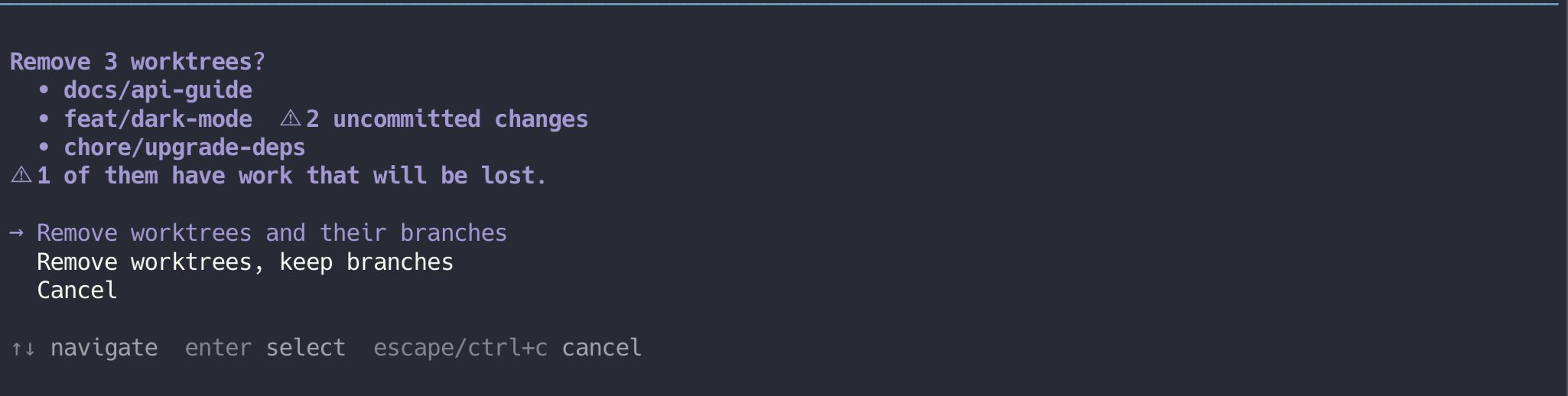
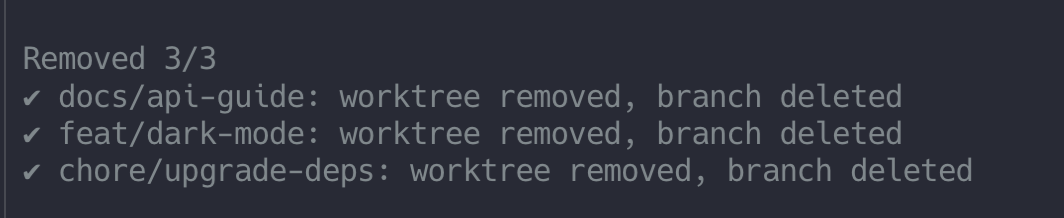
/worktree clean opens the same view with every done worktree already selected.
In pi-gui
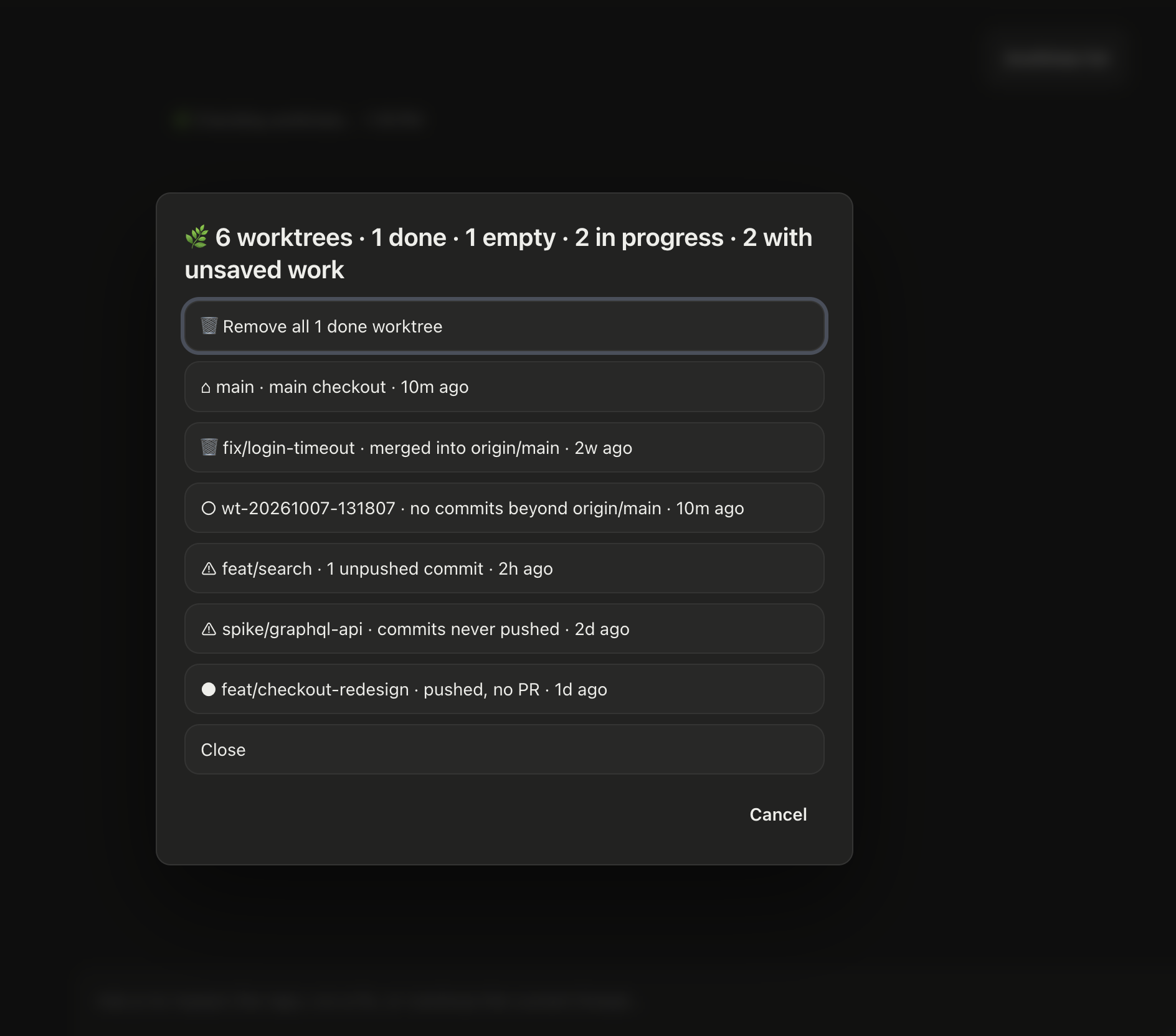
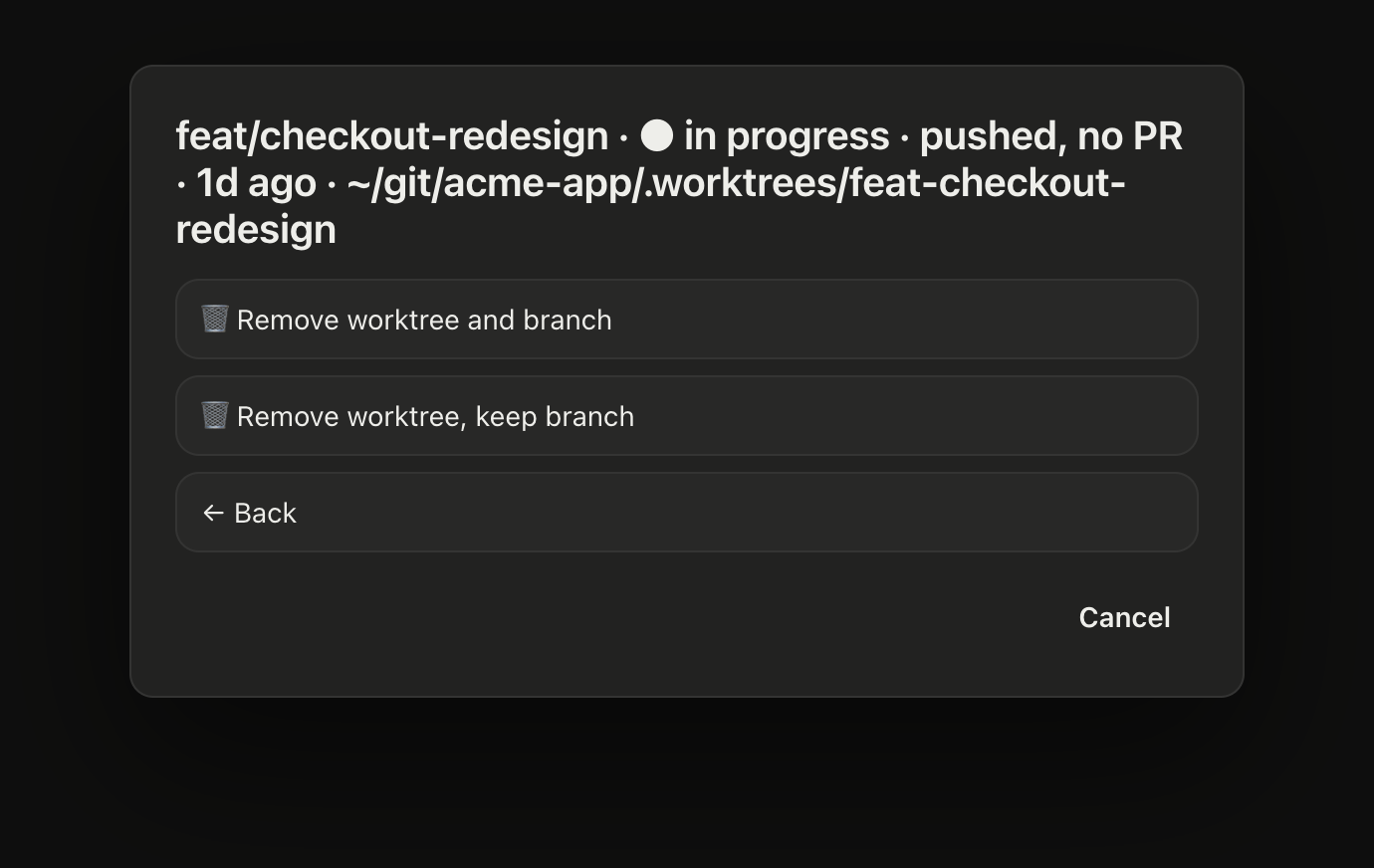
pi-gui can't show terminal components, so the list is a dialog. Each worktree is a button, and the first button removes all done worktrees. Clicking a worktree offers to remove it (with or without its branch) or open its PR.

Switching worktrees
When no worktree is active, /worktree (or /worktree enter with no name) lists the worktrees you can switch to, with the same verdicts. Press enter to switch to one. Press ctrl+n to create a new one: type a name first and it is used, otherwise pi asks for a name (leave it empty for an automatic one). Typing a name that matches nothing and pressing enter also creates it. In pi-gui the list is a dialog with "+ New worktree…" as the first button. If the repo has no other worktrees yet, pi just asks for a name.

/worktree enter <name> skips the list. It enters that worktree if one exists for the branch, or creates it. Tab completion suggests existing branches.
PR status comes from the GitHub CLI (gh), in one request for all branches. This catches squash merges that git alone can't see. Without gh, or if it is not logged in, the list still works using git alone.
Removal is careful:
- The main checkout, the current checkout, the active worktree and locked worktrees are never removed.
- A worktree with unsaved work is never selected automatically, and removing one by hand asks first.
- Branches that aren't done are deleted with
git branch -d, so git refuses if they hold unmerged commits.
To try it on a throwaway repo with one worktree in each state, run scripts/demo.sh (it creates ~/git/acme-app).
Config
Settings are read from ~/.pi/agent/worktree.json. A per-repo <repo>/.pi/worktree.json overrides them.
{
  "root": "../{repo}-worktrees",
  "branchPrefix": "",
  "copy": [".env*"],
  "setup": "npm ci",
  "policy": "auto"
}
root: where worktrees are created, relative to the main repo. Supports~and{repo}. The default is.worktrees. To keep them out of sight, use.git/pi-worktrees. Don't use.git/worktrees, which is where git keeps its own worktree metadata.copy: gitignore-style patterns for untracked or ignored files to copy into new worktrees. Patterns from a Claude Code style.worktreeincludefile are also used.setup: a shell command run in each new worktree.policy:auto(the default): the agent uses worktrees for code changes on its own.on-request: the agent uses worktrees only when you ask.
Custom footers
pi's built-in footer shows the 🌿 <name> status automatically. Custom footers (ctx.ui.setFooter) can listen for changes:
pi.events.on("pi-wt:changed", (wt) => {
  // wt: { name, path, branch } | null
});
Limitations
- Redirection covers pi's built-in tools. Tools from other extensions that take paths are not rewritten.
- Redirection is a convenience, not a sandbox. A bash command can still reach any path you could reach yourself.
- The quit picker runs after pi's TUI has closed, directly in the terminal. It only appears when stdin is a TTY; otherwise the worktree is kept.
Development
npm ci
npm run check   # lint + typecheck + tests
pi -e ./extensions/worktree/index.ts   # try local changes
See CONTRIBUTING.md for the project layout and release steps.
License
MIT