@mrclrchtr/supi-extras10.0.0
Session capability controls, prompt stash, shortcuts, and activity indicators
Untested on omp
This is a pi package. No one has reported whether it works on omp yet. If you try it, add your result below.
Reports 0
No reports yet.
Readme
@mrclrchtr/supi-extras


Adds a bundle of small quality-of-life features to the pi coding agent.
Install
pi install npm:@mrclrchtr/supi-extras
Commands
/exit— exit pi/e— alias for/exit/clear— start a new session (alias for/new)/clone-session <session-id>— clone a session into the current worktree and switch to it; autocomplete searches IDs and session names/supi-stash— browse, restore, copy, delete, or clear saved prompt drafts/supi-capabilities— choose extension tools and model-visible skills for this session
Session capabilities
/supi-capabilities opens a searchable selector. Use it to change extension tool and skill visibility for the current session.
- The selector lists only extension tools that were active at startup. It does not list PI built-in tools or tools supplied by integrations.
- Tool and skill overrides are stored in the session. Resume restores them. Fork and
/clone-sessioncopy them. New sessions use the optional default profile; without a default, they start without overrides. - Tree navigation keeps explicit capability tool choices and does not change other tool choices.
- The selector waits until the agent is idle before it opens. It does not interrupt a running tool call.
- Saved tool and skill exclusions remain stored when an item is absent. They apply if the item becomes eligible later.
- Skill changes affect the model skill catalog only. Explicit
/skill:namecommands and$nameshortcuts stay available. - Use Reset Tools, Reset Skills, or Reset All to remove overrides.
- The footer shows an override count and the applied profile name.
Modifiedmeans session exclusions differ from the copy captured when the profile was applied.
Install @mrclrchtr/supi-skills to manage skills. Tool controls work without that package.
Session Capability Profiles
Use Tab to open Profiles in /supi-capabilities. Apply a saved profile, save current exclusions under a new name, replace or delete a saved profile, or choose a default. Saving requires an explicit global or project scope. Replacement and deletion require confirmation.
Profiles contain exclusions, not a fixed list of available capabilities. New eligible tools and skills remain available unless their exact names are excluded. Package rows select current tools only; they do not create rules for future tools. Profiles do not change the model, instructions, child Agent Profiles, or security permissions.
Store definitions in ~/.pi/agent/supi/config.json or a trusted project's .pi/supi/config.json:
{
  "sessionCapabilities": {
    "profiles": {
      "research": {
        "excludedTools": ["agent_run"],
        "hiddenSkills": ["implement"]
      }
    },
    "defaultProfile": "research"
  }
}
- Profile IDs contain lowercase words separated by optional hyphens. Omitted exclusion lists are empty. Unknown fields and invalid values produce errors.
- Project profiles and defaults require Pi project trust. A project definition replaces the complete global definition with the same ID. An invalid project definition blocks that ID; it does not use the global definition instead.
- An absent project
defaultProfileinherits the global default. Set it tonullto use no default in that project. Missing or invalid defaults produce a warning and normal startup without profile exclusions. - Applying a profile replaces both session selections and stores a separate session copy. Later configuration edits, deletion, and reload do not change that copy. Resume and fork do not apply a new default.
- Saving a profile does not apply it. Apply it explicitly to use its current saved definition.
- Deletion leaves default references unchanged. Deleting a project definition can expose a same-ID global definition; the confirmation explains this effect.
- Reset All clears session exclusions and profile identity. It does not change saved profiles or defaults, and it does not reapply the default in the current session.
- Manual profile management is TUI-only. Configured startup defaults also work in non-interactive modes.
Shortcuts
Alt+S— stash the current editor textAlt+C— copy the current editor text to the system clipboard
Prompt stash
Prompt stash stores drafts in ~/.pi/agent/supi/prompt-stash.json so they survive restarts.
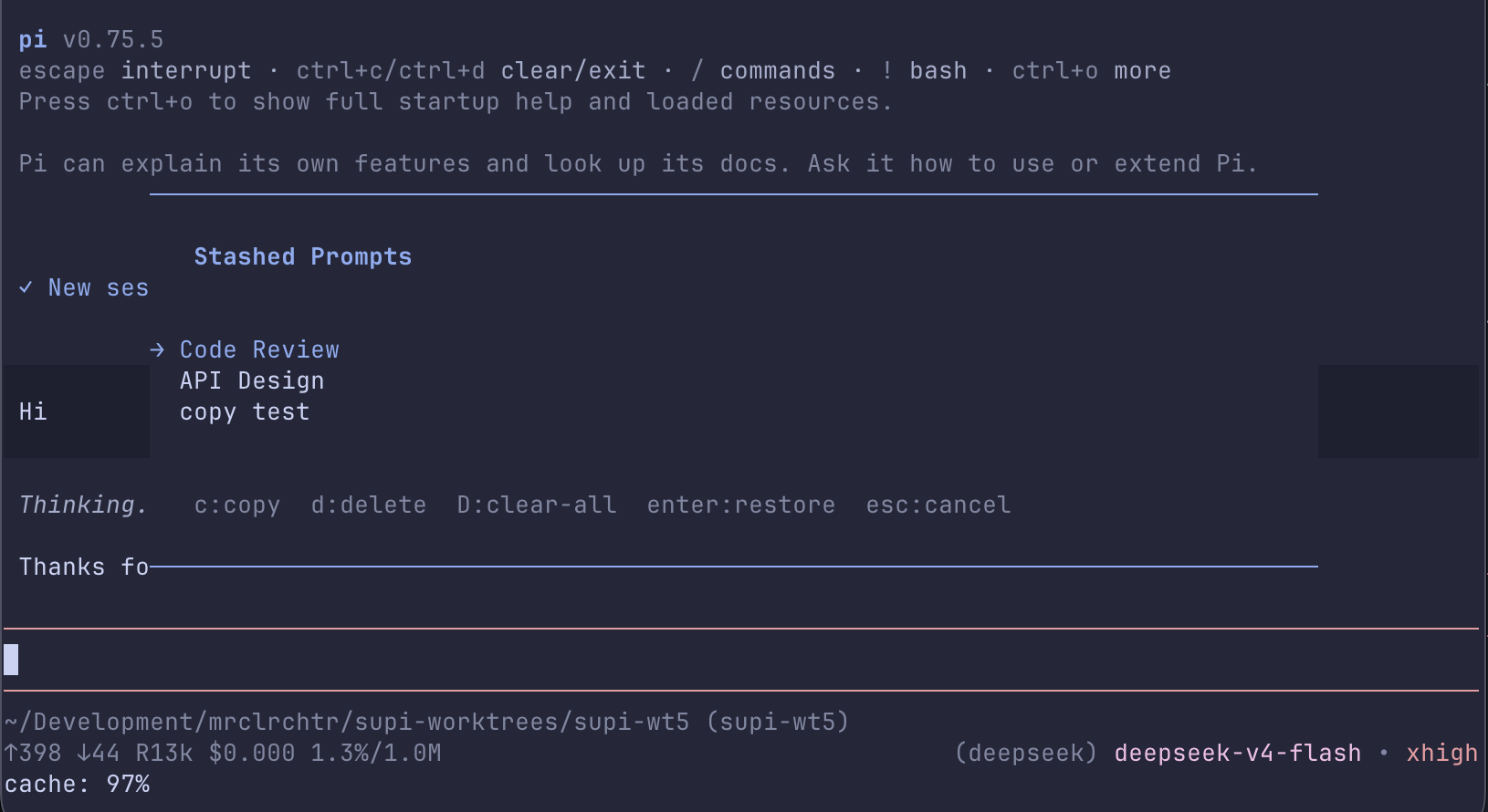
/supi-stash opens an overlay with these actions:
Enter— restore the selected draft into the editorc— copy the selected draft to the clipboardd— delete the selected draftD— clear all draftsEsc— close the overlay
If the stash file cannot be read or written, drafts are kept in memory only and can be lost when pi closes.
Passive behavior
Tab-title spinner
While the agent is working, the package animates a spinner in the terminal tab title. When the turn finishes, it shows a done marker. The spinner pauses while a question waits for your answer.
Footer replacement
The package replaces pi's default footer. It shows the model and thinking level with theme colors.
Headless git safety
The package sets:
GIT_EDITOR=trueGIT_SEQUENCE_EDITOR=true
That prevents git subprocesses from hanging while waiting for an interactive editor.