@lazco/pi-recap0.2.1
Pi extension: /recap and /summary show where the conversation stands, in a popup, without adding to the session
Untested on omp
This is a pi package. No one has reported whether it works on omp yet. If you try it, add your result below.
Reports 0
No reports yet.
Readme
pi-recap
Pi extension: /recap and /summary show where the conversation stands, in a popup, without adding to the session.


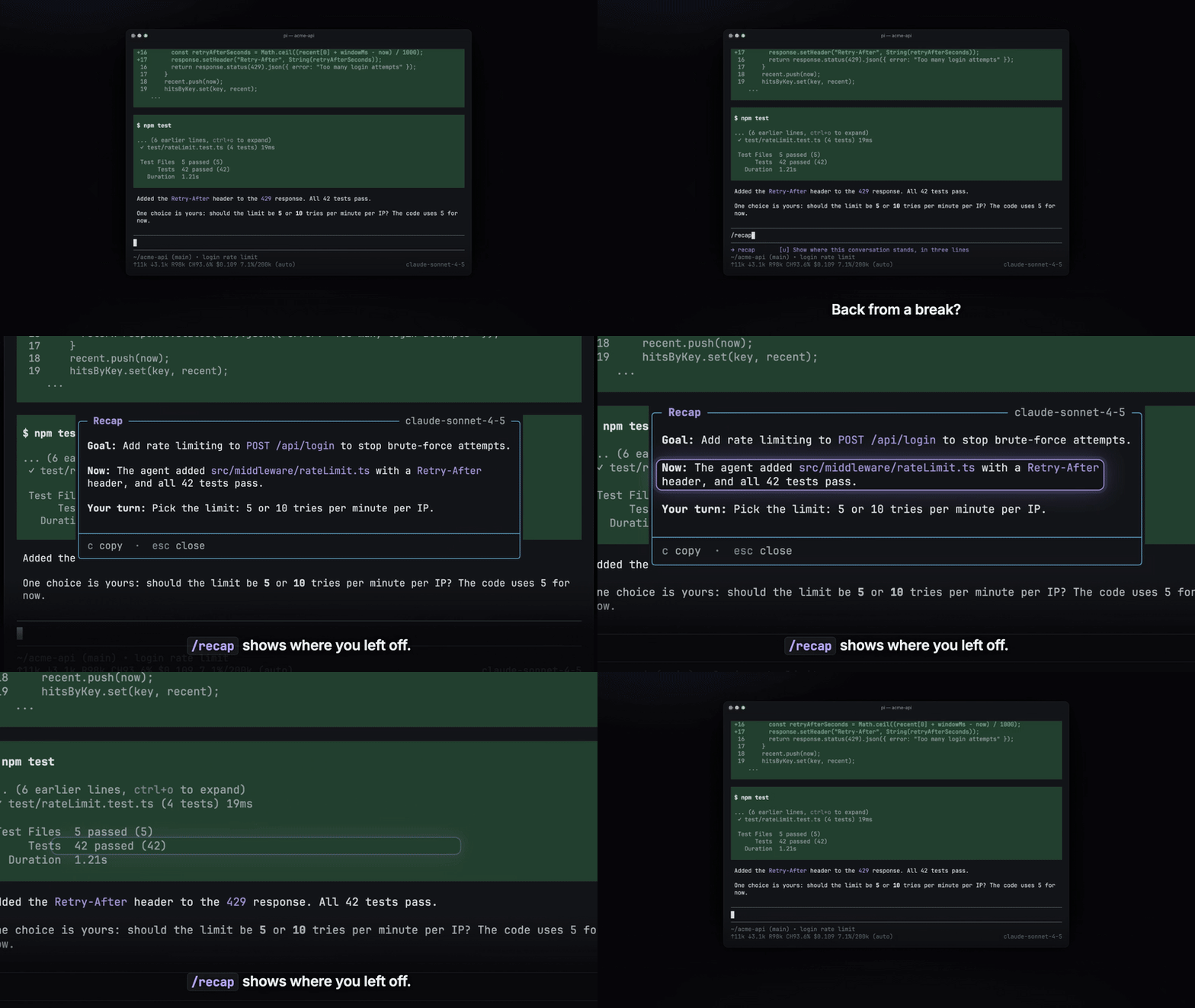
Demo video · Installation · Usage · Settings · Limitations
Highlights
- Two views.
/recapshows 3 lines at most./summarywrites a handoff record in 6 sections. - Zero tokens in the session. A separate model call writes the text, and only the popup shows it.
- One key to copy. Press
cto copy the result as Markdown, for a pull request, an issue, or a handoff note. - Your choice of model. A setting sends the call to a smaller, cheaper model.
- Instructions per run. Text after the command adds instructions for one run, for example
/recap focus on git changes.
Demo video
The 60-second video shows the install, /recap, /summary, the copy key, and the model setting.
Click the image to play the video.
Installation
You need pi and Node.js 22.19.0 or later.
pi install npm:@lazco/pi-recap
Then run /reload in pi.
To check the install, run pi list.
The list of user packages shows npm:@lazco/pi-recap.
Usage
In a pi session that has messages, type one of the two commands:
| Command | Use it when | The popup shows |
|---|---|---|
/recap |
You come back to a session and do not remember where you were. | Goal, Now, Your turn |
/summary |
You hand work to another person or session, or write a pull request or an issue. | 6 sections, from the goal to the next steps |
A popup opens over the chat.
A spinner shows while the model reads the conversation.
Press Esc to close the popup.
The text does not go into the session.
The text uses the language of your newest message.
To set a fixed language, use the language setting.
/recap
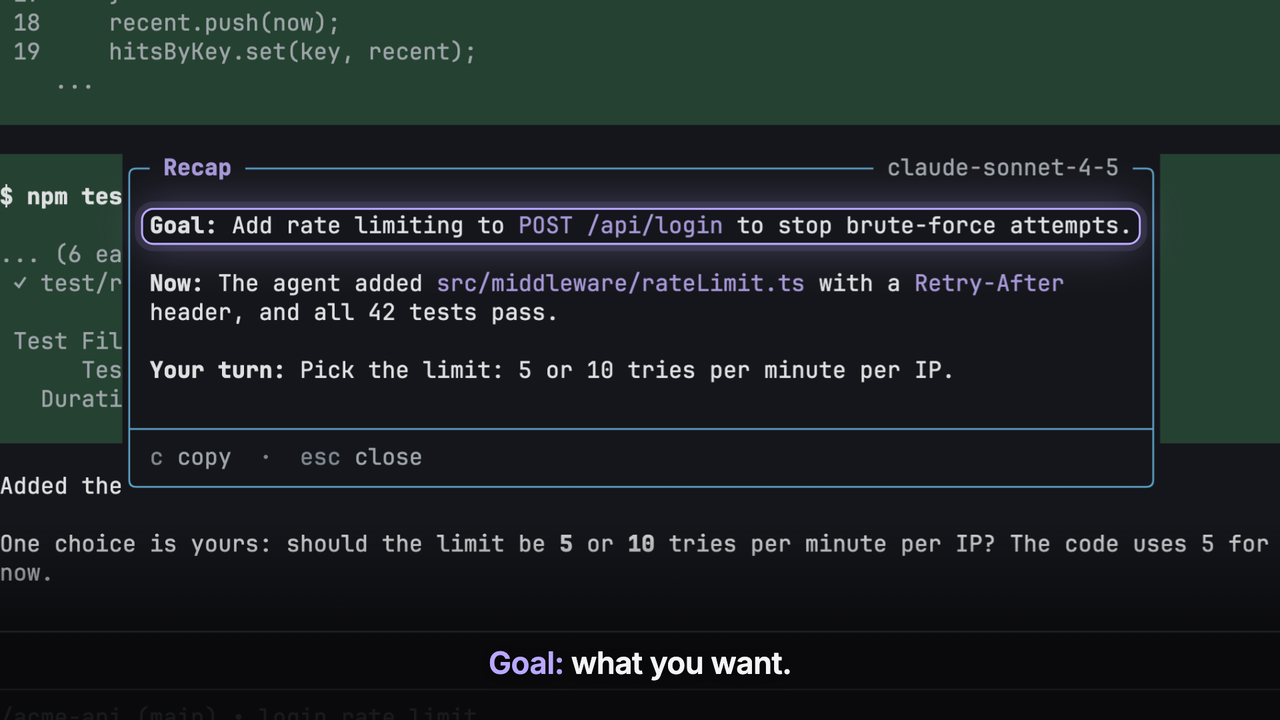
The popup shows text like this:
Goal: Add rate limiting to
POST /api/loginto stop brute-force attempts.Now: The agent added
src/middleware/rateLimit.tswith aRetry-Afterheader, and all 42 tests pass.Your turn: Pick the limit: 5 or 10 tries per minute per IP.
- Goal: what you want.
- Now: what the agent did last, or what it does now.
- Your turn: the question that waits on you. The model leaves out this line when nothing waits.
/summary
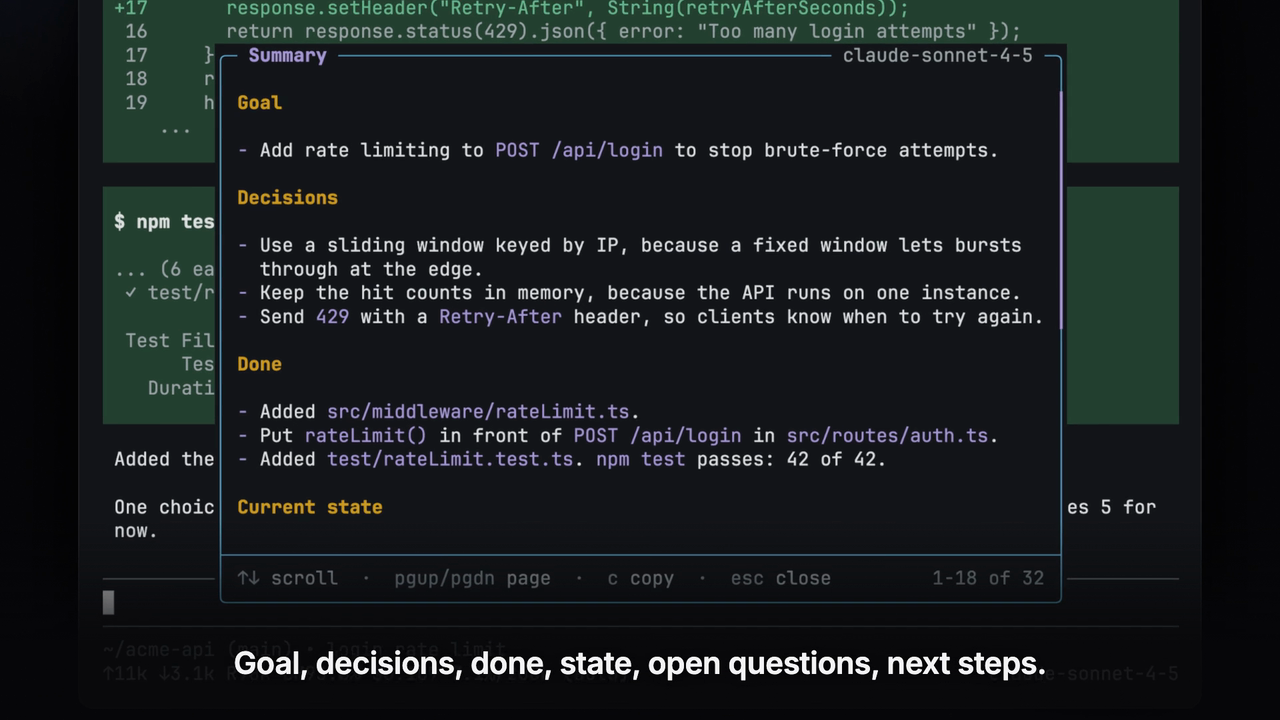
The record has these sections, in this order:
- Goal
- Decisions, each with its reason
- Done
- Current state
- Open questions
- Next steps
The model leaves out a section that has nothing to say.
Popup keys
| Key | Action |
|---|---|
↑ ↓ j k, mouse wheel |
Scroll one line |
PgUp PgDn Space |
Scroll one page |
Home End g G |
Go to the top or the bottom |
c |
Copy the text as Markdown |
Esc Enter q |
Close the popup |
Esc during loading also stops the model call.
The top right corner of the popup shows the name of the model that wrote the text.
RPC mode
In RPC mode, there is no popup.
Send the command as a prompt command, for example {"type": "prompt", "message": "/recap"}.
The client gets notify records of the type extension_ui_request, in this order:
Reading <N> messages with <model-id>…, withnotifyType"info".- The model warning, with
notifyType"warning", only if pi used the session model instead. - The text as Markdown, with
notifyType"info". If the model call fails, the error, withnotifyType"error".
The prompt response, with disposition "handled", comes after the last record.
The RPC abort command does not stop the model call.
Settings
The settings file is ~/.pi/agent/recap.json.
The file is optional.
Each command run reads the file again, so an edit applies without /reload.
This example sends the call to a smaller model and sets the output language:
{
  "model": "anthropic/claude-haiku-4-5",
  "language": "English"
}
Model and output
| Field | Default | Value |
|---|---|---|
model |
null |
"<provider>/<model-id>", or null for the session model |
thinking |
"low" |
off, minimal, low, medium, high, xhigh, or max |
maxInputChars |
120000 |
The max size of the conversation text, from 1000 to 2000000 |
language |
null |
The output language, for example "Traditional Chinese", or null to match your messages |
If pi cannot find the model, or the model has no API key, the command uses the session model and shows a warning.
Prompts
All prompt fields default to null.
| Field | Value |
|---|---|
appendPrompt |
Extra instructions for both commands |
recapAppendPrompt |
Extra instructions for /recap only |
summaryAppendPrompt |
Extra instructions for /summary only |
recapPrompt |
A full custom prompt for /recap |
summaryPrompt |
A full custom prompt for /summary |
To write a custom prompt, see docs/custom-prompts.md.
If the file has bad JSON or a bad field, the command shows an error and stops.
Limitations
- No print or JSON mode. These modes have no UI, so the commands do nothing.
- Text only. The model reads your messages and the text of the agent replies. It does not read tool calls, tool results, thinking, or images. A detail that is only in a tool result can be missing from the result.
- Skills show as commands. A skill run shows to the model as the command that you typed, for example
/skill:<name> <args>. - No unfinished replies. While the agent works, its unfinished reply is not in the conversation. The recap then only says what the agent works on.
- Long conversations are cut. Past
maxInputChars, the model gets the first user message and the newest messages. A message longer than 8000 characters keeps only its start and its end. - Each run costs tokens. Each run is a new model call with no prompt cache.
- Nothing is saved. Press
cbefore you close the popup to keep the text.
Contributing
To report a bug or ask a question, open an issue on GitHub. The build, test, and release steps are in AGENTS.md.