@kevinjel/pi-latest-reply0.1.5
Open the latest Pi assistant response in a keyboard-navigable popup.
Untested on omp
This is a pi package. No one has reported whether it works on omp yet. If you try it, add your result below.
Reports 0
No reports yet.
Readme
pi-latest-reply
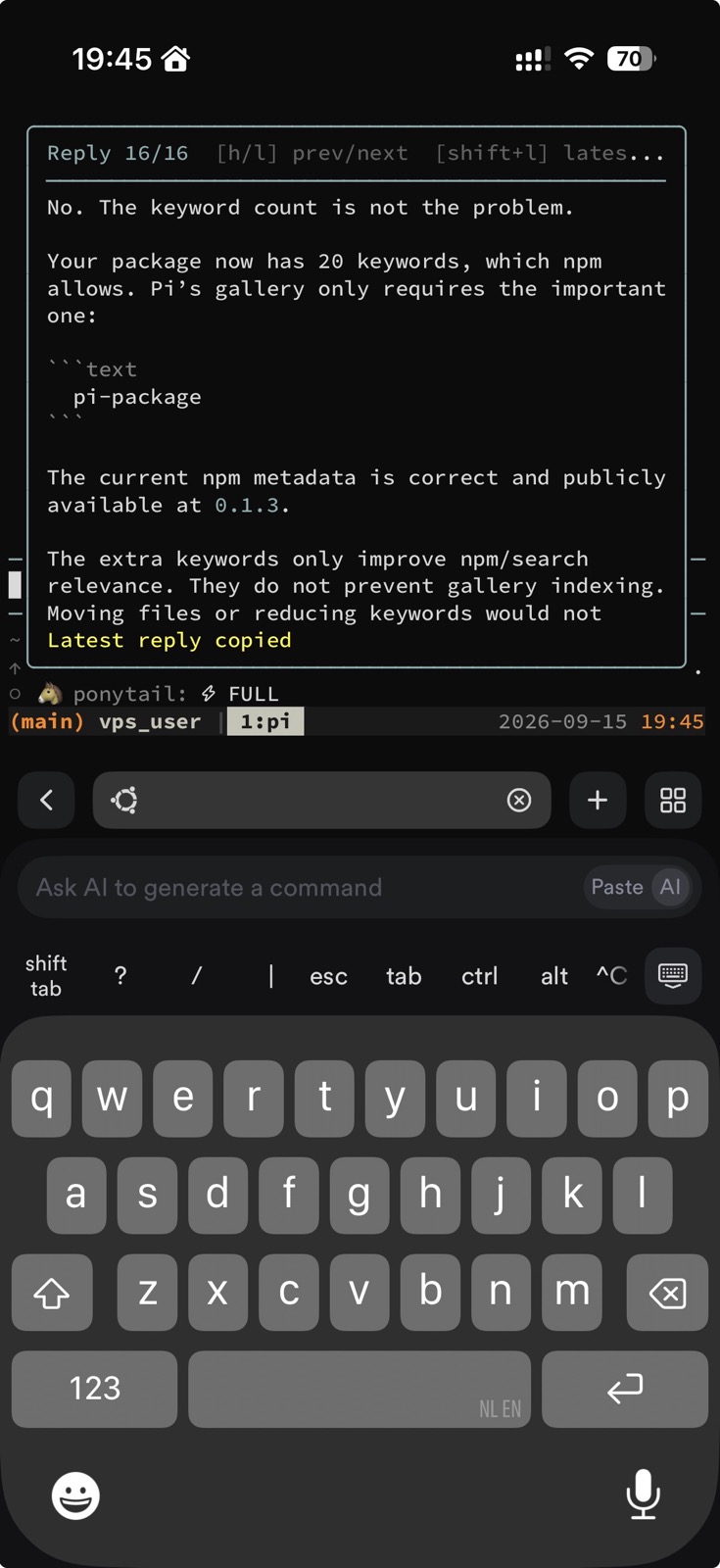
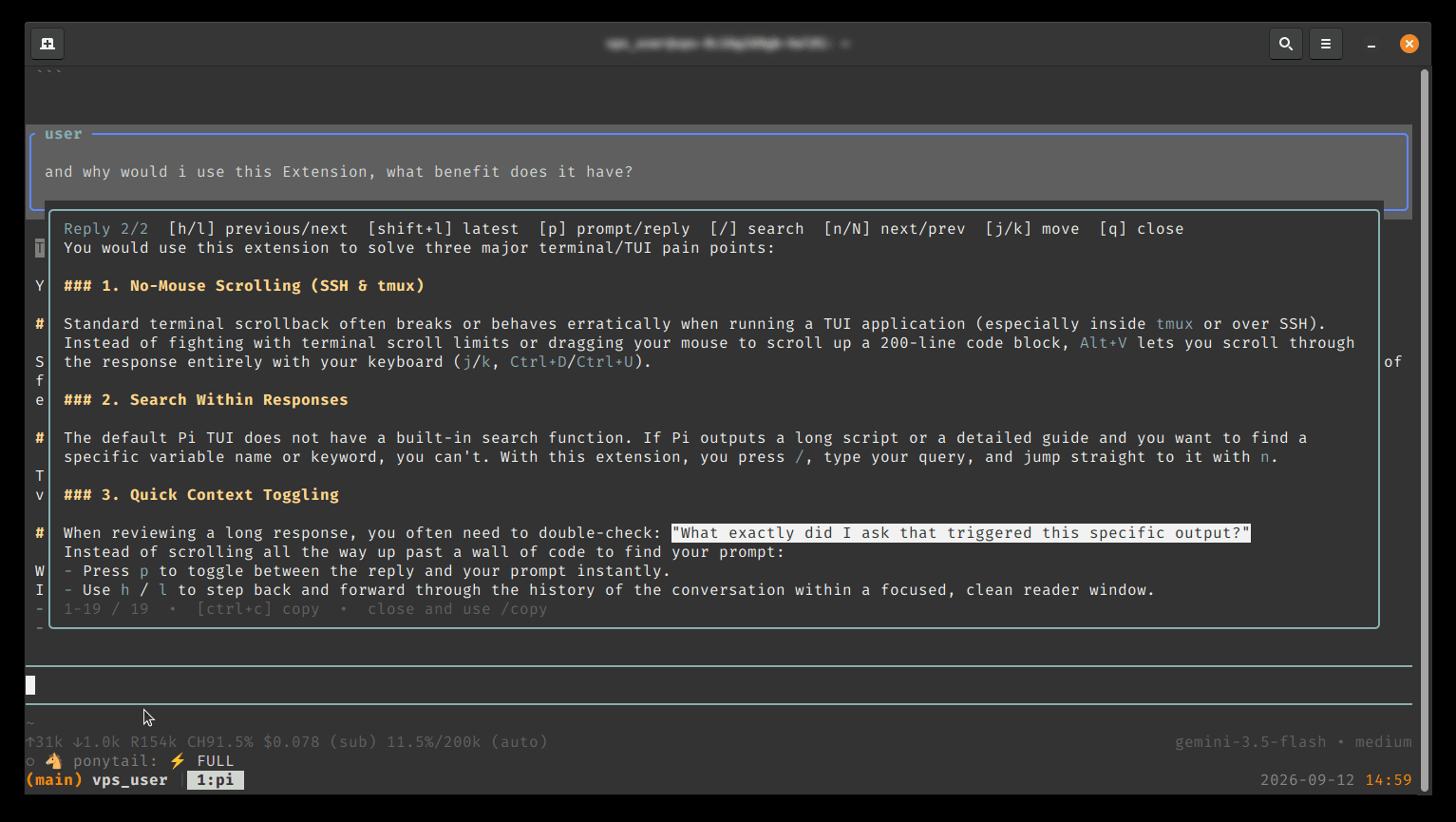
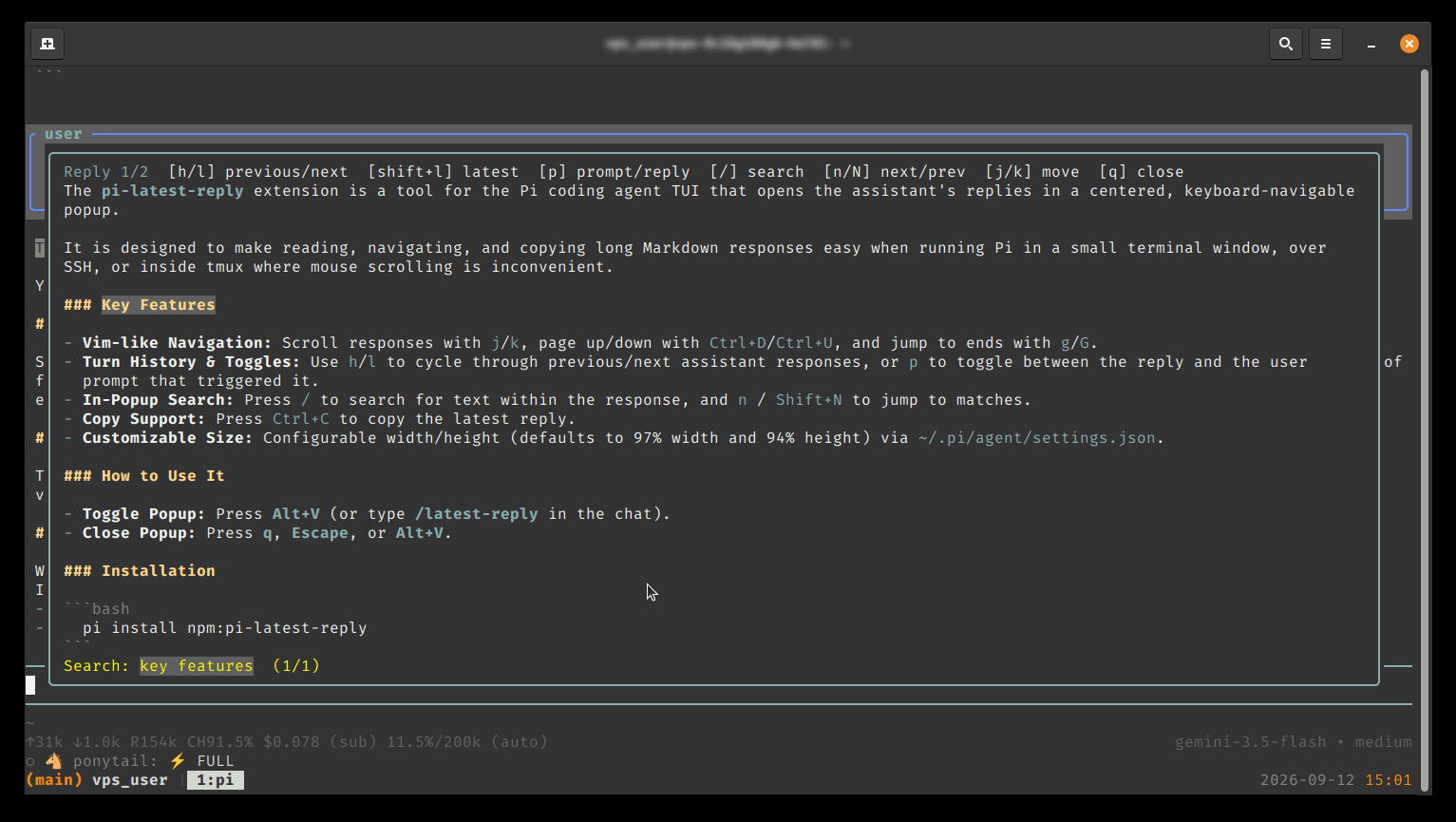
Pi Latest Reply puts your Pi conversation history one keystroke away. Open the current or previous assistant responses in a centered, readable popup with Markdown rendering, Vim-like navigation, instant search, and quick prompt/reply toggling. It’s built for the moments when terminal scrolling gets in the way—especially in compact windows, SSH sessions, and tmux—so you can revisit useful answers quickly without losing your flow. The extension stays intentionally focused on Pi and keyboard-first workflows, with copying limited to the latest reply, keeping the experience fast, focused, and refreshingly simple.
Preview
Install
From npm:
pi install npm:@kevinjel/pi-latest-reply
Or install directly from GitHub:
pi install git:github.com/kevinjelnl/pi-latest-reply
Or try a local checkout:
pi install /path/to/pi-latest-reply
Restart Pi, or run /reload if the extension is already installed.
Usage
After Pi has produced a response, press:
Alt+V
You can also open it with:
/latest-reply
Alt+V toggles the popup: press it again while the popup is open to close it.
Pi's built-in /copy command continues to copy the complete latest assistant response, including its Markdown/code fences.
The popup renders Markdown with Pi's normal colors, uses a rounded, heavier thinking-color border, and has a black background for clear separation from the conversation.
The popup supports:
| Key | Action |
|---|---|
h / l |
Show the previous/next assistant response |
Shift+L |
Jump to the most recent response |
p |
Toggle between the current reply and its prompt |
/ |
Start whole-word search |
n / Shift+N |
Next/previous match |
Ctrl+C |
Copy the latest reply; disabled on older replies |
j / k |
Move down/up one line |
Ctrl+D / Ctrl+U |
Move down/up by a page |
g |
Jump to the beginning |
G |
Jump to the end |
PageUp / PageDown |
Scroll by a page |
q / Escape / Alt+V |
Close the popup |
The border follows the currently selected Pi thinking level (thinkingLow, thinkingMedium, thinkingHigh, etc.). The popup keeps user prompts and textual assistant replies from the active session branch, so previous turns remain available while Pi is running. Press p to toggle the selected turn between its prompt and reply. Copying is intentionally limited to the latest reply; /copy remains Pi's built-in command.
Keybindings
The defaults are stored in ~/.pi/agent/keybindings.json and can be changed there:
{
  "pi.latestReply.open": "alt+v",
  "pi.latestReply.close": "q",
  "pi.latestReply.previous": "h",
  "pi.latestReply.next": "l",
  "pi.latestReply.latest": "shift+l",
  "pi.latestReply.prompt": "p",
  "pi.latestReply.copy": "ctrl+c",
  "pi.latestReply.search": "/",
  "pi.latestReply.searchNext": "n",
  "pi.latestReply.searchPrevious": "shift+n"
}
Run /reload after changing them.
Popup size
The default popup uses 97% of the terminal width and 94% of its height. Adjust it in ~/.pi/agent/settings.json:
{
  "piLatestReply": {
    "width": "97%",
    "maxHeight": "94%",
    "topOffset": 2
  }
}
Values may be percentages or terminal-cell numbers. topOffset controls the popup's fixed vertical offset in terminal rows; 0 pins it directly to the top and 2 leaves a small gap. Run /reload after changing them.
The response viewer is intentionally read-only; editing a response would turn it into a separate document rather than a conversation viewer.
The response is captured from Pi's finalized message_end event. It is not written to a separate temporary Markdown file.
Configuration
The shortcut defaults to Alt+V and is configurable through the pi.latestReply.* entries shown above.
Pi's normal editor binding for Ctrl+U can be disabled separately in ~/.pi/agent/keybindings.json:
{
  "tui.editor.deleteToLineStart": []
}
Terminal notes
- The popup is an overlay, so it works in regular and fullscreen Pi TUI modes.
- Pi must receive
Alt+V; terminal and tmux key mappings can intercept modified keys. - The viewer is read-only. Search is intentionally lightweight:
/starts a case-insensitive whole-word search,n/Shift+Ncycle matches, andEscapecancels search without closing the popup. Moving between replies withh/lexits search and clears its highlights so stale matches cannot carry over. It does not attempt to implement full Vim counts or modes. - Copying deliberately uses Pi's exported clipboard utility; it does not duplicate Pi's
/copycommand. /latest-replyis useful for testing when a terminal or tmux setup interceptsAlt+V.
Development
The extension is a single TypeScript file:
extensions/latest-reply.ts
Pi provides @earendil-works/pi-coding-agent and @earendil-works/pi-tui when loading extensions, so they are listed as peer dependencies rather than bundled into this package.
Package metadata
This repository is a Pi package: package.json declares the pi-package keyword and the pi.extensions manifest used by Pi's package gallery. The npm package is published as @kevinjel/pi-latest-reply. The npm package contains the README, license, manifest, extension, and these two screenshots. It contains no credentials, project-local settings, recordings, or generated session data.
The GitHub source repository is also available for review and direct installation.