@jiah-liu/pi-cursor-provider0.3.3
Pi Coding Agent custom provider that routes requests through the Cursor Agent CLI — use your Cursor subscription models (Claude, GPT, Gemini, Grok…) inside Pi.
Untested on omp
This is a pi package. No one has reported whether it works on omp yet. If you try it, add your result below.
Reports 0
No reports yet.
Readme

English | 简体中文
pi-cursor-provider



这是一个 Pi Coding Agent 自定义提供商,通过 Cursor Agent CLI 转发模型请求,让你可以在 Pi 内使用 Cursor 订阅所提供的任意模型——Claude(Opus、Sonnet)、GPT、Gemini、Grok 等。
这些模型本身不需要单独的 API 密钥。身份验证由 Cursor CLI 使用你现有的 Cursor 账户完成。
本项目以 @jiah-liu/pi-cursor-provider 发布,是 @netandreus/pi-cursor-provider 的一个分支。
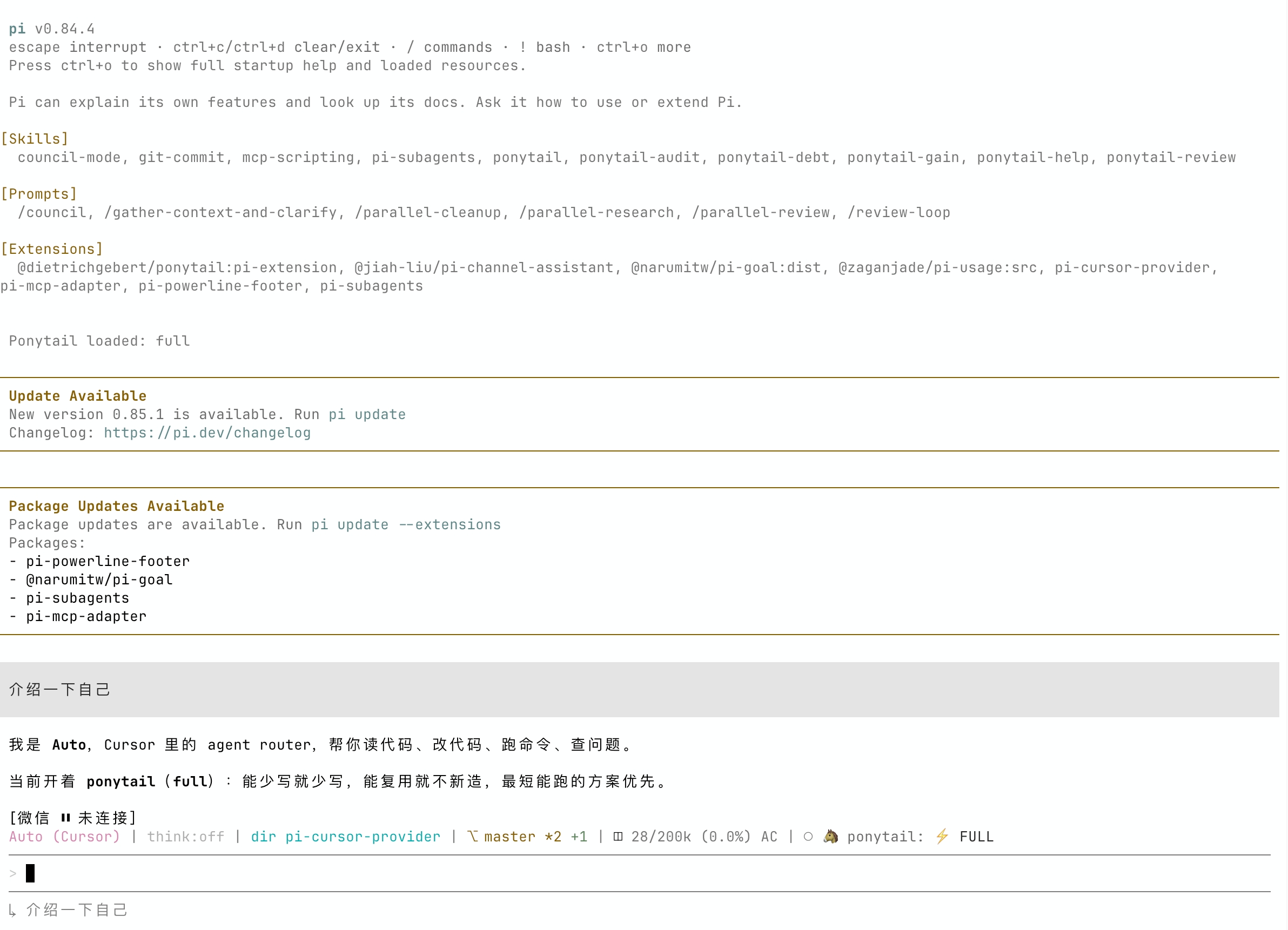
目录
前置要求
| 要求 | 详情 |
|---|---|
| Pi Coding Agent | npm install -g @mariozechner/pi-coding-agent(v0.53.0+;推荐 v0.77+) |
| Cursor Agent CLI | 已安装且位于 PATH 中(或设置 CURSOR_AGENT_PATH)。已使用 CLI 2026.08.11 测试。 |
| Cursor 账户 | 免费或付费账户;可用模型取决于你的订阅 |
安装
选项 A — 从 npm 安装(推荐)
pi install npm:@jiah-liu/pi-cursor-provider
或者安装到当前项目:
pi install npm:@jiah-liu/pi-cursor-provider -l
选项 B — 从源码安装
在仓库根目录执行:
git clone https://github.com/jiah-liu/pi-cursor-provider.git
cd pi-cursor-provider
pi install .
选项 C — 无需安装即可试用
pi -e npm:@jiah-liu/pi-cursor-provider
卸载
选项 A — 从 npm 安装(推荐)
pi remove npm:@jiah-liu/pi-cursor-provider
选项 B — 从源码安装
# You can find installed path right after running "pi"
pi remove ~/sandbox/pi-cursor-provider
身份验证
提供商将身份验证完全委托给 Cursor CLI。你的 Cursor 凭据由 CLI 自行存储和管理(~/.cursor/)。
从 Pi 0.77 起,此提供商不再要求设置 CURSOR_API_KEY:只需运行 agent login。仅当你想向 CLI 传递控制面板密钥时才设置 CURSOR_API_KEY。
首次设置
# Option 1 — Interactive browser-based login (recommended)
agent login

# Option 2 — API key
export CURSOR_API_KEY=your_cursor_api_key
如果设置了 CURSOR_API_KEY,每个 agent 子进程都会继承它,且不会在命令行参数中暴露。
Pi 内的身份验证命令
加载扩展后,无需离开 Pi 即可管理身份验证。这些命令会出现在命令面板中(例如输入 /cur 时):
| 命令 | 说明 |
|---|---|
/cursor-login |
登录 Cursor(运行 agent login) |
/cursor-status |
显示 Cursor 身份验证状态(运行 agent status) |
/cursor-logout |
退出 Cursor(运行 agent logout) |
/cursor-permissions |
为当前 Pi 进程选择工作区信任和写入权限 |
在未设置 CURSOR_AGENT_TRUST=1 的情况下选择 Cursor 模型时,交互式 Pi 会在首次请求前询问工作区权限。该选择仅更新当前 Pi 进程;如需持久化默认值,请使用下方的环境变量。
验证身份
agent status
# or inside Pi:
# /cursor-status
身份验证成功时的预期输出:
✓ Logged in as you@example.com
用法
加载扩展后,使用 /model 命令选择 Cursor 模型:
/model cursor/auto
/model cursor/composer-2.5
/model cursor/claude-opus-4-8
/model cursor/gpt-5.5
/model cursor/gemini-3.1-pro
也可以在命令行中指定模型:
pi -e npm:@jiah-liu/pi-cursor-provider --provider cursor --model auto
或者通过管道以非交互方式传入提示词:
echo "Explain the main function in this file" | \
  pi -e npm:@jiah-liu/pi-cursor-provider --provider cursor --model claude-opus-4-8
可用模型
扩展启动时会运行 agent models,从你的 Cursor 订阅中发现账户专属的模型列表。该列表会在 Pi 会话的整个生命周期内缓存。
模型同步
Pi 启动时会自动获取 Cursor 的新模型。在已有的交互式会话中,运行 /reload 即可刷新。这要求已安装的 Cursor Agent CLI 和你的账户能够通过 agent models 提供该模型;通常无需更新此 npm 包。
Cursor CLI 现在提供许多参数化变体(effort、thinking、fast)。提供商会将它们归为模型家族,让 /model 保持易用——例如,claude-opus-4-8-thinking-high-fast 会注册为 cursor/claude-opus-4-8。Pi 的推理级别会映射回相应的 CLI 变体。
如果发现失败(例如 CLI 未安装、未通过身份验证或超时),则只注册内置的 auto 后备模型——不会崩溃,也不会使用过时的模型列表。
要查看你的账户当前可用的模型:
agent models
带有 thinking 或多个 effort 变体的模型在 Pi 中会标记为推理模型。CLI 不会公开令牌限制,因此未知模型采用保守的 200k / 32k 默认值。
claude-sonnet-4-6 或 sonnet-4.6 等旧 ID 仍会解析到当前家族。
模型参考表
以下是部分模型家族。通过 /model cursor/<id> 使用家族 ID。实时列表来自 agent models。
| 家族 ID | CLI ID 示例 | 名称 |
|---|---|---|
auto |
auto |
Auto |
composer-2.5 |
composer-2.5, composer-2.5-fast |
Composer 2.5 |
claude-opus-4-8 |
claude-opus-4-8-medium, …-thinking-high |
Claude Opus 4.8 |
claude-opus-5 |
claude-opus-5-medium, …-thinking-high |
Claude Opus 5 |
claude-sonnet-5 |
claude-sonnet-5-medium, …-thinking-high |
Claude Sonnet 5 |
claude-4.6-sonnet |
claude-4.6-sonnet-medium, …-thinking |
Claude Sonnet 4.6 |
claude-4.6-opus |
claude-4.6-opus-high, …-thinking |
Claude Opus 4.6 |
gpt-5.5 |
gpt-5.5-medium, gpt-5.5-high |
GPT-5.5 |
gpt-5.4 |
gpt-5.4-medium, gpt-5.4-high |
GPT-5.4 |
gpt-5.3-codex |
gpt-5.3-codex, …-high, …-fast |
Codex 5.3 |
gpt-5.2 |
gpt-5.2, gpt-5.2-high |
GPT-5.2 |
cursor-grok-4.6 |
cursor-grok-4.6-medium, …-high-fast |
Cursor Grok 4.6 |
gemini-3.1-pro |
gemini-3.1-pro |
Gemini 3.1 Pro |
gemini-3.7-flash |
gemini-3.7-flash-medium |
Gemini 3.7 Flash |
kimi-k3 |
kimi-k3-high, kimi-k3-max |
Kimi K3 |
配置
| 环境变量 | 默认值 | 说明 |
|---|---|---|
CURSOR_AGENT_PATH |
agent |
Cursor Agent CLI 二进制文件的完整路径。 |
AGENT_PATH |
agent |
未设置 CURSOR_AGENT_PATH 时的后备值。 |
CURSOR_API_KEY |
(无) | 由 CLI 进程继承的 Cursor API 密钥。 |
CURSOR_AGENT_FORCE |
(禁用) | 设为 1 以传递 --force,允许在 print 模式下写入。也可通过 /cursor-permissions 更改。 |
CURSOR_AGENT_TRUST |
(禁用) | 设为 1 以传递 --trust --approve-mcps。交互式 Pi 会在需要时询问;/cursor-permissions 可再次更改。 |
CURSOR_AGENT_TIMEOUT_MS |
600000 |
单个 CLI 请求的最长持续时间;低于 1000 的值会被忽略。 |
示例:
export CURSOR_AGENT_PATH=$HOME/.local/bin/agent
pi -e npm:@jiah-liu/pi-cursor-provider --provider cursor --model auto
工作原理
每轮 Pi 对话都会启动一个 Cursor Agent CLI 子进程:
agent --print --output-format stream-json --stream-partial-output \
  --model <id> --workspace <cwd>
# CURSOR_AGENT_FORCE=1 adds --force; CURSOR_AGENT_TRUST=1 adds --trust --approve-mcps
# CURSOR_AGENT_TIMEOUT_MS sets a per-request timeout (default: 600000)
提示词写入 stdin(而非 argv),因此长会话不会触及 Linux 的 MAX_ARG_STRLEN / E2BIG 限制。CLI 的 NDJSON 标准输出会被逐行读取;流式 assistant 增量映射为 Pi 的 text_* 事件,tool_call 事件则成为 thinking_* 跟踪。重复的缓冲区刷新(model_call_id / 不含 timestamp_ms 的最终刷新)会被跳过;不断增长的文本快照会转换为后缀增量。
- 多轮上下文:首次请求会把完整 Pi 历史序列化为带前缀的对话记录(
[User] / [Assistant] / [Tool result])。后续请求通过--resume <session_id>恢复 Cursor 对话,仅发送最新用户消息。对话 ID 会和工作区一起保存在 Pi 会话中;压缩、树导航、分叉或工作区不匹配时会丢弃。如果恢复在产生文本前失败,插件会用完整 Pi 上下文自动重建一次对话。 - 安全默认值:默认禁用写入和 MCP 自动批准。设置
CURSOR_AGENT_FORCE=1以允许写入,设置CURSOR_AGENT_TRUST=1以信任工作区并批准 MCP 工具。 - 令牌用量:Cursor CLI 不公开令牌数量;用量报告为 0。
- 成本跟踪:模型注册时使用
cost: 0,因为计费通过你的 Cursor 订阅进行。
工具调用
当 Cursor CLI 在一轮对话中使用工具(Read、Write、Shell、Grep、Ls、Glob 等)时,扩展会将它们显示为助手段落之间的 Pi 思考跟踪,而不是混入答案文本的 ⏳ 行。
所有工具均由 Cursor CLI 自行执行。它们不会作为 Pi toolCall 块发出,否则 Pi 会尝试再次运行这些工具。如果你只想查看最终文本,请在 Pi 中隐藏思考过程。
Pi 输出中会显示以下受支持的 Cursor CLI 工具:
| CLI 事件键 | 显示名称 |
|---|---|
shellToolCall |
Shell |
readToolCall |
Read |
editToolCall |
Edit |
writeToolCall |
Write |
deleteToolCall |
Delete |
grepToolCall |
Grep |
globToolCall |
Glob |
lsToolCall |
Ls |
todoToolCall |
Todo |
webFetchToolCall |
WebFetch |
webSearchToolCall |
WebSearch |
function(MCP / 通用) |
载荷中的工具 name |
为 Pi 中的 Cursor Agent 安装并启用 MCP 工具
要在 Cursor Agent 代表 Pi 运行时使用 Pi 相关的 MCP 工具(例如 pi-auto),请连接 MCP 服务器、为 agent 启用它,并在 CLI 配置中允许其工具。
1. 将 MCP 服务器连接到 agent
将服务器添加到 ~/.cursor/mcp.json。以下是 pi-auto 的示例:
cat ~/.cursor/mcp.json
{
  "mcpServers": {
    "pi-auto": {
      "command": "pi-auto-mcp",
      "lifecycle": "keep-alive",
      "directTools": true
    }
  }
}
2. 启用 MCP 服务器
列出 MCP 服务器;新服务器需要批准:
agent mcp list
示例输出:
pi-auto: not loaded (needs approval)
启用并批准服务器:
agent mcp enable pi-auto
示例输出:
✓ Enabled and approved MCP server: pi-auto
验证工具是否可用:
agent mcp list-tools pi-auto
示例输出:
Tools for pi-auto (8):
- pi_get_priority ()
- pi_get_provider (scope, projectPath)
- pi_get_strategy ()
- pi_get_usage (period)
- pi_set_priority (priority)
- pi_set_provider (provider, model, scope, projectPath)
- pi_set_strategy (strategy)
- pi_suggest_provider (period)
3. 允许使用此 MCP 的工具
确保 ~/.cursor/cli-config.json 允许 MCP 工具。例如:
"permissions": {
  "allow": [
    "Shell(ls)",
    "Mcp(pi-auto:*)"
  ],
  "deny": []
}
Mcp(pi-auto:*) 允许 agent 使用 pi-auto 服务器提供的任意工具。
图像输入
Cursor Agent CLI 从提示词中的文件路径读取图像。当 Pi 消息包含图像时:
- 如果内容块已有文件系统
path,则直接传递该路径。 - 否则,提供商会将图像字节写入临时文件,并在提示词中包含该路径。
模型注册时使用 input: ["text", "image"]。本轮对话结束时会删除临时文件。
限制
- 首次创建或重建 Cursor 对话时,历史会序列化为纯文本,因此已有的结构化工具调用和思考块不会被保留。
- 令牌用量始终报告为 0(Cursor CLI 不公开令牌数量)。
故障排除
| 症状 | 可能原因 | 解决方法 |
|---|---|---|
spawn agent ENOENT |
agent 二进制文件不在 PATH 中 |
设置 CURSOR_AGENT_PATH=/path/to/agent |
Workspace Trust Required |
Cursor CLI 尚未信任当前目录 | 在自动提示中选择一个选项,或运行 /cursor-permissions |
| 响应为空 / 卡住 | 未登录 Cursor,或 print 模式正在等待批准 | 运行 agent login 或设置 CURSOR_API_KEY;仅启用所需的 CURSOR_AGENT_FORCE=1 / CURSOR_AGENT_TRUST=1 标志。只有确定任务耗时较长时才增大 CURSOR_AGENT_TIMEOUT_MS。 |
No API key found for cursor |
Pi 0.77+ 曾要求设置 CURSOR_API_KEY |
将此提供商升级到 0.2.0+;只需运行 agent login。 |
spawn E2BIG |
旧版提供商将提示词放在 argv 中 | 升级此提供商;提示词现在通过 stdin 传入。 |
No models available |
Cursor CLI 无法访问 API | 检查网络连接和 agent status |
| 特定模型报错 | 你的订阅不包含该模型 | 运行 agent models 查看可用模型 |
| NDJSON 解析错误 | CLI 输出异常 | 检查 stderr;更新 Cursor Agent CLI |