@fitchmultz/pi-mcp-adapter8.0.1
Token-efficient MCP adapter for the Pi coding agent
Untested on omp
This is a pi package. No one has reported whether it works on omp yet. If you try it, add your result below.
Reports 0
No reports yet.
Readme
Fitch MCP Adapter
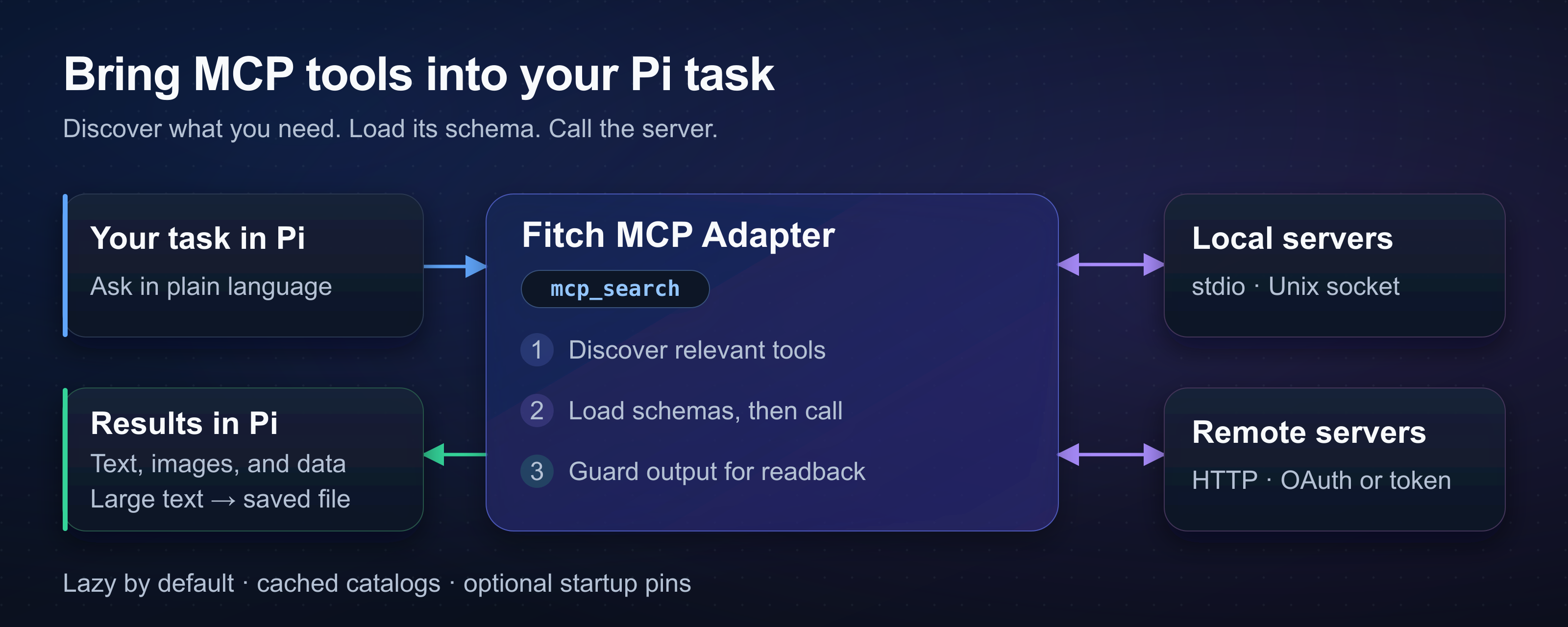
Connect Pi to MCP servers for browsers, databases, and APIs. The adapter loads selected tool schemas when needed to keep large catalogs out of the conversation context.
Install
Use Pi 1.0.0 or later and Node.js 24 or later.
pi install npm:@fitchmultz/pi-mcp-adapter
pi
Restart Pi if it was open during installation. Load only one adapter per Pi host. For pre-v5 state, read the upgrade guide before you restart Pi.
For a Git install, run pi install git:github.com/fitchmultz/pi-mcp-adapter.
First use
Enter /mcp setup to add a server or import configs from other hosts. Preview the changes before you save them. The adapter leaves external host files unchanged.
The adapter reads .mcp.json and ~/.config/mcp/mcp.json automatically. Pi loads project configs only after project trust. See config paths and precedence.
For Chrome DevTools, create .mcp.json in your project:
{
  "mcpServers": {
    "chrome-devtools": {
      "command": "npx",
      "args": ["-y", "chrome-devtools-mcp"]
    }
  }
}
Run /reload after config changes. Ask Pi:
Use Chrome DevTools to take a screenshot of the current page.
By default, servers connect when Pi discovers an uncached catalog or calls a tool. Cached catalogs remain searchable without a connection.
Controls and settings
| Command | Purpose |
|---|---|
/mcp |
Show servers and pin tools |
/mcp status |
Show connection state and tool/resource counts |
/mcp reconnect <server> |
Reconnect and refresh the catalog |
/mcp-auth <server> |
Start OAuth in an interactive session |
/mcp disable <server> |
Disable the server for this project; apply with /reload |
/mcp enable <server> |
Enable the server for this project; apply with /reload |
Use directTools to pin tools at startup. Other tools remain available for discovery. Global search covers known catalogs; select a server to discover an unknown catalog.
Use approveTools to require confirmation before sensitive calls. Matching calls fail in headless sessions without approval.
More server features
The adapter supports resources and prompt templates. Prompt commands use /mcp__<server>__<prompt> names.
MCP Apps open interactive UIs in a browser or through Glimpse on macOS. Apps can send messages to Pi. Try the interactive visualizer.
Use mcp_script for loops and dependent tool calls. See gateway examples for exact call shapes.
Warnings and platform limits
MCP servers can execute programs or access accounts. Check server commands and account access before you trust a project config.
OAuth requires an available OS credential store. Unlock a Secret Service-compatible keyring on headless Linux. The adapter has no plaintext fallback. See the OAuth guide for remote sign-in.
Android and Termux do not support persistent OAuth by default. Unauthenticated, header-token, and stdio servers work. Git/source builds require an Android-native tsgo compiler. Use the precompiled npm package if you have no compiler. See Android build details.
The adapter saves text above the default 50 KiB or 2,000-line limit to local files. Saved results and App histories can contain sensitive data. Remove files when you no longer need them. See output handling and readback.
If App history cannot be saved, reload or exit discards unsaved messages. Retrieve pending messages before either action. See App history and recovery.
Documentation
- Reference: all settings, tool actions, SDK integration, transport behavior, and limits.
- Upgrade guide: API changes and pre-v5 state migration.
- Development and releases: local checks and maintainer procedures.
- Changelog · Report an issue
License and background
Mitch Fultz maintains Fitch MCP Adapter under the MIT license. Mario Zechner discusses tool schema costs in his article about MCP.