@edgehero/pi-dispatch-admin4.3.1
Operator console for pi-dispatch, as a pi extension: a /dispatch panel over the queue, spend caps, scoped limits, run history and insights, editable cron and GitHub, GitLab, Forgejo and Azure DevOps triggers, pause windows, and human-confirmed tools your
Untested on omp
This is a pi package. No one has reported whether it works on omp yet. If you try it, add your result below.
Reports 0
No reports yet.
Readme
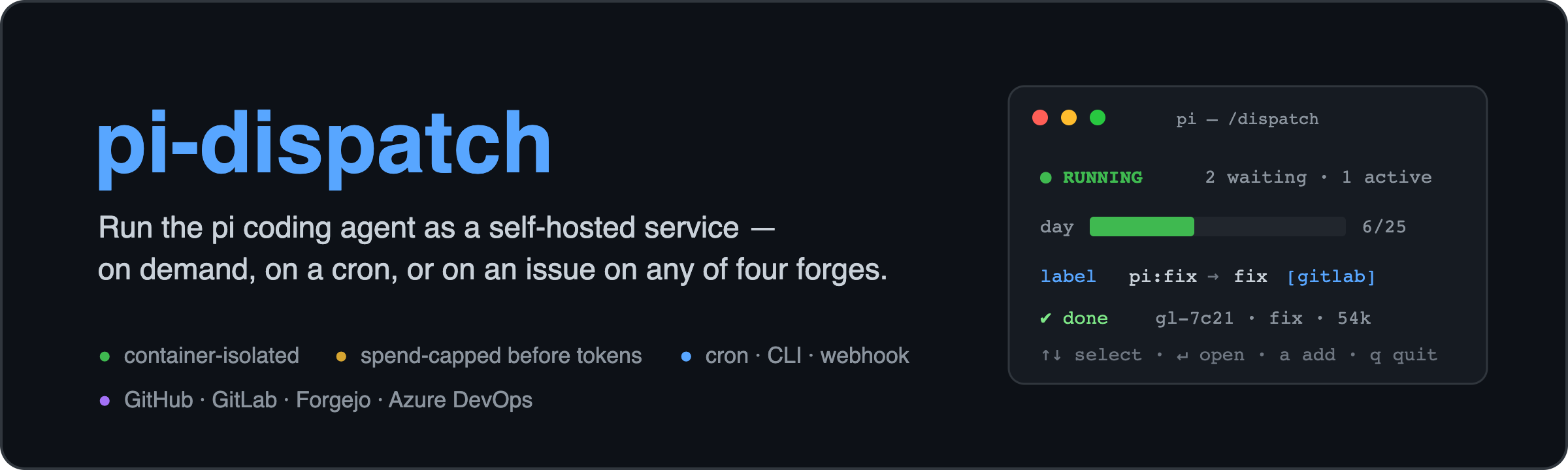
pi-dispatch: run the pi coding agent as a self-hosted service
Let a coding agent work on your repositories while you are not watching, without surprise bills and without giving it the keys to your machine.
pi is an open source coding agent that you normally run in a terminal. It has no job queue, no spend limit and, by its own README, no permission system. pi-dispatch adds exactly those, so pi can run unattended: on a cron schedule, on your repo's issues and PRs, or from the command line. Every job runs in its own container. Spend is checked before a single token is spent: job counts and a daily token count for the whole deployment, job counts per repo, folder or project, and dollars per day, week or month for the deployment and per repo, folder, project or model, plus an optional dollar cap per job. Everything the agent did, and what it cost, is recorded, graphed and priced.
On a forge you stay in control at both ends. A job starts only when someone with write access to the repo
asks for one, with a label, an @pi comment or a review. What comes back is a pull request that you
review and merge yourself, because pi-dispatch never merges anything. It is not another agent to compare
with the one you use. It is the queue, the budget and the box around the pi you already run.
This npm package,
@edgehero/pi-dispatch-admin, is the operator console, a pi extension. The service itself is@edgehero/pi-dispatch(worker and CLI) and@edgehero/pi-dispatch-receiver(the webhook edge). The main repo has the job image, the docs (Docker, Podman, egress, every forge) and SECURITY.md.
How it works
Every trigger produces the same job, through the same path: one queue, one container, one budget.
   CLI · cron · label / comment / PR on GitHub, GitLab, Forgejo or Azure DevOps
                │  enqueue
                ▼
        Valkey + BullMQ            durable queue: survives reboots, absorbs bursts
                │
                ▼
     under the day, week and       if not: refused here, before any spend
     month caps (jobs, tokens,
     dollars), the scoped limits,
     the project's share of the
     envelope and the turn budget?
                │  yes
                ▼
     one container per job         Docker or Podman, removed after the job: all
                                   capabilities dropped, no-new-privileges,
                                   memory/CPU/pids limits, /job mounted read-only
                │
                ▼
     pi + your .pi/skills          edits your code in place, opens a PR or MR, comments back
The container is the boundary, and it is pi's missing permission system. The worker builds the isolation
flags itself, so nothing an image contains can weaken them. The non root user comes from the image on
Docker Desktop (and for a worker running as uid 1001), and from the worker's own uid on a native Linux
daemon. That is why an image has to meet the checklist in
docs/job-image.md. What each
container runtime guarantees is declared in
docs/backends.md, and
pi-dispatch doctor --live reads it back from real containers.
Where it runs. On any Linux server or VM you control, or your own Mac or Windows machine with Docker Desktop: the worker is a long running process beside a container runtime on the same host. Serverless platforms, hosted sandbox services and a container daemon on another machine are not supported. pi-dispatch itself needs no AI key; the provider key is for pi inside each job. The details are in the main README.
Spend is checked before a container starts, so a runaway or a junk trigger costs a refusal, not a bill. The job image ships Playwright and Chromium, so a flow can build a frontend, screenshot it and iterate.
What the agent can see. Two credentials go into each job as environment values, the provider key and
the forge token, and the agent can read both. The guardrails tell it never to print or send them, but
that is prompt text, not enforcement. Set a spend limit at your provider. On GitHub, the default gh auth
source forwards your whole login, full scope and never expiring, and pi-dispatch doctor warns about
it; the GitHub App gives each job a one hour token for one repo instead. Network egress is denied by
default and goes through an allowlist proxy, and the allowed hosts are yours to list
(docs/egress.md).
Triggers: what starts a job
Every trigger is one { on, run } entry in a single triggers.json. The worker reads it live for cron,
the receiver reads it live for forge webhooks, and the console can edit it. on is what fires it;
run is the skill it runs.
on.type |
Fires on | What the agent gets as its task |
|---|---|---|
cron |
your schedule | the task written in the file |
label |
a label on an issue (or an Azure work item), never a pull request | the issue title and body |
comment |
a comment containing your phrase, such as @pi |
the comment, plus the issue title and body |
pull_request |
a PR or MR event, including its close | the PR title and body |
issue |
an issue closing (once: true makes it a one-shot) |
the issue title and body |
Four forges: GitHub, GitLab, Forgejo (and Gitea), Azure DevOps. Who may fire a trigger is your forge's
decision, not this service's. On GitHub the label is the approval, because only collaborators can add
one. GitLab, Forgejo and Azure check the actor's permission through their APIs. A close trigger checks the
person who closed the item (Azure has no close trigger yet, and refuses one at load). Each forge's
action words are checked when the file loads, so a word from the wrong forge is refused instead of never
matching. The full reference is
docs/triggers.md.
Flows and workflows. run.flow names a skill committed to the target repo at
.pi/skills/<flow>/SKILL.md, read from the default branch. The repo owns the prompt, and merging it
is the repo's consent. A skill may call other skills, which is already a workflow. For typed multi-stage
workflows, stage a pi extension such as @juicesharp/rpiv-workflow into the deployment. It is pinned to an
exact version, installed on your host (never at job time, since jobs run offline), loaded in every
container and declinable per trigger. Anything you installed with pi install is staged automatically at
your host's version.
run.command is the second entry point. A trigger may name a registered command that a staged extension
provides ("command": "wf run nightly"). The job's whole prompt is that line, handled by the extension
with no model turn in between. It picks which vetted command runs, never what code runs, and it is never
AI triggerable: job chaining refuses a request naming one, and dispatch_run cannot express one.
Four things to know before you build on it:
- A trigger names a flow or a command, never a workflow. That entry point decides which stages run.
- A job is not an interactive session. The container hands pi one prompt and reads the exit line.
- One trigger is one job, one budget slot and one turn budget. Ten stages share the same
PI_MAX_TURNSand token budget, and running out ends the job as a policy refusal that is never retried. - State survives only on local jobs. A cron or CLI job has your folder mounted read-write, so state
persists. A forge job gets a fresh clone that is thrown away with the container
(
docs/workflows.md).
The console: /dispatch
One command puts a live terminal view over the whole deployment:

- MCP servers, read-only. A trigger that names MCP servers says so on its row (
[mcp ...]), and its drill-in shows each one as the overlay offers it now: where it runs, how its tools are reached, and the variable names it is handed, or why every job of it would be refused. No tool and no key changes them. - Status and spend. Queue and worker state, day, week and month spend meters, a daily token counter,
and the run history with tokens and cost per job.
Enteron a run opens its full record,xon a running job cancels it after asking, andbon an opened run reopens its workspace. - Insights, the one analytics page. Press
i(or type/dispatch insights) and one self contained page opens in your browser. It shows the budget dials, plan verdicts against API rates, daily, cumulative and per flow spend charts, five breakdowns (by flow, trigger, model, repo and project), the budget split with each project's share, spend and floor and the split's history, how busy each host was (jobs only), and the trigger and flow topology with spend on each trigger. A plan covered run never shows as $0.00, and an estimate is always marked as one (docs/insights.md).

- Triggers, editable live. Add, edit and delete triggers without a restart. Drill-ins show what
fires each one, what it runs and who may fire it. A one-shot shows armed or spent. A spent entry
stays in the list, matches nothing, and is re-armed when you delete its
on.disarmedmark from the file. Triggers that run third party code or a custom image carry a badge. Turning either on or off stays an edit to the reviewedtriggers.json, which neither the console nor a model callable tool makes for you. A portfolio manager's cron trigger carries[portfolio]: its jobs write the budget split. - Quiet hours. Pause windows per folder or repo, timezone aware. A paused job waits, never drops, and costs nothing.
- Scoped limits. Job caps per repo, folder or project (day, week, month), refused before any spend, plus a
ceiling on how many run at once, enforced by making jobs wait. Dollar caps per day, week or month for a
repo, a folder, a model (
model:<provider>/<id>) or a project (project:<id>). Write a repo with its forge (github:acme/web) to limit it on that forge only. Local jobs also have a fixed guard with no switch: one job per folder at a time (it lives in the worker process, and one worker per container daemon is the supported shape), because two agents editing one working tree race each other with no gate and no undo. - Job sizes. A project row can set the memory and CPUs of its jobs, and how much of a machine they may hold
(
hostShare) or keep room for (minJobs). The PROJECTS view (j) shows each project's size, the p95 of its runs' memory peaks and cores used, a suggested size and the exactdispatch_limit_editcall that applies it.dispatch_limit_addanddispatch_limit_edittake the four fields behind your confirm, and nothing applies a size by itself (docs/sizing.md). - Dollar windows. With dollar caps set, the panel shows each window's spend and holds against its cap,
and what the run records settled (
docs/costs.md). - Projects.
jshows each project with its members and this month's spend, andEnteron one filters the runs list.dispatch_projectslists them, anddispatch_project_add,dispatch_project_editanddispatch_project_deletechangeprojects.jsonbehind your confirm (docs/projects.md). - Hosts.
ushows each worker host: its slots in use of its limit, what its budget has promised its jobs, how many jobs wait for its budget, and its running jobs with project, size and age, then how busy it was over the last 7 days (busy share, jobs at once, time full, the wait and the top projects), labelled with when they were read. The 7 days are read when the view opens and again onuin it. Time before a host's history starts is said and not counted, but a host that is new, or was down, inside history that is here reads as idle for that time.dispatch_capacityreturns the same report (docs/multi-host.md). It counts jobs only: a machine busy with other work reads as idle.

- The budget split. With an allocation envelope (a dollar total per window and a floor per project),
bin the list shows each project's share and spend, the applied plan with the reasons it gave, and the history.ron a history row reverts to it after a yes or no.dispatch_priorities_setsets a plan of weights with no confirm, because it can only move money inside the envelope;dispatch_envelope_setchanges the envelope behind your confirm;dispatch_allocationsreads the split. pi's ownwriteandedittools are blocked on the envelope,projects.json,scoped-limits.json,triggers.jsonand the settings file (docs/allocation.md)./dispatch prioritiesshows the split as text, and/dispatch priorities set shop=3 platform=1sets a plan. A run's detail names the plan a portfolio run wrote and the dollars it settled.

- The portfolio manager. A weekly flow you own reads the budget and writes a plan of weights. The
worker applies it inside the envelope, bounds each move and logs it, so you can revert it
(
docs/portfolio-manager.md). - Held and failed jobs. A trigger with
run.waitForholds its job in the queue, unstarted and unbilled, until a time passes or your check script exits 0. The panel shows a held section while anything waits (the target, the condition and how long), and a failed section for jobs the queue marked failed after their last attempt.dispatch_waitslists held jobs anddispatch_wait_cancelstops one behind your confirm (docs/wait-for.md). - AI operable, with a human gate. Model callable tools can change limits (global and scoped) and
manage triggers and pause windows. Every config change asks the operator in a prompt the model
cannot answer, and is refused when no operator is present.
dispatch_pauseanddispatch_resumeskip that confirm on purpose: they are reversible and spend nothing. - One tool is not money safe.
dispatch_runqueues a paid run that edits a local folder in place with no undo, without a confirm. Six separate limits bound it instead: thePI_DISPATCH_RUN_ROOTSfolder allowlist, a committed per flowai-trigger: allowopt in (read at a commit fixed before the agent starts), a dirty tree refusal with no force option, no spend settings on the tool, a per hour rate limit and the worker's daily cap. It cannot run commands, and a chained job asking for acommandis refused. ReadSECURITY.mdbefore you enable it. The bundledoperate-pi-dispatchskill teaches the agent these gates. - Logs stay put. Raw container output shows only in the panel's viewer, never in model context.
More than one machine
The console reads the whole deployment, not one host. The status line names the workers once they have
names. The run detail names the machine that ran a job. The pause switch stops every queue, and the
scheduler view spans hosts. On a single host none of that shows, because there is nothing to tell apart.
The HOSTS view (u) shows each machine's slots, budget and running jobs now and how busy it was over the last 7
days; pi-dispatch capacity, doctor, the insights page and dispatch_capacity read the same capacity report, from
the run records (jobs only: a machine busy with other work reads as idle).
See docs/multi-host.md.
Install
pi install npm:@edgehero/pi-dispatch-admin # then, in pi: /dispatch
This is the default way to set up pi-dispatch. With nothing configured, /dispatch starts a guided
setup, in this order:
- an opening choice and a deployment folder;
- a container runtime check (Docker, or rootless Podman on Linux), with pointers per OS if it is missing.
It runs first on purpose, so no bandwidth is spent where
upcannot work; - a consented npm install of the pinned runtime;
pi-dispatch up, running its own prompts in your terminal (Valkey with its password, the egress proxy, the config files);- the deployment pointer, so
/dispatchfinds this deployment from any directory; - a notice naming the file your provider key belongs in;
- optional: the worker as a service, GitHub App credentials (
setup github, the one step that mints a private key), a trigger edge (receiver service, docker compose profile or the polling command), and a first cron trigger for the repo you are in.
Every step says what it will do, asks first and can be declined. Nothing is written into your repo, and no credential passes through a dialog. A deployment whose queue is only down keeps the unreachable banner: setup appears when there is nothing, never over an outage.
Already have a deployment? The panel finds it through the deployment pointer, or through the same env
vars your worker uses (VALKEY_URL, PI_LOGS_DIR, PI_SETTINGS_FILE, PI_TRIGGERS_FILE,
PI_PAUSE_WINDOWS_FILE, PI_SCOPED_LIMITS_FILE, PI_SUBSCRIPTIONS_FILE, PI_PROJECTS_FILE,
PI_ENVELOPE_FILE). Your env always wins. What your env does not set comes
from the deployment's own .env, by the same rule pi-dispatch doctor uses: only the pointer's
deployment folder (never a .env in the folder pi started in, which any repository could ship), and only
when that file is yours and nobody else can write it. A key your env sets differently is named once as a
warning, never with its value. The switches that grant a capability (PI_BACKENDS, PI_EGRESS,
DOCKER_HOST, PI_DISPATCH_RUN_ROOTS) are never read from a file.
dispatch_run does nothing until you set one more variable yourself. PI_DISPATCH_RUN_ROOTS is empty by
default, and an empty allowlist refuses every folder. The deployment pointer cannot set it (it carries
paths, never capability grants), so widening that allowlist is always your own env edit. No allowlist
reaches commands either: a run.command fires from the reviewed triggers file only.
Get the whole thing
→ https://github.com/edgehero/pi-dispatch
MIT, self hosted. Read SECURITY.md
before you rely on it: it states plainly what is and is not defended. Short version: the trust model is a
GitHub Action's. Whoever can merge to your default branch can instruct the agent.