@christianmoesl/pi-radar0.6.0
Radar workspace tools and context for Pi coding agent
Untested on omp
This is a pi package. No one has reported whether it works on omp yet. If you try it, add your result below.
Reports 0
No reports yet.
Readme
Radar
See what needs your attention. Get back to work.
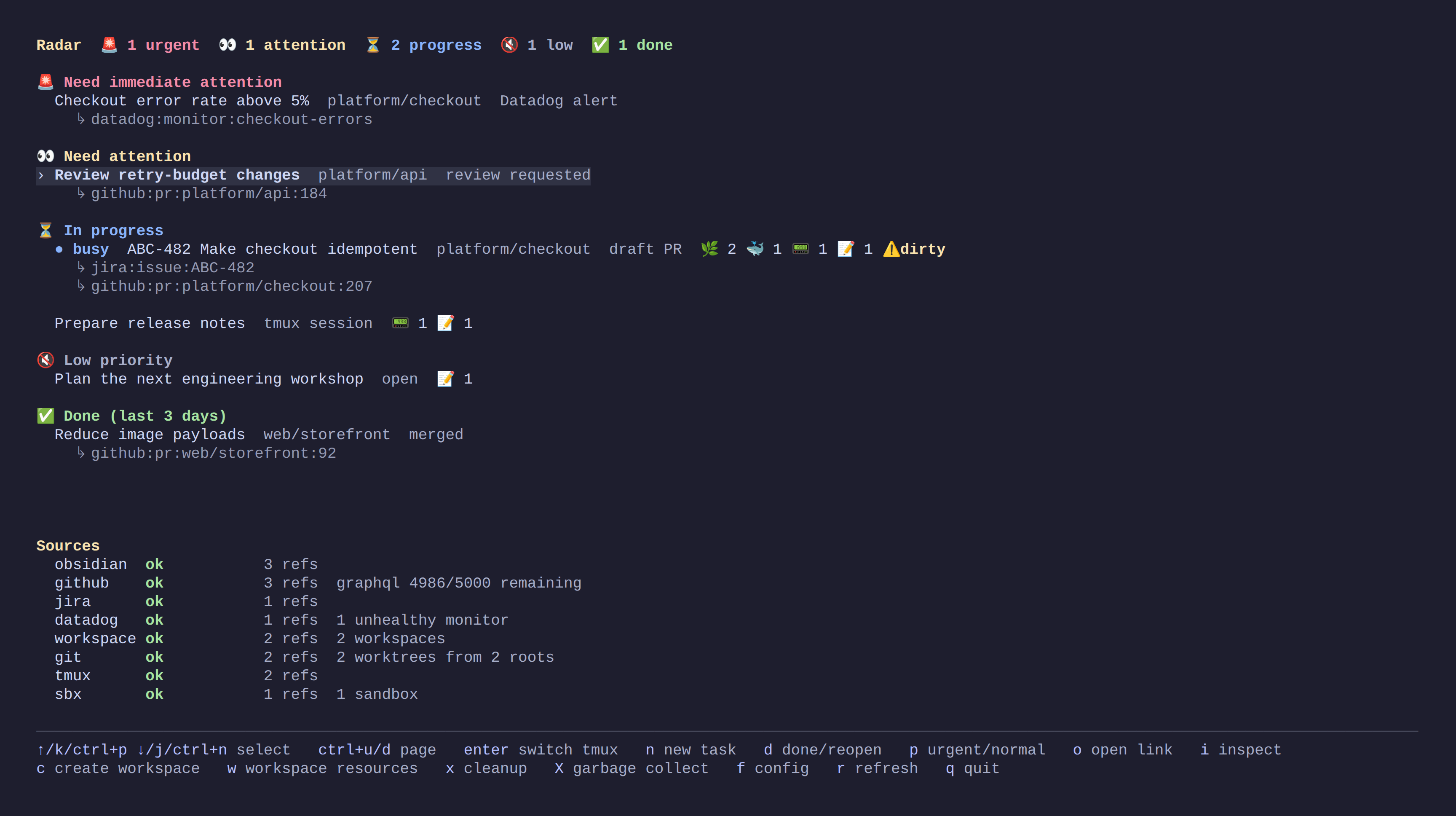
Radar brings your issues, pull requests, notes and local work into one terminal dashboard. Open a task to jump into its workspace—with Git worktrees, tmux and Pi ready to go.
Get started
1. Install
macOS and Linux:
curl -fsSL https://raw.githubusercontent.com/ChristianMoesl/radar/main/install.sh | bash
The installer checks required tools, asks before installing anything or changing your PATH, and starts guided setup. Run it as your normal user.
Prefer Homebrew?
brew install ChristianMoesl/tap/radar
radar
Requirements, updates and other installation options →
2. Make it yours
Choose where your repositories, workspaces and notes live. Obsidian is optional. Connect GitHub, Jira or Datadog, or start with local work. Setup installs the required Pi extension and lets you review changes before saving.
Run radar whenever you want your dashboard. Change settings anytime with
radar setup.
3. Open your first workspace
Press c, give the workspace a name, and optionally add a repository.
Press Enter to create it and open Pi. You can start with just a note and add
repositories later with w. If Pi needs model access, use /login in Pi.
Back in the dashboard, use ↑/↓ to choose a task, Enter to resume its
workspace, i to inspect it, or o to open its issue, PR or note.
Workspaces are disposable: completed ones are automatically cleaned up, and can lose uncommitted work after eight days. Read the cleanup policy.
Learn more
| I want to… | Guide |
|---|---|
| Finish setup, fix notifications or update Radar | Installation and updates |
| Learn the dashboard and keyboard shortcuts | Using Radar |
| Create workspaces, add repositories or configure setup commands | Workspaces |
| Connect tools or customize settings | Configuration · Integrations |
| Use the CLI, inspect state or find logs | Command-line reference |
All documentation · Contributing · MIT License
Offline help
Use man radar and man radar-config for the installed reference. Inside a
Radar workspace, you can also ask Pi “What can Radar do?” or “How do I configure
my workspaces?”. The Radar extension reads documentation embedded in your
installed CLI. See manual discovery and
Pi documentation access.
Native SBX provisioning is available on macOS and Linux with SBX 0.48.x (KVM required on Linux). Native SBX inside WSL remains best-effort and requires the tested daemon/CLI cache policy. See SBX setup and qualification before enabling it for Windows-backed canonical notes. Existing workspaces attach SBX explicitly through normal preview/reconcile, never by changing defaults alone.