@buildingthefuture/harnext0.8.2
harness + next == harnext — the next era of harnesses. Transfer, sync, and search agent chats across Claude Code, pi, Oh My Pi, and Codex.
Built for omp
The author tagged this package oh-my-pi.
Reports 0
No reports yet.
Readme
harnext
harness + next == harnext. The next era of harnesses.
Move a coding-agent chat between Claude Code, pi, Oh My Pi, and Codex. Transfer it, sync it, search it, and resume it in whichever tool you want.
npm i -g @buildingthefuture/harnext
Requires Node 22.19 or later.
Commands
| Command | What it does |
|---|---|
harnext |
Pick a chat in the current repo and copy it to another harness. |
harnext search "<term>" |
Find chats that mention a term, then copy a resume command. |
harnext ls |
Show running agents by harness, with token use and remote status. |
harnext chats |
Open any chat on the system in a new terminal. |
harnext all |
List every chat across every repo. |
harnext sync |
Mirror the current chat into every installed harness. |
harnext watchdog |
Keep a synced group current until it conflicts. |
harnext goal "<goal>" |
Drive a worker chat until a goal is verifiably met. |
harnext export |
Export your prompt history as HTML, Markdown, or text. |
harnext config |
Set whether transfers notify the receiving agent. |
Supported harnesses
| Harness | Read | Write | Resume |
|---|---|---|---|
| Claude Code | yes | yes | claude --resume <id> |
| pi | yes | yes | pi --session <id> |
| Oh My Pi | yes | yes | omp --resume <id> |
| Codex CLI/App | yes | yes | codex resume <id> |
Codex imports are written as rollout history that codex resume <id> loads
directly. Oh My Pi imports use its native v3 session format.
Demo
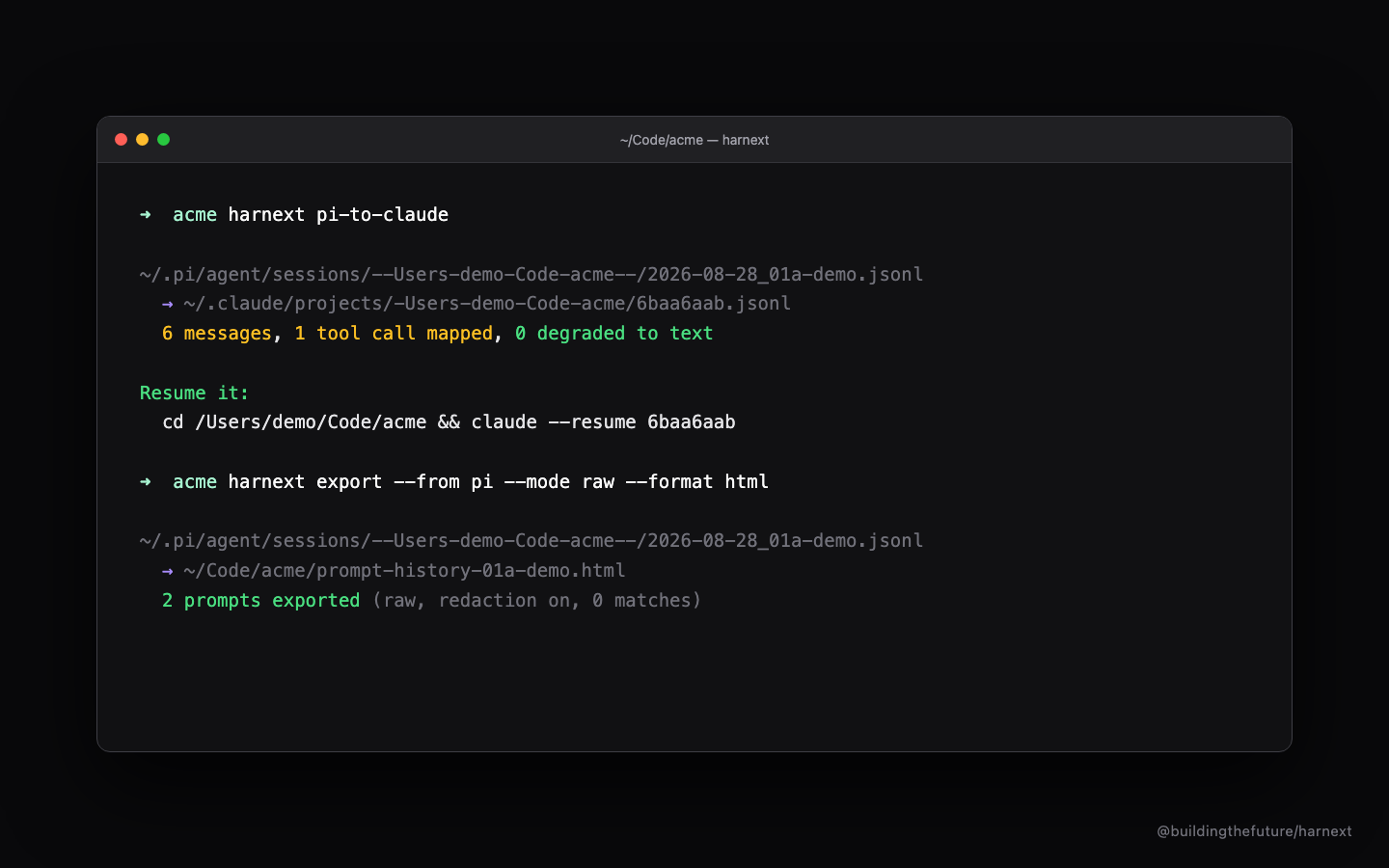
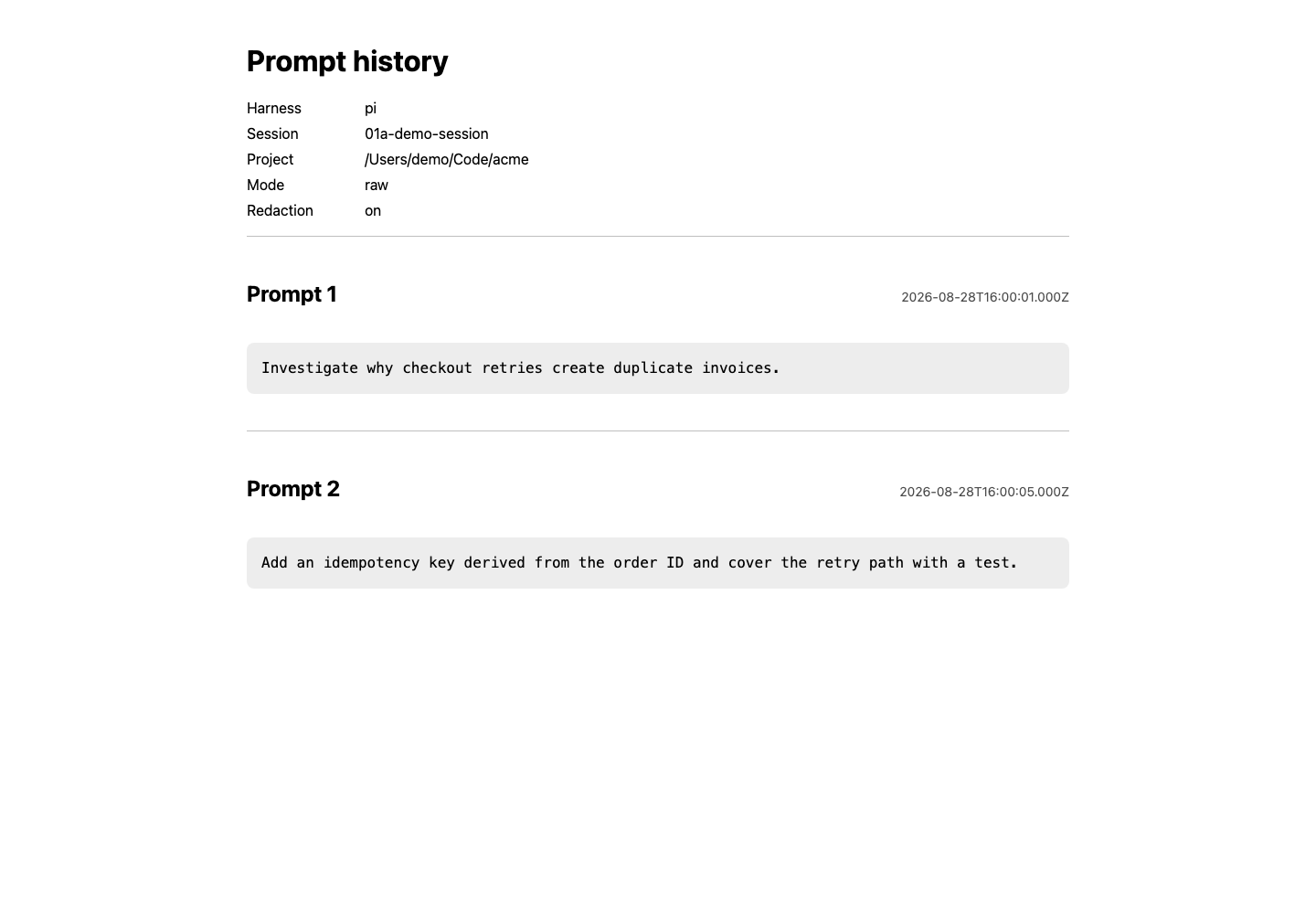
Transfer a chat
Run harnext inside a repository to copy one of its chats to another harness:
cd your-project
harnext
It lists the repo's chats newest first. Pick one, then pick a destination or
all installed harnesses. In a pipe it prints the list instead of prompting; add
--session <id> --to <harness|all> for a non-interactive transfer.
Search
harnext search "<term>"
Scans every chat in every harness and lists the matches grouped by harness,
most matches first, one line each with a match count. Pick a result and harnext
prints the resume command and copies it to your clipboard, so you paste it into
whatever terminal you use. Add alive to limit to running chats, or
--session <id> to resolve one match directly. In a pipe it prints the list.
List running agents
harnext ls
Shows the agents running right now, grouped by harness. Each row reports the chat id, project, token usage, and whether a remote connection is open:
- Token usage comes from each harness's own records. Claude Code and Codex
report it; pi and Oh My Pi do not, and show
—. - Remote for Claude Code is read per session from the daemon session registry. For pi it reflects whether the remote mesh broker is running.
Open or list any chat
harnext chats          # pick any chat on the system, open it in a new terminal
harnext all            # print every chat across every repo
harnext chats alive    # only chats tied to a running process
harnext all alive
alive uses a conservative live-session check; modification time alone does not
make a chat alive. In a pipe, chats prints the list; --session <id> selects
without the picker.
Sync and watchdog
harnext sync       # mirror the current chat into every installed harness
harnext watchdog   # keep the group current until it conflicts
sync detects the current harness from its session environment, or opens the
repo picker from an ordinary terminal. It records the group under
~/.harnext/groups/.
watchdog stays in the foreground and checks the group every 1500ms (set with
--interval <ms>, minimum 250). One changed member becomes the source and is
copied to the idle mirrors; writes are debounced and atomic. A running target is
left untouched until it closes. If two members change before a sync pass,
watchdog stops and reports a conflict rather than overwrite either history. This
is safe single-writer switching, not a multi-writer merge. Ctrl-C stops it.
Goal loop
harnext goal "all tests pass and the build is clean" --yolo
harnext goal "ship the CSV export" --judge claude --max-rounds 20
goal runs a director agent that drives a worker chat until the goal is
verifiably reached. The worker is a chat in this repo (the current one, or
--session <id>). Each round the director reads the worker's output, decides
whether the goal is met, and sends the next instruction if not.
- It stops only on a verified done verdict backed by concrete evidence, such as a passing test or a command result.
--max-roundsis a safety cap, not success. At the cap harnext reportsGOAL NOT REACHED; it never calls an unfinished goal done.- The director runs on the worker's harness, or another with
--judge <harness>(both must be installed).--yololets the worker use tools without approval prompts, which an autonomous loop needs.
Export prompt history
Exports your prompts only; assistant messages, tool traffic, and images are dropped.
harnext export --from claude --format markdown
harnext export --from pi --format html --output prompts.html
harnext export --from pi --format text --redact off
- Raw mode (default) preserves each prompt exactly, entirely on your
machine. Local redaction is on by default and replaces profanity and slurs
with
[redacted]using Obscenity's English dataset; it is heuristic, not a guarantee. Use--redact offonly where the original text is safe. - Smart mode (
--mode smart) replaces each prompt with a cleaned version through OpenRouter. The selected model receives the prompt text.
export OPENROUTER_API_KEY=...
harnext export --from pi --mode smart --smart-model anthropic/claude-haiku-4.5 --format markdown
OPENROUTER_MODEL can replace --smart-model. Formats are html, markdown,
text; use --output - for stdout or --output <path> for a file. Otherwise
harnext writes prompt-history-<session>.{html,md,txt} in the project.
Publish an HTML rendering to hypertext.one only when asked:
harnext export --from claude --mode smart --smart-model anthropic/claude-haiku-4.5 --format html --post hypertext --expires 7d
hypertext.one pages are readable by anyone with the URL unless --password is
set. The service has no accounts, defaults to 30-day expiry, and returns an
owner token once (harnext prints it but does not store it). Pages over 100KB are
split automatically.
Tell the receiving agent
Interactive transfers ask whether to append a final model-visible message that tells the receiving agent to re-inspect its MCP servers, tools, skills, and runtime state, since these differ between harnesses.
harnext config                     # single-key UI
harnext config --tell-agent ask    # default
harnext config --tell-agent always
harnext config --tell-agent never
always stores the preference in ~/.harnext/config.json. The default ask
is treated as no in non-interactive transfers; set always for scripts.
Explicit transfers
The original two-harness commands remain:
harnext claude-to-pi
harnext pi-to-claude
Each reads the newest source session (unless --session is given) and prints
the exact resume command. Add --list to list sources or --dry-run to report
the conversion without writing.
Options
| Option | Effect |
|---|---|
--cwd <dir> |
Project directory. Default: current directory. |
--session <path|id> |
Source session path, id, or unambiguous id prefix. |
--to <claude|pi|omp|codex|all> |
Skip the destination picker. |
--interval <ms> |
Watchdog scan interval; minimum 250, default 1500. |
--dry-run |
Report the conversion and write nothing. |
--digest |
Import one deterministic summary instead of the full transcript. |
--name <name> |
Display name for the imported session. |
--max-tool-output <chars> |
Cap one tool result. Default 10000; 0 disables. |
--preserve-tools |
Keep unknown calls instead of degrading them to text. Can break resume. |
--sessions-root <dir> |
pi sessions root, as source or target. |
--projects-root <dir> |
Claude Code projects root, as source or target. |
--keep-reminders |
Claude → pi only: keep Claude <system-reminder> blocks. |
--pi-package <dir> |
Claude → pi only: write with this pi package. |
Run harnext export --help for the full export flag list. If
npx @buildingthefuture/harnext reports command not found, use
npx --package @buildingthefuture/harnext harnext pi-to-claude.
What survives a transfer
Both stores are parent-linked JSONL trees; harnext follows the active leaf and drops abandoned rewind branches. Tool calls are translated in both directions:
| Claude Code | pi |
|---|---|
Read |
read |
Write |
write |
Edit |
edit |
Bash |
bash |
Glob |
find |
Grep |
grep |
LS |
ls |
- A call the target does not know, and its result, become ordinary assistant text. Leaving an unknown or unanswered call in history can make the provider reject the whole resumed conversation; a call with no result gets a synthetic error result.
- Provider-signed thinking cannot cross providers. Claude → pi keeps the thinking text and drops the signature; pi → Claude keeps reasoning as ordinary text, because Claude rejects unsigned thinking.
- Harness bookkeeping stays out of model context. Claude hooks become pi custom
records; pi
customrecords are dropped for Claude, while model-visiblecustom_messagerecords stay as user context. - pi compaction boundaries are preserved: the latest summary, its retained tail, and later messages, without resurrecting summarized history.
- Tool results over 10000 characters are truncated unless
--max-tool-output 0.
Every lossy step appears in the conversion report.
Digest mode (--digest) produces one opening message with the prompts,
files changed, commands run, and final assistant state. It is deterministic and
offline, for when you want the work state rather than the full record.
Library API
import {
  readPiSessionFile,
  resolvePiSession,
  writeToClaudeCode,
} from "@buildingthefuture/harnext";

const source = await resolvePiSession(process.cwd());
const transcript = await readPiSessionFile(source.path);
const result = await writeToClaudeCode(transcript);
console.log(result.path);
The neutral Transcript type in src/ir.ts is the boundary between harnesses.
Each harness implements the HarnessAdapter interface in src/adapters/, so a
new harness needs one reader, one writer, one adapter, and one registry entry,
not one converter per pair.
Requirements
Node 22.19 or later. Claude → pi also needs an installed pi, because harnext
uses that installation's own SessionManager. pi → Claude reads pi JSONL
directly and does not load pi's runtime. pi's code does not parse on Node 18; if
harnext finds pi but cannot import it, the error includes the package path, the
import failure, and the running Node version.
Roadmap (experimental)
Agent-driven remote session health checks and a temperature monitor: harnext will watch whether remote-control sessions stay alive on each machine, and decide what to do when a monitor runs too hot. Not in this release yet.
Contributing
See CONTRIBUTING.md. New adapters must document the session store, use the neutral transcript model, preserve stable mirror identity, and pass reader, writer, resume, and watchdog-conflict tests.
npm install
npm run typecheck
npm test
npm run build
License
MIT