@0xkahi/pi-vim-keys1.2.0
Vim style input editor for Pi
Untested on omp
This is a pi package. No one has reported whether it works on omp yet. If you try it, add your result below.
Reports 0
No reports yet.
Readme
@0xkahi/pi-vim-keys
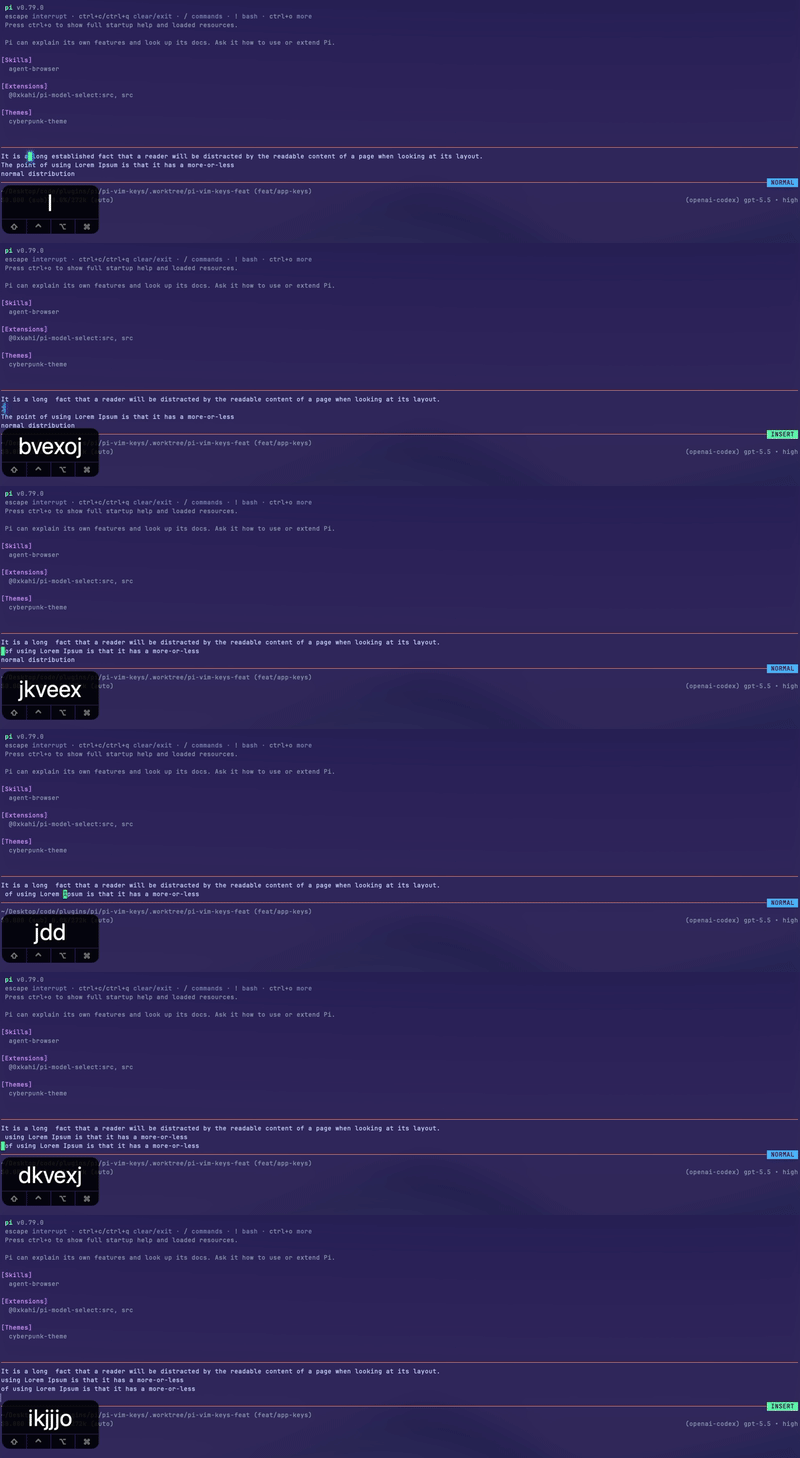
A Vim modal input editor for Pi. Replaces Pi's default input editor with full normal, insert, visual, and visual-line modes, plus configurable leader keybindings and per-mode cursor shapes.
Supports: Insert, Normal, Visual and Visual-line modes
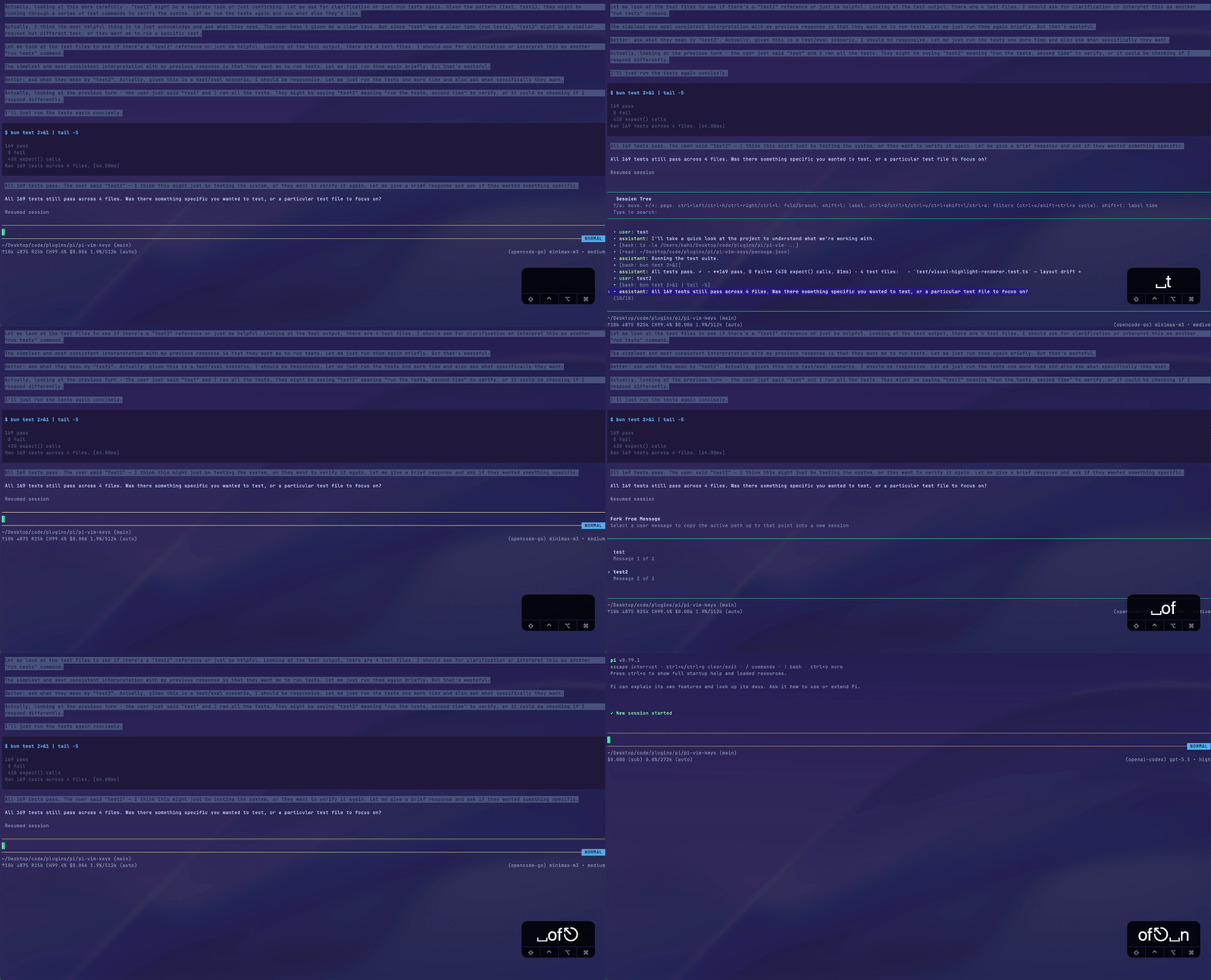
Custom LeaderKey Keybinds -> AppKeybinds
Install
Install globally (writes to ~/.pi/agent/settings.json):
pi install npm:@0xkahi/pi-vim-keys
Or install into the current project only (writes to .pi/settings.json, shareable with your team):
pi install npm:@0xkahi/pi-vim-keys -l
✨ Features
- Vim modes: insert, normal, visual, visual-line, and replace modes.
- Alt-screen mode: bind
pi.vimKeys.altScreenModeinkeybindsto scroll and search Pi's fullscreen transcript with Vim-style keys, entered only from normal mode. There is no default binding. Its bottom-border label isALT-S, colored bycolors.altScreen(default#ED7892). - Replace in place: single-character replace with
r<char>and a persistent REPLACE mode (R) that overtypes untilescape, recorded as a single undo step. - Mode-aware cursor and colors: configurable mode label colors, plus block cursor in normal/visual/alt-screen modes, bar cursor in insert mode, and underline cursor in replace mode when terminal hardware cursor is enabled.
- Configurable insert-to-normal mapping: use
escapeby default, or configure sequences likejjorkj. - Normal-mode leader keybindings: bind leader mappings to built-in editor actions, Pi app actions, or external extension commands.
- supports both single char and multichar sequence: keybinds can be
<leader>eor<leader>oe - Surround in visual modes: wrap a selection with brackets or quotes via
s(e.g.sab,siq).
For custom extension keybind registration, see Extension Keybindings.
Example:
{
  "keybinds": {
    "ctrl+w": "pi.vimKeys.altScreenMode",
    "<leader>oe": "app.editor.external",
    "<leader>p": "app.clipboard.pasteImage",
    "<leader>l": "app.session.resume",
    "<leader>g": "app.session.tree",
    "ctrl+t": "app.thinking.cycle"
  }
}
📚 Documentation
| Doc | What it covers |
|---|---|
| Configuration | Config file locations, merge order, colors, insert-to-normal remaps, leader keybinds, extension keybinding registration, and schema usage |
| Normal Mode | Insert/visual mode entry, movement, word motions, find character, editing, and configured keybindings |
| Alt-Screen Mode | Fullscreen transcript navigation, search, entry and exit keys, and Pi keybinding limitations |
| Visual Mode | Character-range selections, mode switching, movement, word motions, find character, selection editing, and surround |
| Visual Line Mode | Whole-line selections, mode switching, movement, word motions, find character, line editing, and surround |